
CookEase works inside ChatGPT and Claude. Once you add it and connect your account, you can ask about your recipes in the chat: find one you saved, double it, put it on your Meal Plan, or turn the week into a shopping list. Connecting is free. The overview is at cookeaseapp.com/ai-assistants.
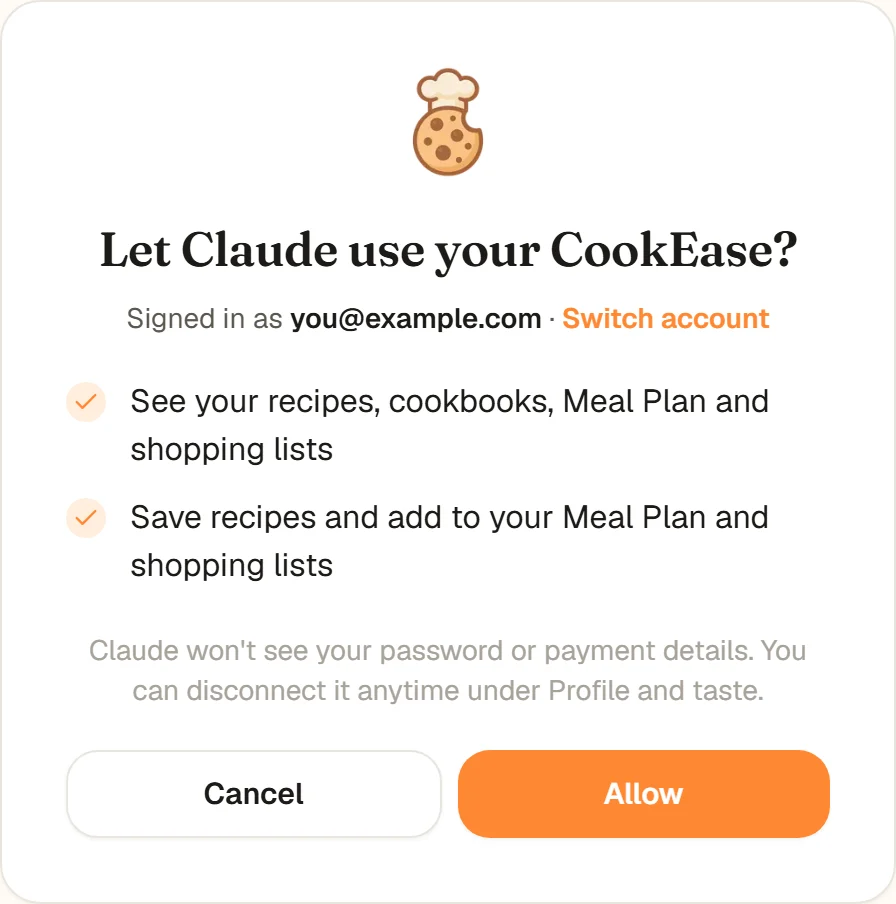
The page that opens when you connect. You choose Allow once.
Add CookEase in ChatGPT
Until CookEase is listed in ChatGPT's plugin directory, you add it with its address. This works on the Plus plan. ChatGPT changes its menus from time to time, so a label may read a little differently.
- 1
Open Plugins
On the ChatGPT website, choose Plugins in the left bar, then Add at the top and Add custom MCP server. - 2
Add CookEase by its address
Name it CookEase and paste https://cookeaseapp.com/mcp. ChatGPT fills in the sign-in settings by itself. Check the box that says you understand, then choose Create as a plugin. - 3
Connect your account
Choose Continue to CookEase. A CookEase page opens: sign in or make a free account and choose Allow. - 4
Ask in a chat
Ask about your recipes in any chat, for example “Using CookEase, show me my newest recipes.” Mentioning CookEase by name helps ChatGPT pick it.
Add CookEase in Claude
Until CookEase is listed in Claude's directory, you add it as a custom connector. Claude changes its menus from time to time, so a label may read a little differently.
- 1
Open Connectors in Claude's settings
On the Claude website or the computer app, open Settings, then Connectors, and choose Add custom connector. - 2
Add CookEase by its address
Name it CookEase, paste https://cookeaseapp.com/mcp and choose Add. - 3
Connect your account
Choose Connect next to CookEase. A CookEase page opens: sign in or make a free account and choose Allow. - 4
Ask in a chat
CookEase is ready in new chats. You can switch it on or off for a chat from the tools menu under the message box.
Connect your CookEase account
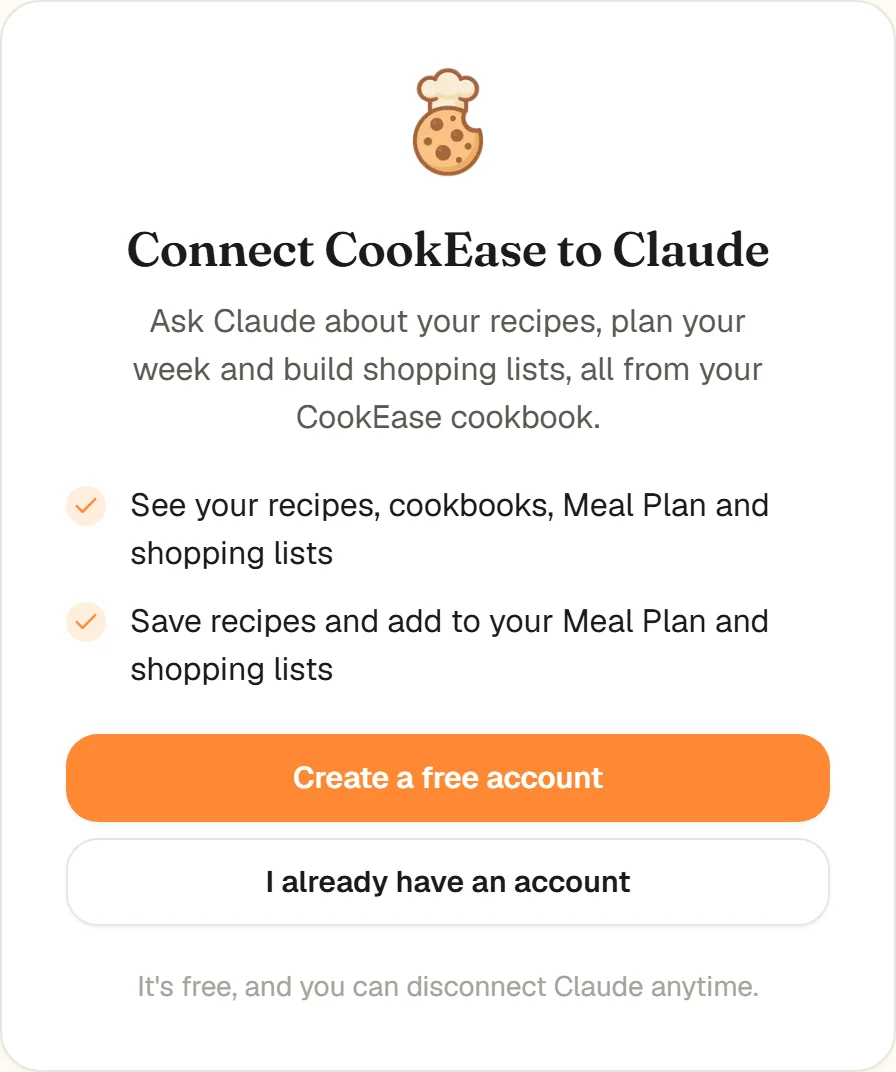
When you add CookEase, the assistant opens a CookEase page in your browser. It lists exactly what the assistant will be able to do.
- Not signed in: choose Create a free account or I already have an account. After signing in you come straight back to this page.
- Signed in: check the email address shown (choose Switch account if it is the wrong one), then choose Allow. Cancel connects nothing.
- After Allow, you are sent back to ChatGPT or Claude, and CookEase shows as connected there.
What you can ask
Talk to ChatGPT or Claude the way you normally would. Some things to try:
- “What can I make with chicken and rice from my recipes?” It searches the recipes you saved and shows the ones that fit.
- “Double my chili recipe and put it on Saturday.” Every amount doubles, including amounts written in the steps, and the chili goes on Saturday's dinner in your Meal Plan.
- “Make a shopping list for this week.” The week's meals become one shopping list, with amounts added up and sorted by aisle.
- “Save this recipe: (a link)” It saves from a recipe website, or a TikTok, Instagram, YouTube, Facebook or Pinterest video. Videos can take up to about a minute.
- “Make my lasagna dairy-free and keep it next to the original.” The changed version is saved beside your recipe, and the original stays as it was.
- “Give me a few quick vegetarian dinner ideas.” Ideas come from Discover. In ChatGPT this works even before you connect an account.
- “Check off the onions and garlic on my list.” Items are checked off your list, and you see it the next time you open CookEase.
- “Find me a really good shakshuka recipe and save it to CookEase.” The assistant finds one on the web, then CookEase saves it to your cookbook with the ingredients and steps written out.
- “Send this week's shopping list to Instacart.” Your list becomes a ready Instacart cart. Nothing is bought until you pick a store and check out on Instacart. See ordering ingredients.
- “Show me the recipes on my favorite creator's CookEase page.” Give the creator's handle, and you get the recipes from their creator page.
Kitchen questions, no account needed
Some answers come straight from CookEase's free kitchen tools, so in ChatGPT they work before you connect an account:
- “How long does cooked rice last in the fridge?” Fridge, freezer and counter times from USDA FoodKeeper, the same as CookEase's food storage pages.
- “I'm out of buttermilk. What can I use?” Tested swaps with amounts and the source of each.
- “Make this ingredient list for 10 people, in grams.” Paste the list; it is scaled and converted the same way as the recipe converter, with notes on what not to scale straight.
Before suggesting meals, the assistant reads your food preferences from your taste profile: allergies, foods you avoid and how many people you cook for. Recipes, weeks and lists show in the chat as cards with an Open in CookEase button, and everything it saves or changes is in your cookbook on the website and in the CookEase app.
What uses a free save
Each recipe saved from the chat uses one of your free saves, exactly like saving anywhere else in CookEase. Finding recipes, scaling them, the Meal Plan and shopping lists are free. If your free saves run out, the assistant says so and the recipe is not saved; you can still do everything else. See free and Pro.
See and disconnect connected assistants
On the website, open the account menu (your initials or photo, top right), choose Profile and taste and scroll to Connected apps. Each assistant shows when it was connected and last used.
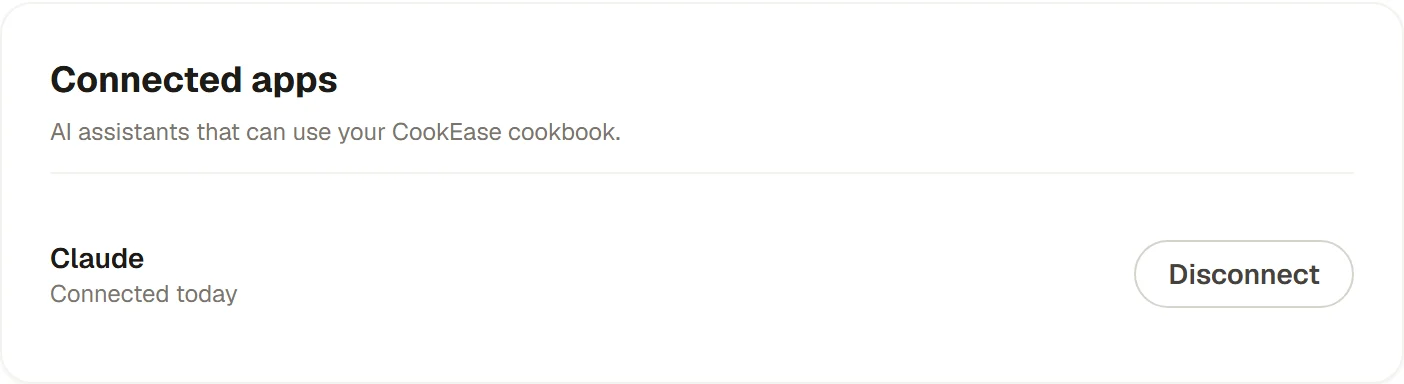
Connected apps, with Claude connected.
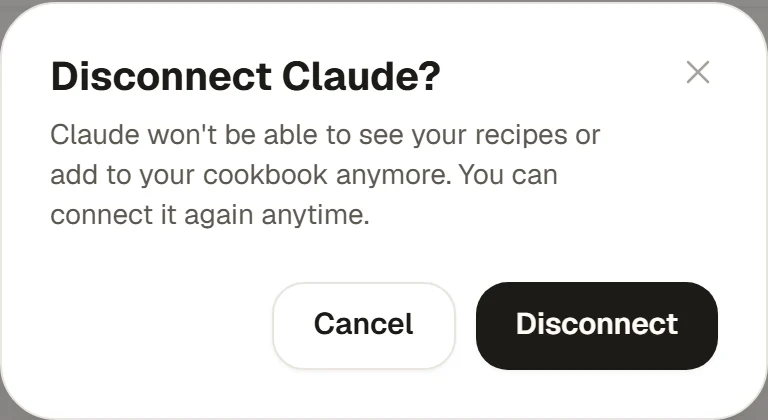
Click Disconnect and confirm. The assistant loses access to your CookEase account at once, and you can connect it again anytime. With nothing connected, the section says Nothing connected yet.
What the assistant can see
- Can see: your recipes, cookbooks, Meal Plan, shopping lists and food preferences.
- Can change, when you ask: save recipes, add to and change your Meal Plan, make and change shopping lists, and file recipes in cookbooks.
- Never: your password or payment details. It cannot delete a recipe from your cookbook.
- Your conversation: what you write in ChatGPT or Claude is covered by OpenAI's or Anthropic's own privacy policy. CookEase records which actions the assistant used and when, to run and improve CookEase.
More in privacy and your data and our privacy policy.