
Your recipes belong to one CookEase account, and every way of signing in has to lead back to it. Most sign-in trouble comes down to three things: signing in a different way than you signed up, an email that has not been confirmed yet, or a forgotten password.
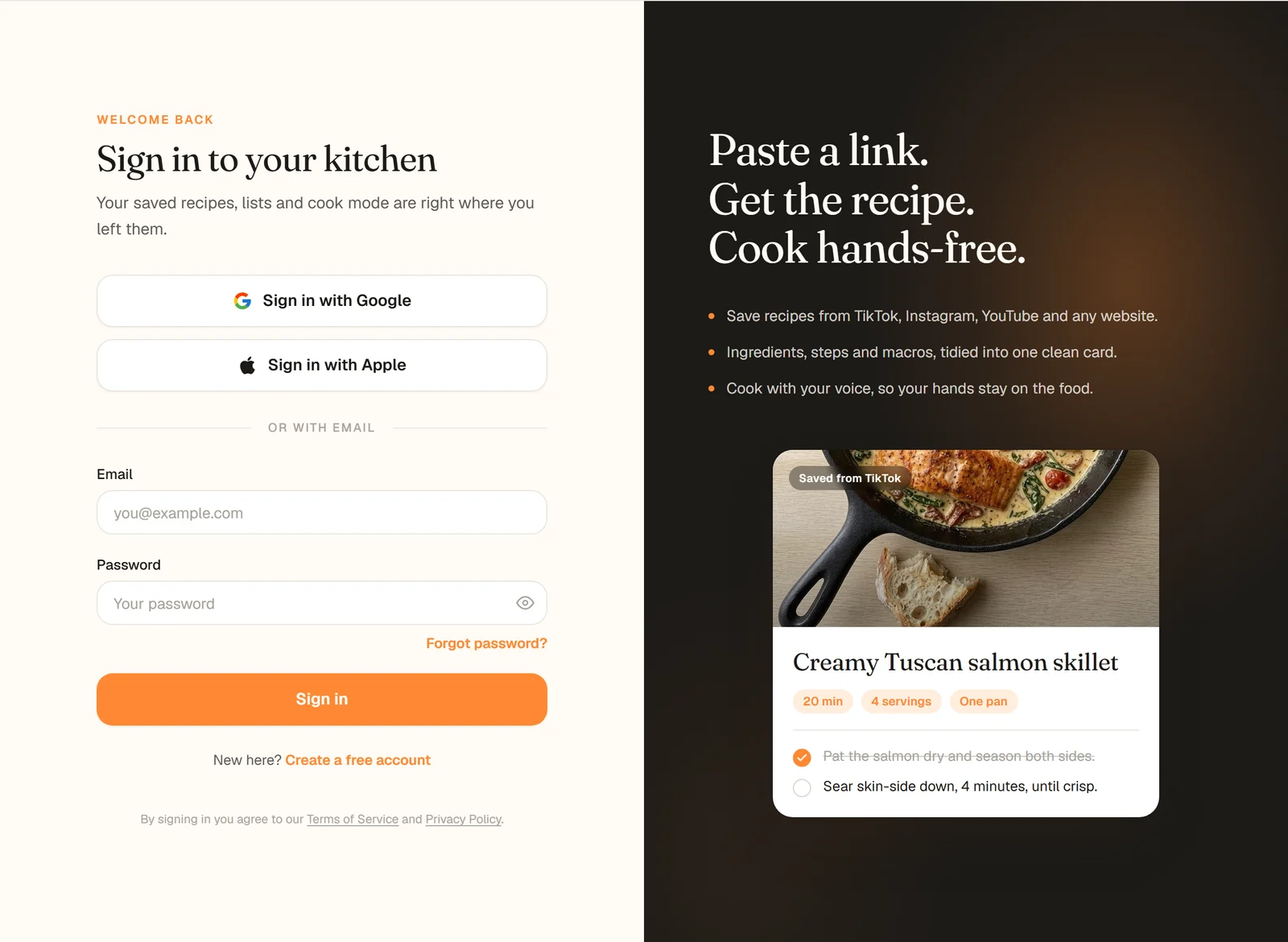
The website's sign-in page. The apps offer the same three ways: Google, Apple and email.
Sign in the way you signed up
CookEase accounts are tied to an email address. If you signed up with Google, Apple or an email and password, using the same email address takes you to the same account. The usual mix-up is ending up with a second, empty account:
This opens a different account
This finds your recipes
Apple's Hide My Email
When you sign in with Apple, Apple can hide your real address and give CookEase a private one instead (it ends in privaterelay.appleid.com). That address is different from your Gmail or work email, so it is a separate CookEase account. If you saved recipes with Apple and Hide My Email, keep using Apple. If you signed up with your real email, choose Share My Email when Apple asks, or use the email button.
Confirm your email
New accounts made with an email and password need to be confirmed before you can sign in. Right after signing up, CookEase sends an email with a Confirm Your Email button. Tap it, then sign in. (Google and Apple accounts skip this step.)
Can't find it?
- 1
Look everywhere
Check your spam or junk folder and any Promotions or Updates tab, and search your inbox for "CookEase". Email can take a few minutes to arrive. - 2
Ask for a new link on the website
Go to cookeaseapp.com/login and sign in with your email and password. CookEase saysYour email address has not been confirmed yet.
and offersSend me a new confirmation link
. Click it, then open the newest email. - 3
Use the newest link
Confirmation links do not last forever, so always open the newest email. If it brings you back to the sign-in page withYour email is confirmed. Sign in below and you're all set.
, sign in and you are done.
In the app, signing in before confirming shows Please confirm your email first - check your inbox for the confirmation link.
To get a new link, use the website as above.
Forgot your password
Password resets start on the website, on any phone or computer.
- 1
Open the sign-in page
Go to cookeaseapp.com/login and click Forgot password? under the password box. - 2
Send the reset link
Enter the email you signed up with and click Send reset link. CookEase confirms that a link is on its way if an account exists for that email. - 3
Open the email
Tap Reset Your Password in the email from CookEase. It opens Set a new password on the website, in any browser. - 4
Choose your new password
Type it twice (at least 6 characters) and click Save new password. CookEase saysYour password is changed
and you are signed in on that browser. - 5
Sign in on your phone
In the CookEase app, log in with your email and the new password.
Forgot password? on the website's sign-in page.
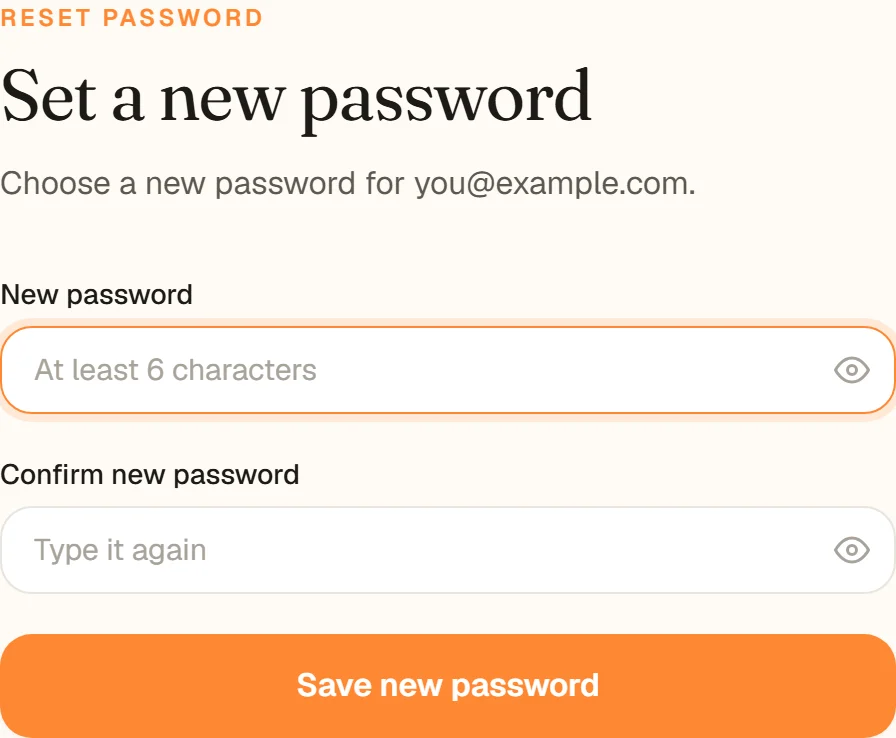
The page the reset link opens.
The link says it has expired
Reset links work once and only for a day, and opening an older email after asking for a new link does not work either. If the page says This link has expired
, type your email into the box on that page and click Send a new link, then open the newest email.
Messages you might see
Incorrect email or password. Please check them and try again.
Check the email for typos, try Google or Apple if that is how you signed up, or use Forgot password?.This email address is already registered. Please try signing in instead.
(website) orAn account with this email already exists. Try logging in instead.
(app). You already have an account: sign in rather than signing up.Too many attempts. Please wait a minute and try again.
Wait a minute before the next try.Your session has expired. Please refresh the page or sign in again, then retry.
Refresh the page or sign in again. Nothing is lost.That link has expired or has already been used.
(website sign-in page) A sign-in or confirmation link from an email only works once and for a limited time. Sign in with your email and password, or choose Forgot password? for a new link.We couldn't connect. Please check your internet connection and try again.
Check your Wi-Fi or mobile data.
Device notes
The app uses Apple's own Continue with Apple button, plus Log in with Google and email. Start a password reset on the website (see above), then log in to the app with the new password.
Log in with Apple opens Apple's sign-in page in your browser, then brings you back to CookEase. Log in with Google needs Google Play services on the phone; if it says they are missing or out of date, update them from Google Play or sign in with email. Password resets start on the website; then log in to the app with the new password.
All three ways work on the sign-in page, plus Forgot password? and Send me a new confirmation link
. If the page will not move past signing in, close other CookEase tabs and refresh.
Still locked out? Write to us through Help and feedback (or email info@cookeaseapp.com) with the email address you signed up with.