
Stuck, found a bug or have an idea? The CookEase team reads every message. The quickest way to reach us is the Help and feedback form, which already knows who you are.
Send a message from Help and feedback
- 1
Open Help and feedback
On the website, click your profile picture (or initials) in the top right corner, then Help and feedback. In the app, tap More, then Help and feedback. The Help row in Settings opens the same form. - 2
Pick what it is about
Under What is your feedback about? choose Report an Issue / Bug, New Feature Request, General Feedback, Account or Billing Help or Other. - 3
Write your message
Type it under Your message (up to 2,000 characters). See below for what helps us most. - 4
Send it
Tap Submit Feedback. You see Thank you! once it has been sent, and we reply by email.
The form on the website: pick a topic, then describe what is going on.
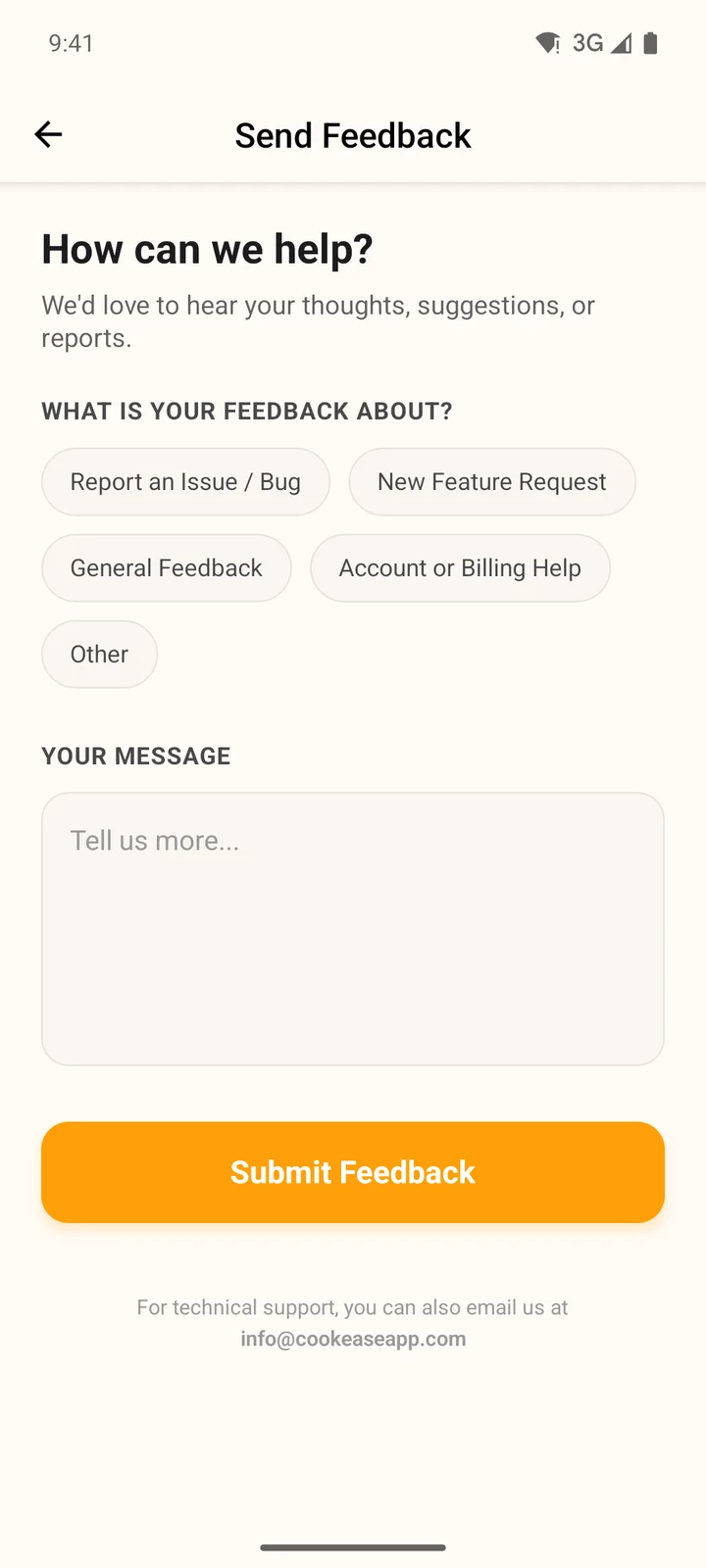
The same form in the app.
- The form only works while you are signed in. If you cannot get in, email us instead.
- Your message reaches us with your account and app version attached, so you do not need to explain who you are.
- We reply to the email address on your account.
Email us
Write to info@cookeaseapp.com any time. Email is the way to go when you cannot sign in, want to send a screenshot, or are writing about a privacy request. Send it from the address on your CookEase account if you can, so we can find your account.
What to include
- What you were doing and what you expected to happen.
- The link you tried to save, or the name of the recipe.
- Your device: iPhone, Android or the website (and which browser).
- The exact message CookEase showed, if there was one.
- For billing questions: where you subscribed (website, App Store or Google Play).
Hard to act on
"Saving does not work."
Easy to fix fast
"On my iPhone, this TikTok link spins and then says We couldn't find a recipe there. Other links save fine."