
Recipe creators put real work into their recipes, and we take that seriously. Here is how CookEase works, and why saving recipes to it is personal use that respects the people who made them.
A personal recipe box
CookEase is a place to keep the recipes you want to cook: family favorites, things you tried, recipes you found online. It does the same job as a notebook, a folder of printouts or a notes app, just tidier.
- You choose every recipe. Each save is one recipe (or the recipes in one post or file) that you picked, for your own account.
- No collecting. CookEase never goes around websites gathering recipes or building a library of its own. It opens a page only when you ask it to save that page, the same way your browser opens it for you.
- Publishers' wishes are respected. When a site asks apps not to read its pages, CookEase does not try. You can still save what you can see with a screenshot or by pasting the text, the same as copying it by hand. See sites that block apps.
Plenty of tools work this way: note apps such as OneNote, Google Keep and Evernote let people clip pages for their own use, and recipe apps like Paprika, Recipe Keeper and Copy Me That do the same for recipes.
Your saved recipes are private
Everything you save is private. Only you can see it. A recipe is visible to anyone else only after you choose to share it, in the Share Recipe window:
- Private Link Only keeps it off the public feed. Only people you send the link to can open it.
- Publish to Discover Feed makes it public in Discover. Nothing is ever published automatically, and there is no shared library built from what people save privately.
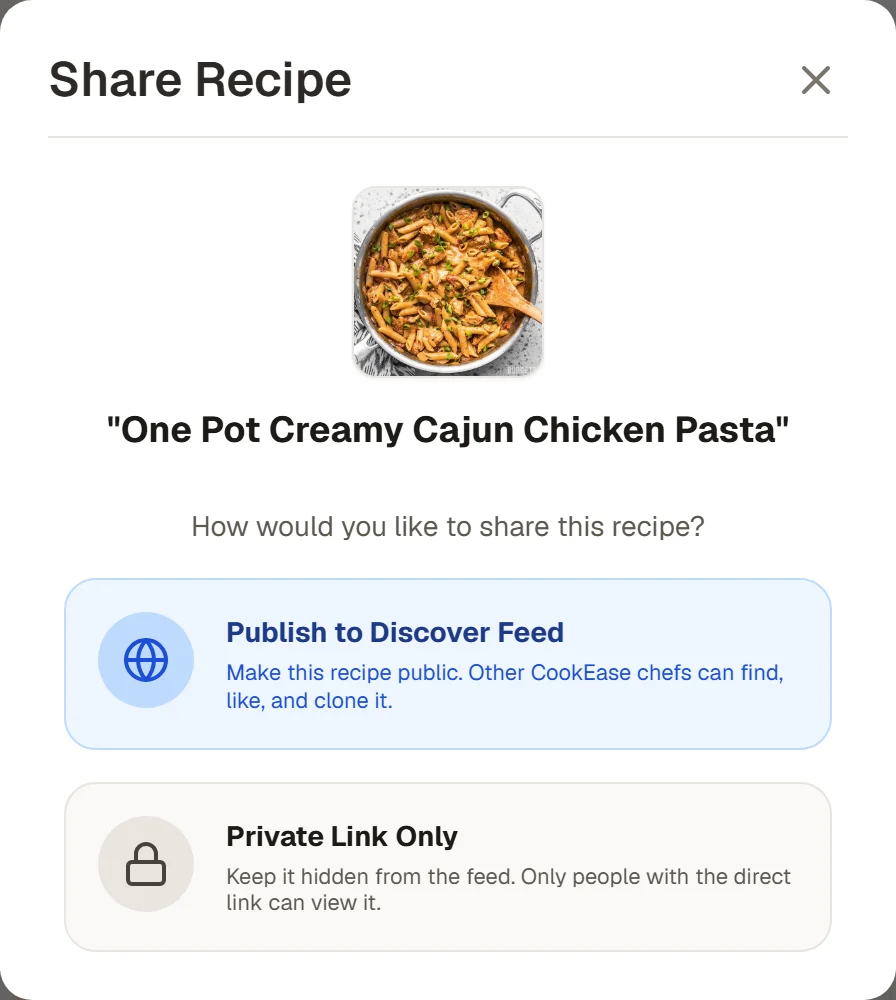
Nothing is shared until you pick one of these. See sharing a recipe for the details.
More on this in sharing a recipe and privacy and your data.
Credit goes back to the creator
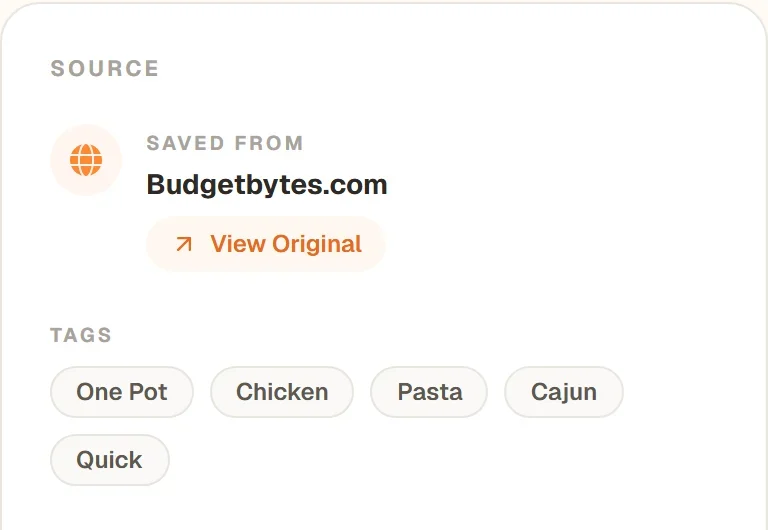
Every recipe saved from a link remembers where it came from. Under SAVED FROM it names the website or app (a creator's TikTok, a YouTube channel, a food blog) with a View Original button that opens the original post, video or page in one tap.
Our goal is to help people cook more, not to take anything away from creators' work or their audience.
If you own a recipe and want it removed
Our Terms of Service require everyone using CookEase to respect other people's rights and prohibit infringing content. If a recipe you created has been published on CookEase without your permission:
- Sign in to CookEase (a free account is fine), open its shared page, tap Report this recipe and choose "This is my content and I did not agree to it being here". See reporting a recipe.
- Or email info@cookeaseapp.com with a link to the page and to your original.
We review every request from rights holders and remove infringing content.