
CookEase sends very few messages, and every one is about your own recipes. Here is what you might get, and how to turn each kind on or off.
What CookEase can send you
- Reminders to cook or save: a phone notification, or an email if notifications are off. Turn them off under More, then Reminders, or with Unsubscribe in the email.
- A long save has finished: a phone notification, or a banner if you are in the app. Controlled by Reminders too.
- Account emails (confirming your address, resetting your password): always sent, so you can get into your account.
Reminders are things like "Cooking tonight?" the day after you save a recipe you have not cooked yet. They land in the late afternoon in your own time zone, and they are never ads for other companies.
Reminders in the app
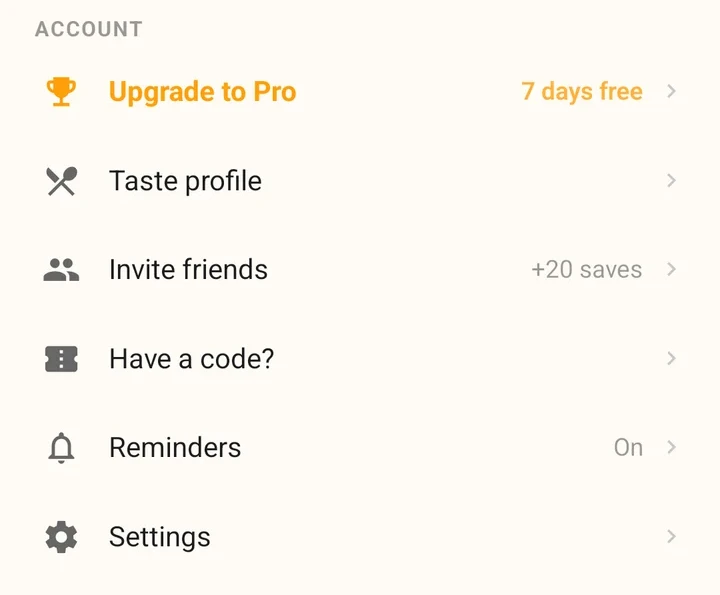
Tap More. The Reminders row shows where you stand:
- On: reminders arrive as normal notifications.
- Quiet (iPhone only): reminders go straight to Notification Center, with no sound or banner.
- Off: no notifications from CookEase.
- 1
Tap More, then Reminders
If CookEase has never asked you, iPhone shows its notification question. Tap Allow to turn reminders on. - 2
Already answered?
Tapping Reminders opens CookEase in the Settings app. Tap Notifications and switch Allow Notifications on or off, or choose where they appear.
- 1
Tap More, then Reminders
If you have not allowed notifications yet, Android asks. Tap Allow. - 2
Already answered?
Tapping Reminders opens CookEase in your phone's settings. Open Notifications and switch them on or off. CookEase's notifications are listed there under the name Reminders.
On Android, Reminders opens CookEase in your phone's settings.
The first time you save a recipe in the app, CookEase asks once with Never lose a recipe again: Turn on reminders or Not now. On iPhone, Not now sets reminders to Quiet; on Android it leaves them off. Either way you can change your mind under Reminders later.
When a long save finishes
Some videos take a little longer to read. If you choose Keep Saving in the Background, CookEase lets you know when the recipe is in your cookbook: with a banner if you are using the app, or a notification if you are not (when notifications are on). See saving in the background.
Emails
- If notifications are off (or you only use the website), an occasional reminder can come by email instead. Click Unsubscribe at the bottom of the email to stop them, or simply reply and ask.
- Emails about your account, like confirming your address or resetting your password, are always sent.
- The website has no notification settings of its own and never sends browser notifications.