
A brand-new CookEase account has one job on its first screen: get your first recipe saved. This is what you see, and the quickest ways to do it.
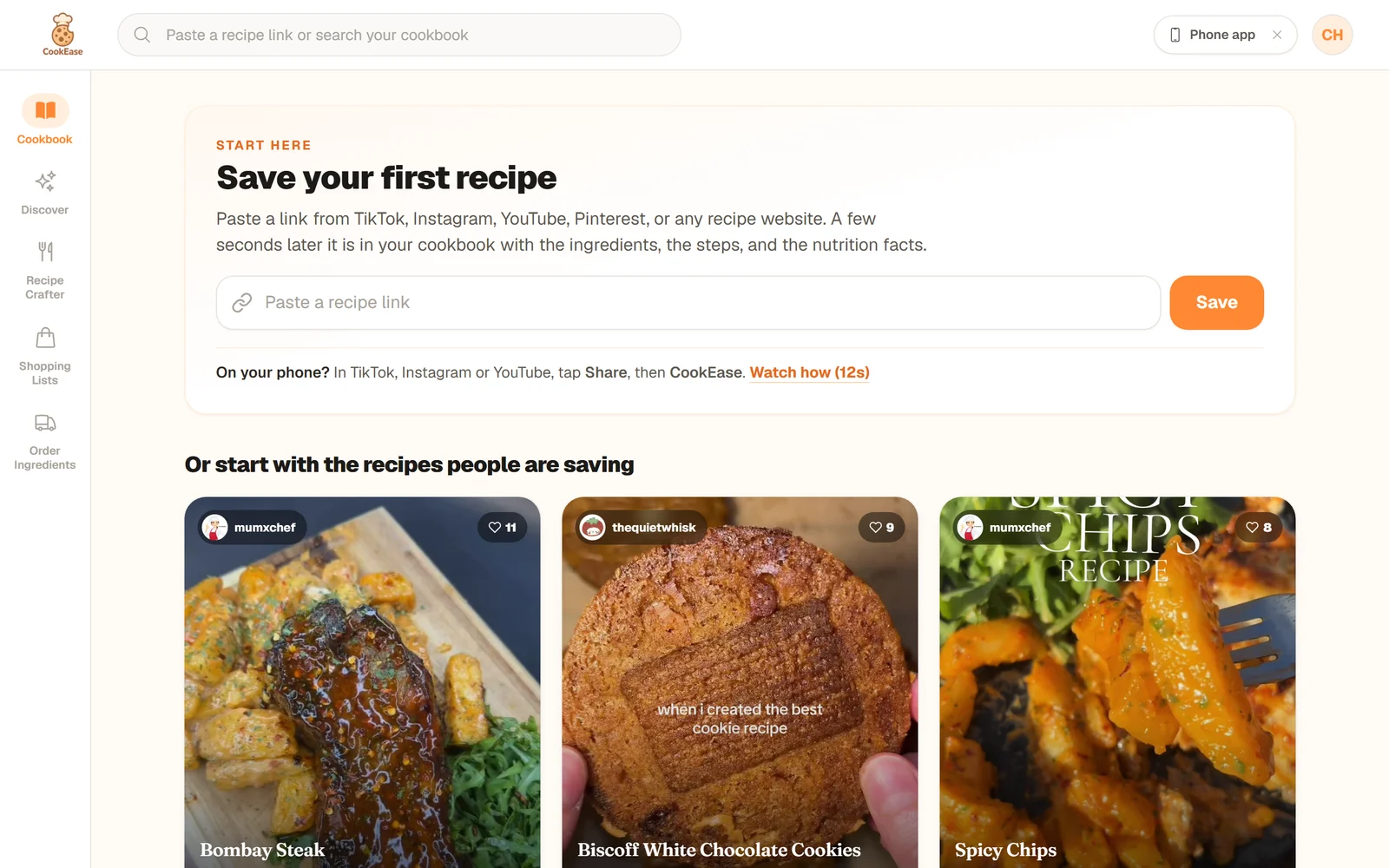
An empty cookbook on the website opens on the Start here card.
What you see first
Until you save something, the Cookbook page shows a Start here card instead of an empty grid:
- Save your first recipe with a Paste a recipe link box and a Save button.
- Or start with the recipes people are saving: popular recipes you can save with one tap.
- A Recipe Crafter card: make dinner from what is already in your kitchen.
On a phone's browser the page also offers the app first, because saving from the TikTok and Instagram share button only works in the app.
A new account opens on the Discover tab, with the same Start here card at the top: a box to paste a link, the line Even faster: with a short video on sharing from TikTok, then the recipes people are saving and a Recipe Crafter card with Make a recipe. Your Cookbooks tab fills up as you save.
If you pasted a link on the welcome screen before signing up, that recipe is already being saved for you.
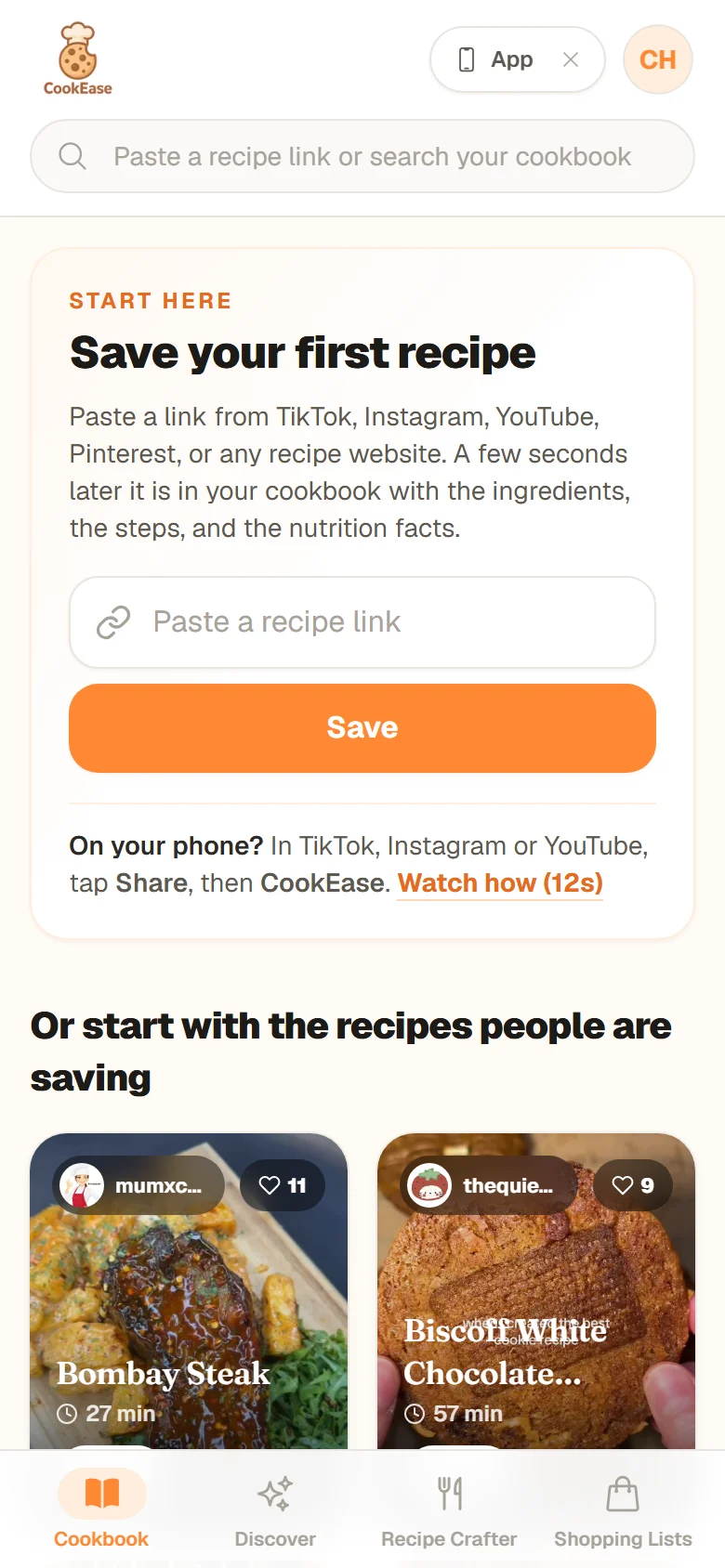
The same card on a phone-sized screen.
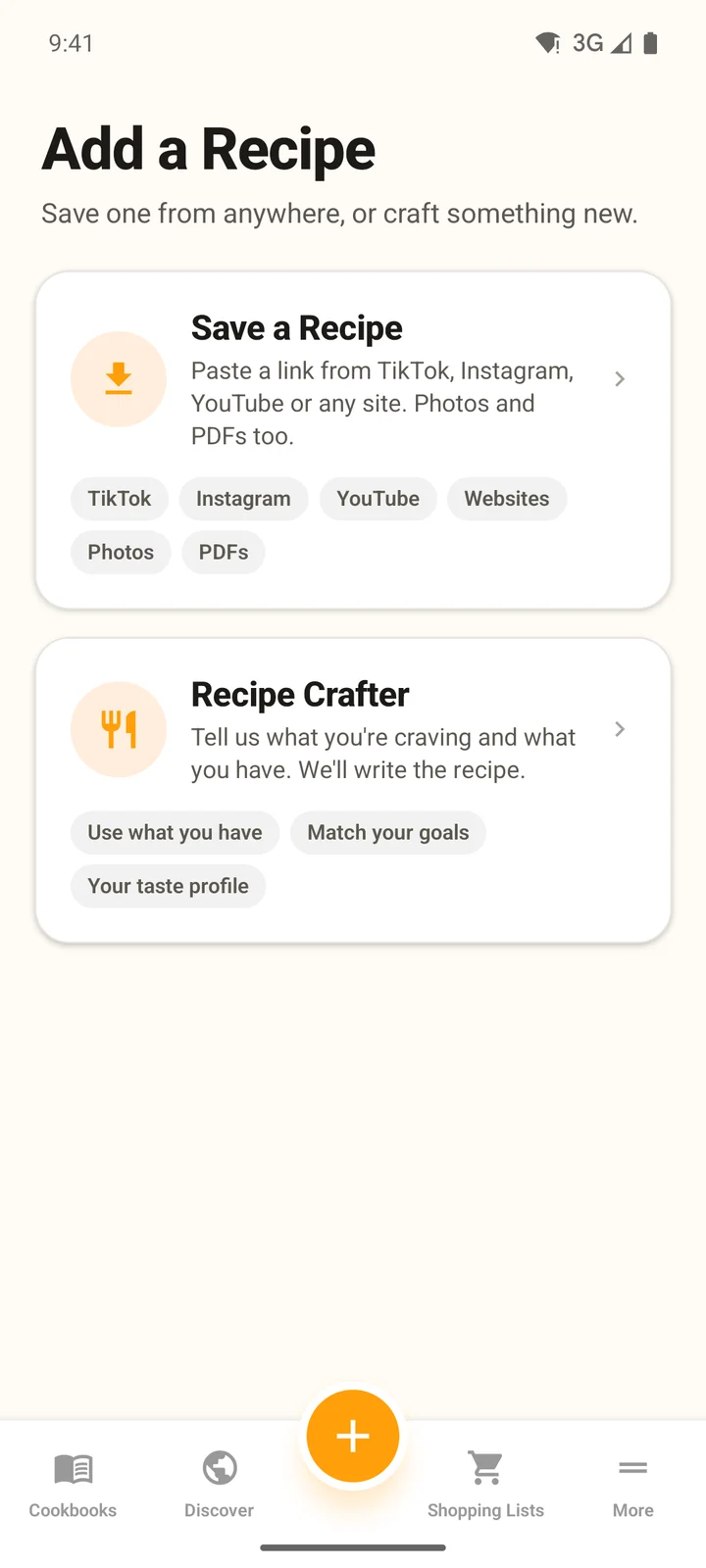
In the app, the orange + button opens Add a Recipe.
The fastest ways to save your first recipe
1. Share it from TikTok, Instagram or YouTube (phone app)
Open the video, tap Share, then pick CookEase. That is it: the recipe saves while you keep scrolling. The first time, CookEase may be hidden at the end of the share list, so add it to your favorites. Step-by-step for iPhone and Android.
2. Paste a link
- 1
Copy the link
In TikTok, Instagram or YouTube tap Share, then Copy link. On a recipe website, copy the address from the address bar. - 2
Paste it into CookEase
Use the Paste a recipe link box on the Start here card. Later on, you can paste a link into the field at the top of any page on the website and the save starts right away. In the app, tap the orange +, then Save a Recipe, paste and tap Save Recipe. - 3
Watch it write itself
A recipe card fills in as CookEase reads the recipe: the photo, the title, then the ingredients. Most recipes take a few seconds; long videos can take longer, and you can keep saving in the background.
On the website you can paste a link into the field at the top of any page.
3. Tap Save on a recipe people are saving
Below the Start here card are recipes other cooks are saving right now. Tap Save on one you like and the tile flips over to Saved! Cook it tonight?, with buttons to start cooking or view the recipe. These count toward your Discover saves (5 on a free account).
4. Something else to save?
- A photo or screenshot: website Save a recipe, then Upload File; app +, Save a Recipe, then Scan. See saving from photos.
- Text from your notes: the Paste tab on the website, or Text in the app. See saving from notes.
- A PDF: on the website only. See saving a PDF.
- Nothing yet? Let the Recipe Crafter write one from what you have in the fridge.
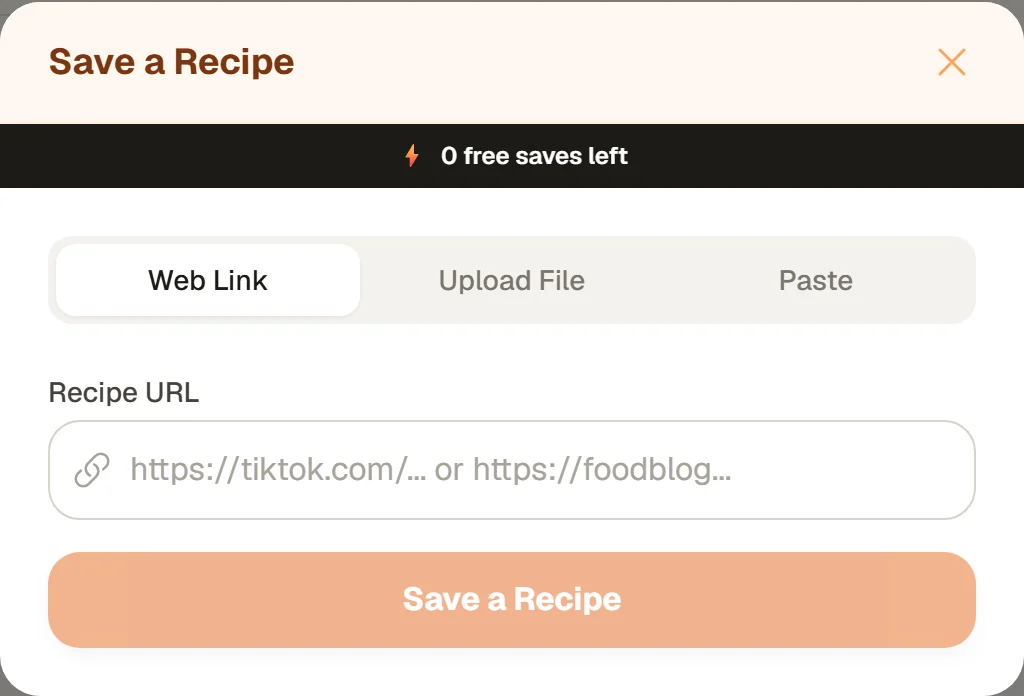
The Save a recipe button on the website opens this window, with a tab for links, files and pasted text.
After your first save: "Cook it tonight?"
When your very first recipe lands, CookEase celebrates with Recipe Saved! and asks Cook it tonight?. You have three choices:
- Cooking Assistant opens the recipe one step at a time, ready to cook. See cooking with the Cooking Assistant.
- Add to grocery list puts the ingredients on a shopping list sorted by aisle. See shopping lists.
- Not now closes the question. The recipe is already in your cookbook.
From your second save on, you see Recipe Saved! with Add to Cookbook (Optional) instead, so you can file the recipe into a cookbook like "Weeknight dinners" or tap Done.