
Every recipe you save goes into your cookbook automatically, so nothing ever needs filing. Once you have more than a handful, cookbooks let you group them the way you cook: weeknight dinners, meal prep, baking, a dinner party you are planning. A recipe can sit in as many cookbooks as you like.
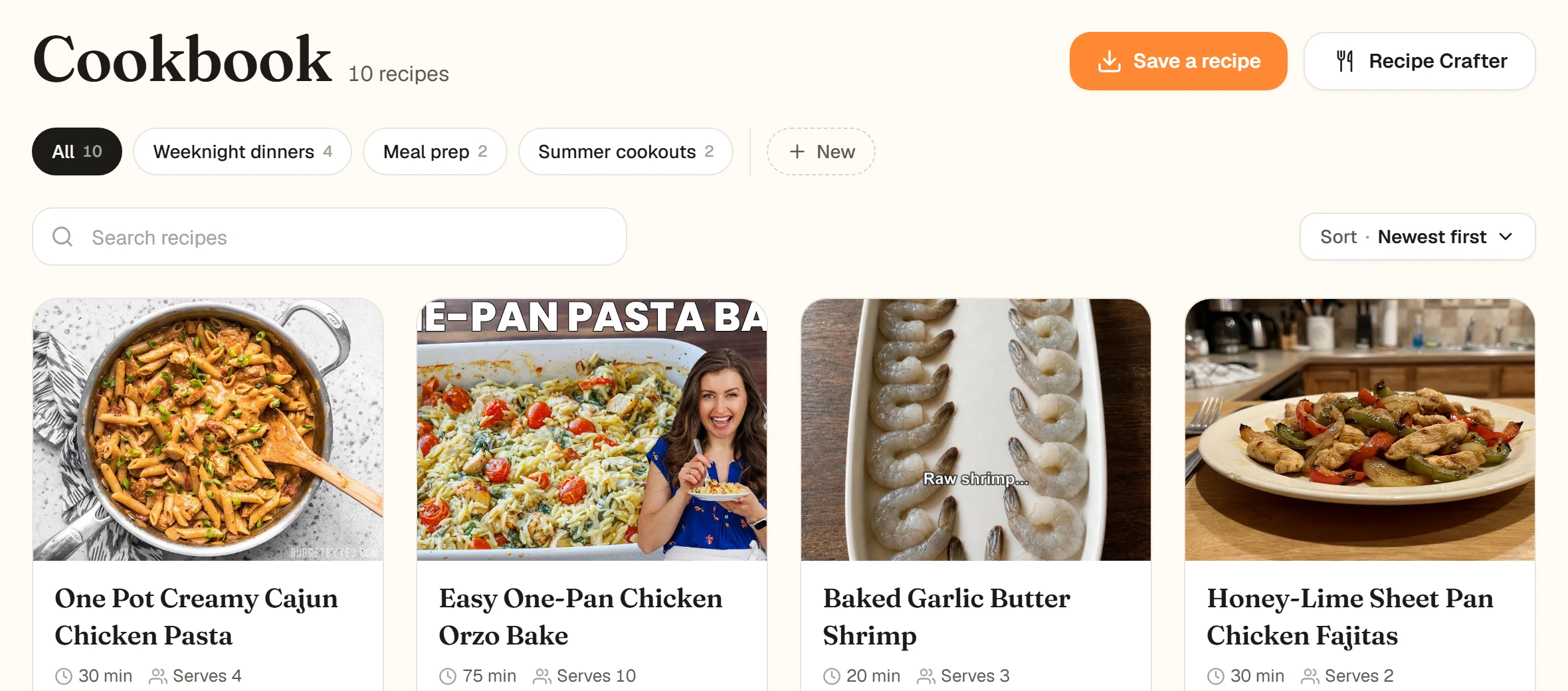
Your cookbooks sit in a row under the Cookbook heading, each with the number of recipes in it.
Make a cookbook
- 1
Open your Cookbook
Choose Cookbook in the menu on the left (on a phone-sized screen it is in the bar at the bottom). - 2
Click + New
It sits at the end of the row of cookbooks, after All. A Cookbook name field appears in its place. - 3
Name it and press Enter
Type something like "Weeknight dinners" and press Enter or click the check mark. The new cookbook opens straight away, ready to fill.
- 1
Open the Cookbooks tab
It is the first tab at the bottom of the app. - 2
Tap the + chip
Swipe the row of cookbooks to the end and tap the small +. A New Cookbook box opens. - 3
Name it and tap Create
Type a name (the box suggests "High Protein Snacks") and tap Create.
A new cookbook opens empty, with a button to fill it from recipes you already have.
Fill a cookbook from recipes you already have
Open the cookbook and choose Add recipes to this cookbook. In an empty cookbook it is the big button in the middle; once it has recipes, it is the last tile in the grid on the website and the last row in the app ("From the ones you already have"). Tap the covers of the recipes that belong (a check appears on each), then tap Add 4 recipes (the number matches what you picked; with one recipe it reads Add to cookbook). The search box at the top finds recipes by title or tag when you have a lot.
Pick as many as you like in one go. Recipes already in the cookbook are left out of the list.
An empty cookbook also offers Save a new recipe, which opens the usual save window. To see where to save from, read save your first recipe.
Add one recipe to a cookbook, or take it out
Every recipe card in your Cookbook has three buttons: Cook, Share and Add to. Click Add to and the Add to a cookbook window lists your cookbooks. Click a cookbook to tick it, click a ticked one to untick it, then click Done. You can also type a name in Create new cookbook... and click Create: the new cookbook is made and ticked for this recipe.
Add to shows every cookbook, with the ones this recipe is already in ticked.
Press and hold a recipe in the Cookbooks tab. It lifts out of the grid with a short menu: Add to Cookbook, Edit Recipe and Delete Recipe. Tap Add to Cookbook, tick or untick cookbooks in Save to Cookbook (or type in New Cookbook... and tap Create), then tap Update.
From an open recipe, the same Add to Cookbook is in the ... menu next to Cooking Assistant at the bottom.
Press and hold, Add to Cookbook, tick, Update.
File new recipes as you save them
When a save finishes, the Recipe Saved! step shows your cookbooks under Add to Cookbook (Optional) (Add to a Cookbook (Optional) in the app). Tick any that fit, or type a name into Create new cookbook..., then tap Done. Skipping it is fine: the recipe is already in your cookbook either way. On the website, when one link holds several recipes, the step reads Recipes Saved! and files them all together.
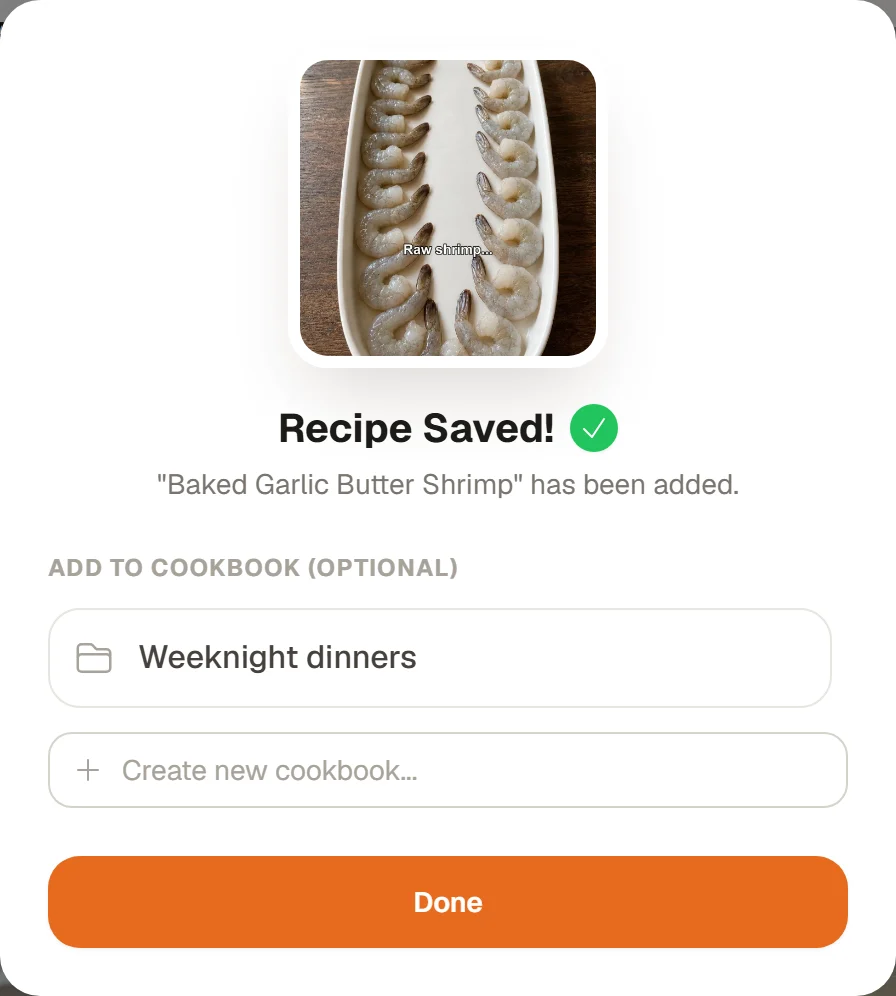
The filing step after a save. Your very first save shows a Cook it tonight? step instead.
The same step follows a recipe made with the Recipe Crafter and a recipe saved from a shared link. Recipes you save with one tap on Discover go straight into your cookbook; file them later with Add to or by pressing and holding them.
Rename or delete a cookbook
This is done in the iPhone or Android app. In the Cookbooks tab, press and hold the cookbook's chip. A small menu opens with its name, Rename and Delete Cookbook.
- Rename: tap Rename, change the name and tap Save.
- Delete: tap Delete Cookbook, then Delete to confirm. As the message says, "Your recipes will not be deleted, just removed from this list."
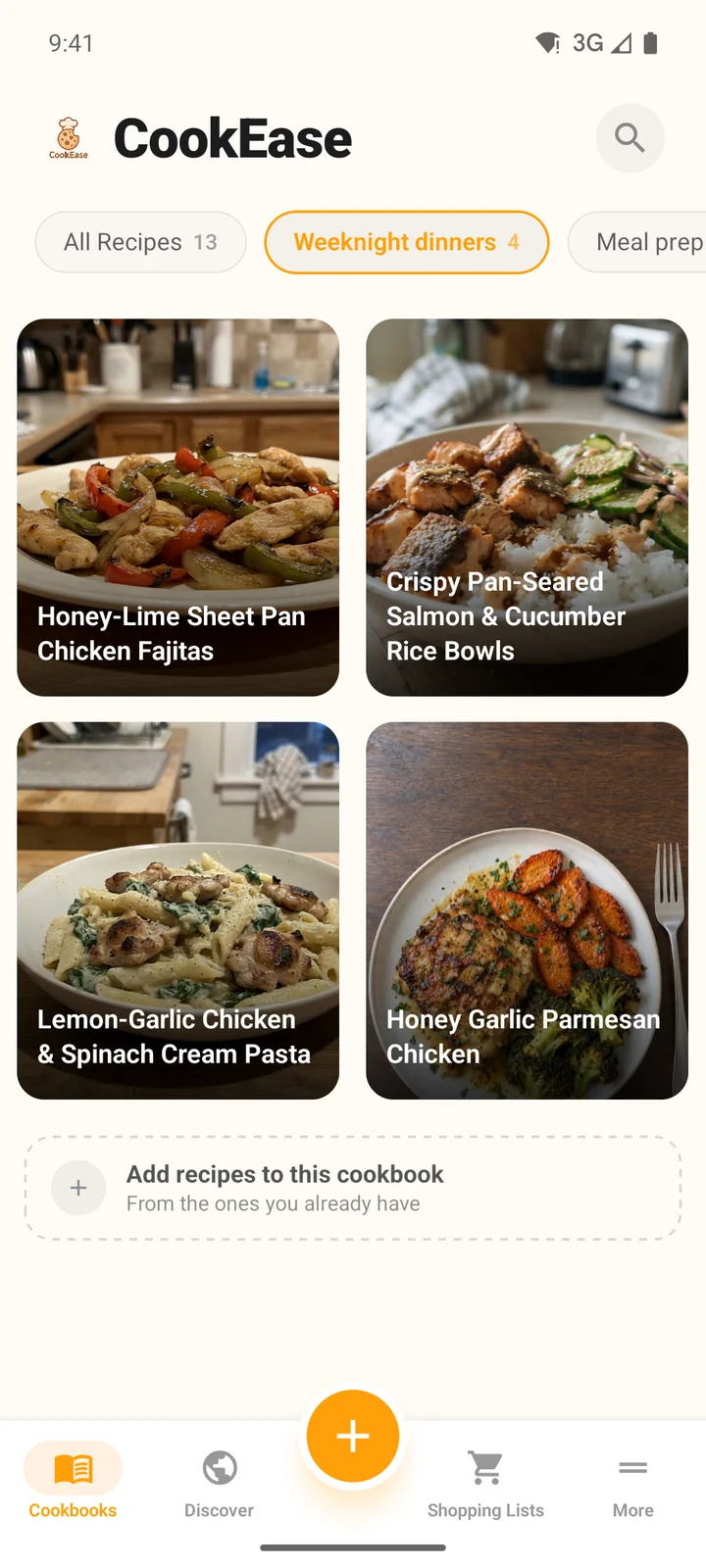
Tap a chip to see only that cookbook.
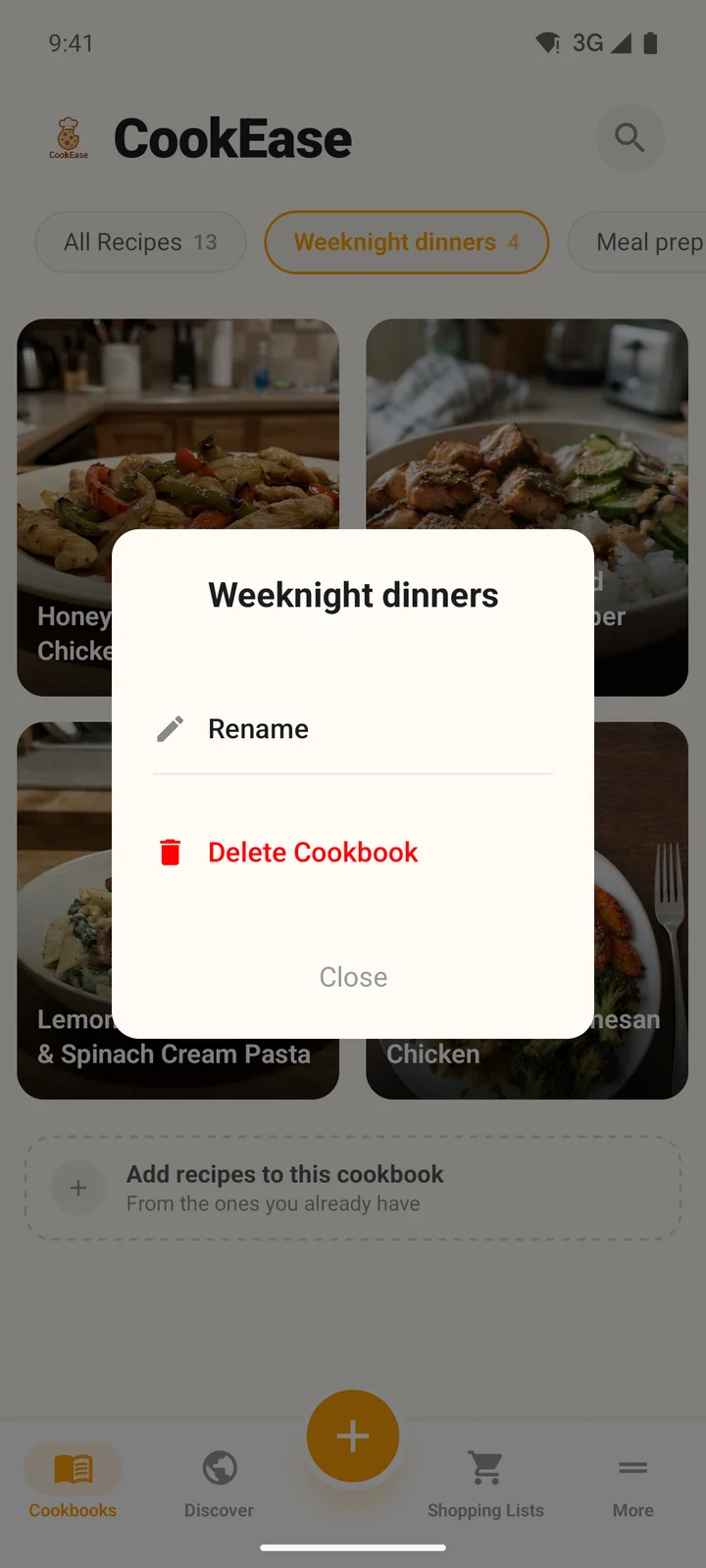
Press and hold a chip to rename or delete it.
How cookbooks and recipes are ordered
- Cookbooks are listed biggest first, so the ones you use most stay at the front. Cookbooks with the same number of recipes are in A to Z order. On the website, a long row folds into a +N more chip.
- Recipes show newest first. On the website you can change that with the Sort menu above the grid: Newest first, Oldest first, Title A to Z, Title Z to A, Quickest first or Longest first. The app always shows newest first.
Looking for one recipe rather than a group? Find a recipe covers search on every device.