
The easiest way to get more out of a free account is to bring a friend. Every friend who joins with your invite adds free saves for good. Here is where your link lives and how your friends use it.
On the website: account menu, then Invite friends.
What each friend earns you
Free saves
- Each friend adds
- 10
- Three friends add
- 30
| Each friend adds | Three friends add | |
|---|---|---|
| Free saves | 10 | 30 |
The extras are added on their own the moment your friend's account is created; you do not need to enter anything. Your friend starts with the usual 5 free saves. See what you get free for how free saves work.
Find and share your invite link
- 1
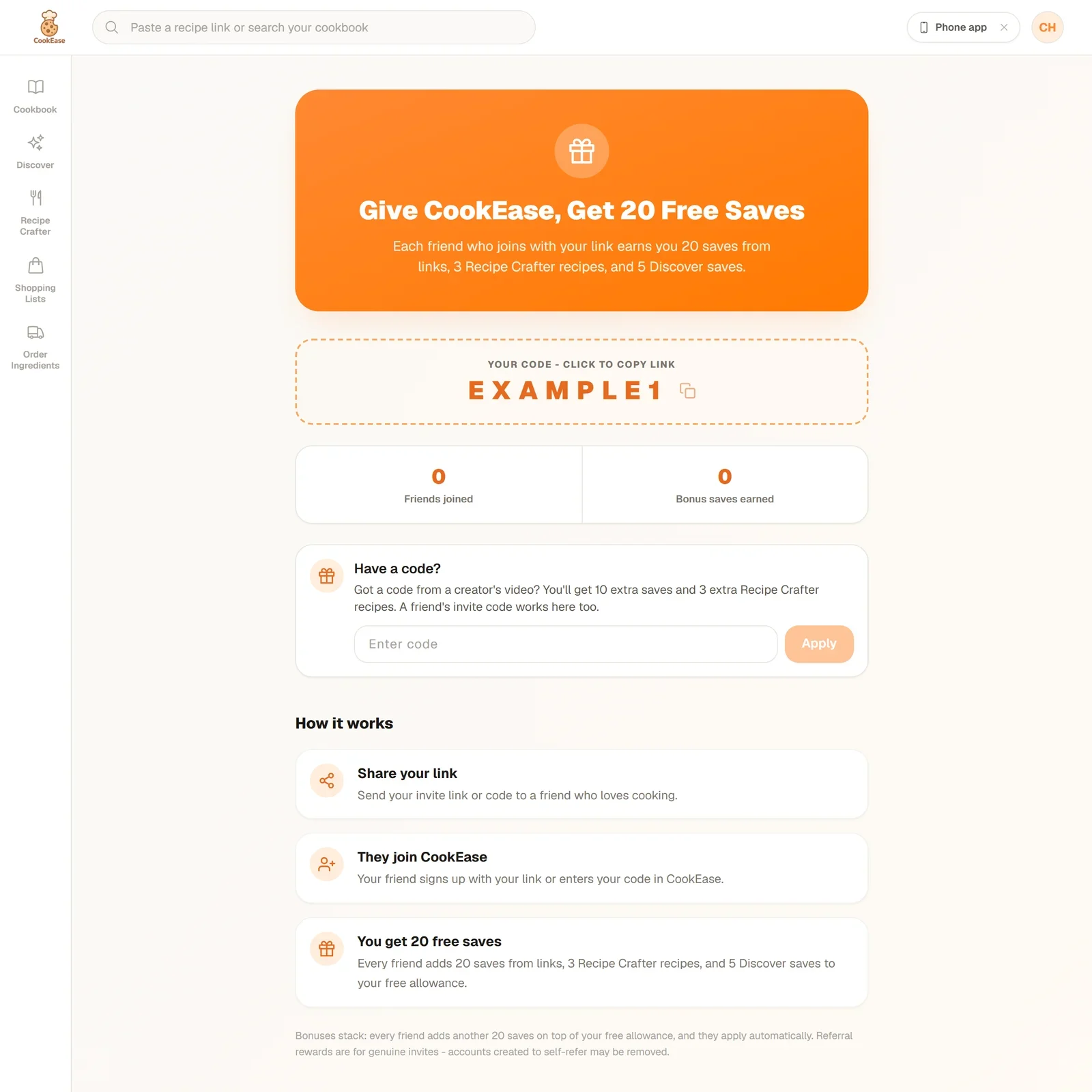
Open your invite page
Click your initials in the top right corner and choose Invite friends (it shows +10 saves). The page isGive CookEase, Get 10 Free Saves
. - 2
Copy your link
Click the dashed box with your code (Your code - click to copy link). It changes to Link copied!. - 3
Send it
Paste the link into a text, an email or a group chat.
Click the code to copy your invite link.
- 1
Open your invite page
Open More (the person button at the top right of any tab), then Invite friends (or the orangeInvite Friends, Get 10 Free Saves
banner at the top of More). - 2
Share
Tap Share Your Invite Link and pick Messages, WhatsApp or any app. Or tap your code to copy the link.
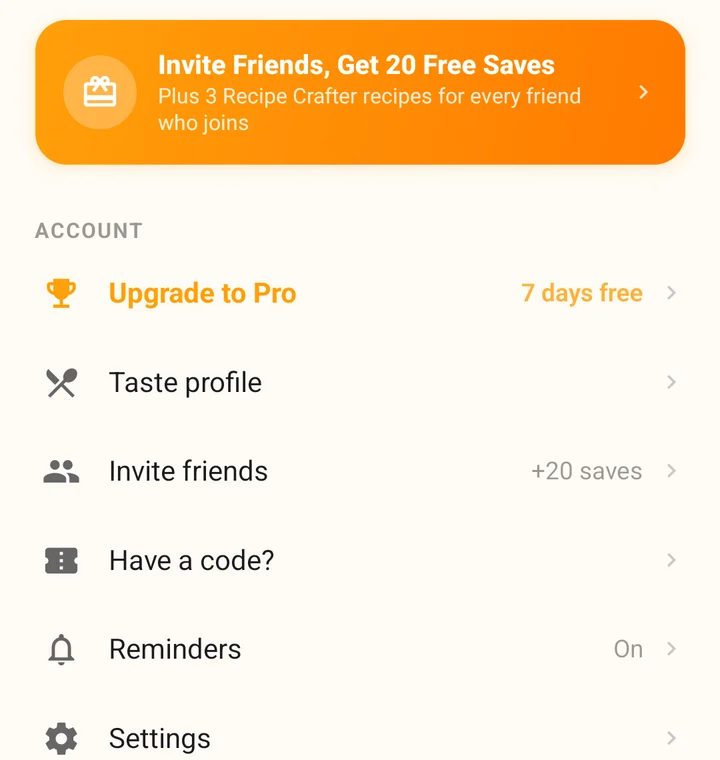
In the More screen: the banner or the Invite friends row.
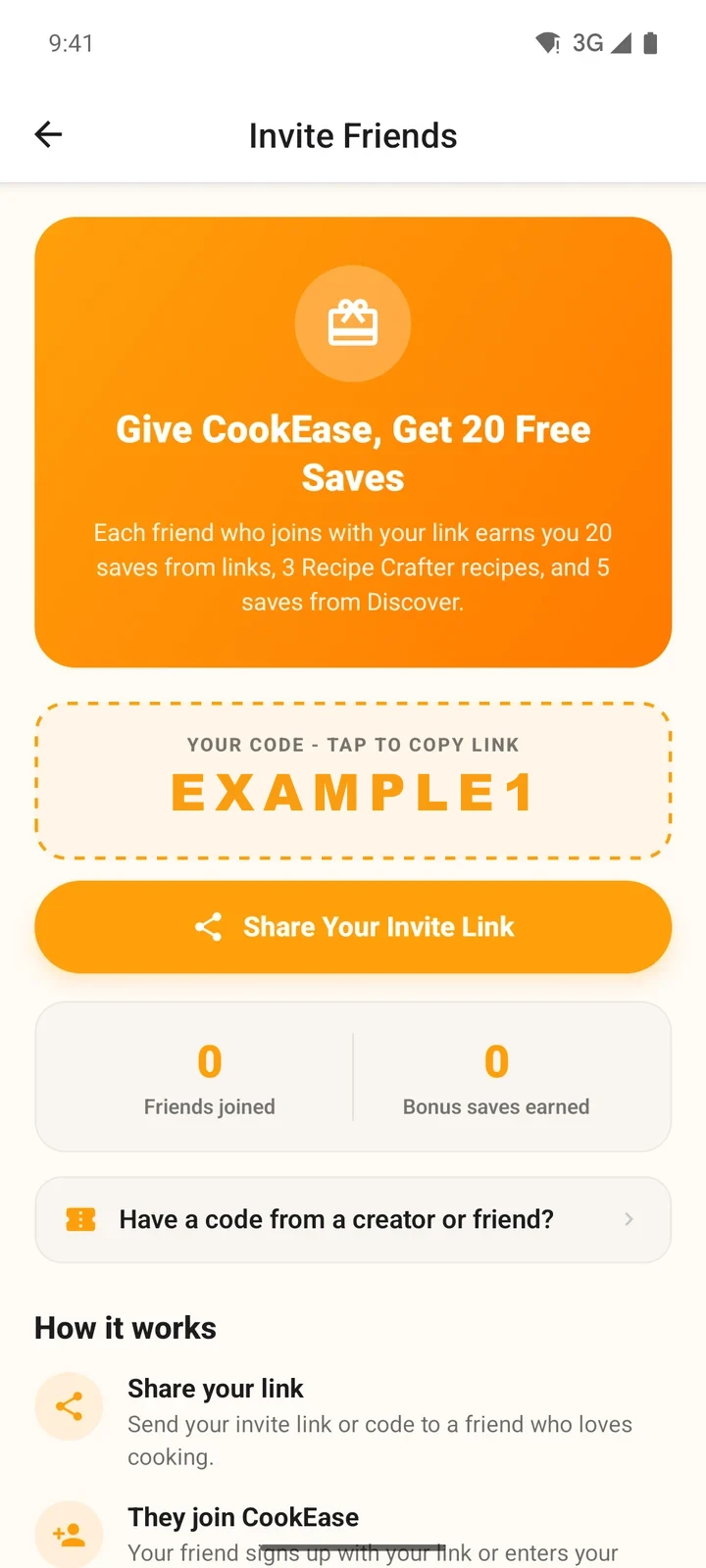
The Invite Friends screen.
You will also find a way to invite friends wherever you run out of free saves: the Invite a friend button on the app's You're out of free saves sheet, and Not ready to upgrade? Invite friends instead
on the website's Upgrade page. Inviting is not the only free option: in the iPhone and Android apps the same sheet also lets you watch 2 short videos for a free save, but a friend gives you 10 at once, with no videos.
How your friend uses it
- With your link: it opens the CookEase sign-up page with your code already filled in. They create a free account with Google, Apple or email, and the invite counts.
- With your code: on the website they tap Have a code? on the sign-up page; in the app they type it into Creator or invite code (optional) when signing up with email.
- After signing up: if they forgot, they can still add your code under Have a code? in the website's account menu, or More, then Have a code? in the app, as long as they have not used a code before.
See who has joined
Your invite page shows Friends joined and Bonus saves earned. Both update as soon as a friend's account is created.
Got a code from a creator's video instead? That works a little differently: see creator codes.