
Sometimes paper is best: a page on the counter that does not mind floury hands, a recipe for someone who does not use the app, or a binder of family favorites. CookEase prints any recipe in your cookbook as a clean page with just the recipe on it.
Print a recipe
Open the recipe and click the printer button at the right end of its row of buttons, next to the share button. On a phone-sized screen it is a button named Print. The Print recipe window opens with a preview of the page on the left and your choices on the right. Pick a Style, tick what to Include, and click Print. Your browser's own print screen opens, where you choose the printer and the number of copies.
The preview changes as you pick a style and what to include.
Your browser's own Print (Ctrl + P, or Cmd + P on a Mac) prints the same clean page while a recipe is open, using the style you picked last.
Open the recipe and tap the ... button next to Cooking Assistant at the bottom, then Print under Send or print. The Print recipe sheet shows a preview of the page. Pick a Style, switch what to Include on or off, and tap Print to open your phone's print screen. Tap Send as a PDF instead to share the page as a file by email or message, or to save it to your phone.
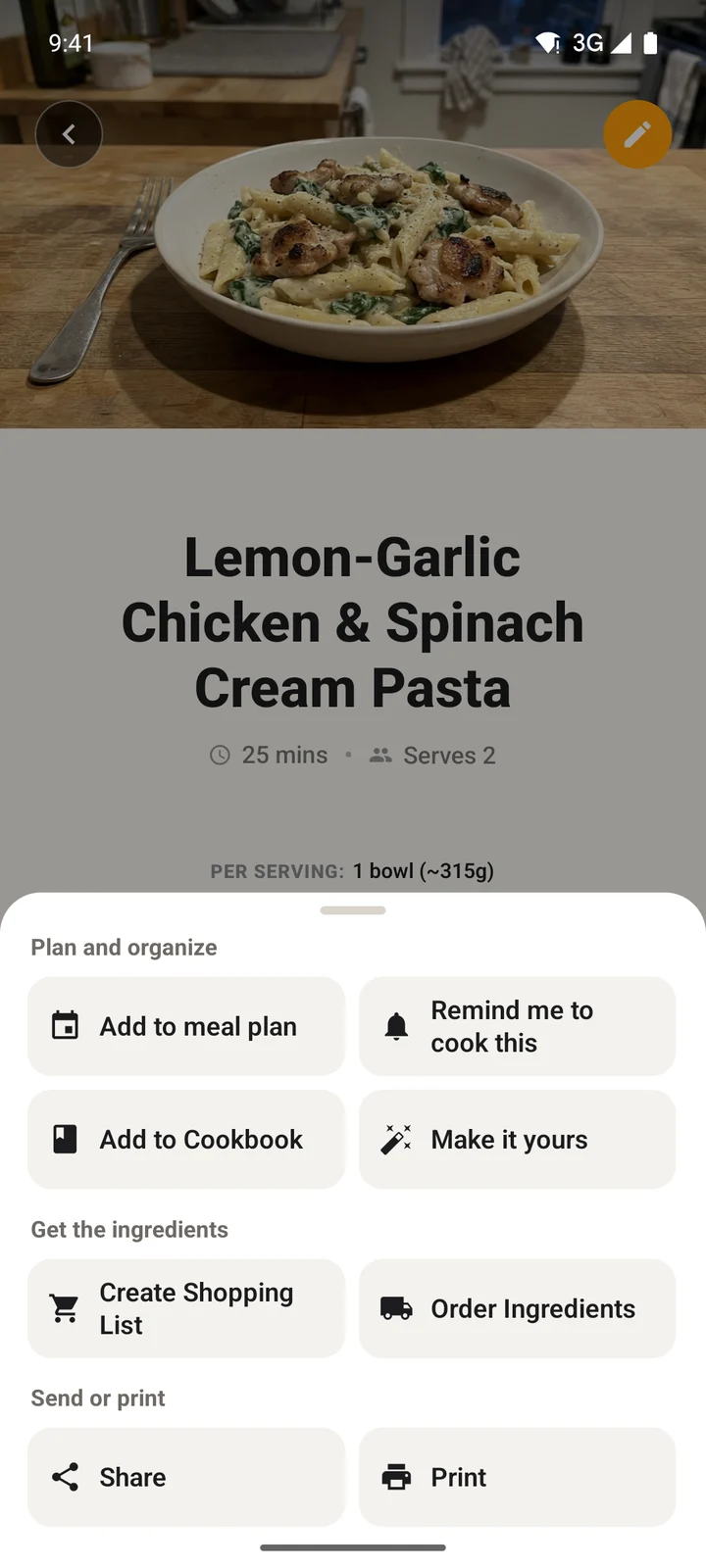
Tap ..., then Print.
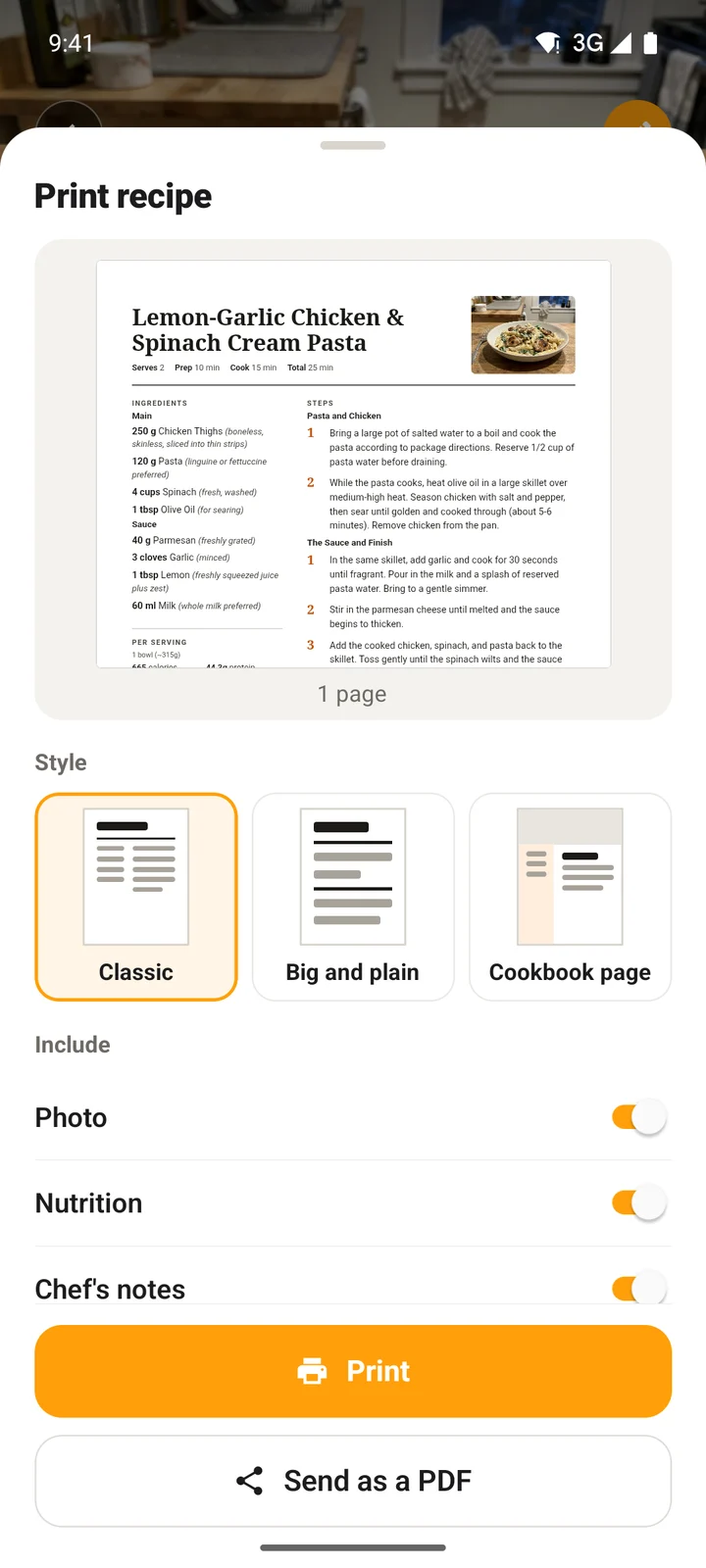
Pick a style, then Print or Send as a PDF.
Print is in app version 1.27.0 and newer. If you do not see it, update the app.
Pick a style
Classic
- What it looks like
- Ingredients in a column beside the steps, with a small photo at the top.
- Good for
- Everyday printing. Most recipes fit on one page.
Big and plain
- What it looks like
- The largest text, in black only, with a box to tick beside each ingredient and no photo.
- Good for
- Reading from across the counter, and saving ink.
Cookbook page
- What it looks like
- A large photo across the top and the ingredients in a tinted column.
- Good for
- A recipe binder, or a page to give to someone.
| What it looks like | Good for | |
|---|---|---|
| Classic | Ingredients in a column beside the steps, with a small photo at the top. | Everyday printing. Most recipes fit on one page. |
| Big and plain | The largest text, in black only, with a box to tick beside each ingredient and no photo. | Reading from across the counter, and saving ink. |
| Cookbook page | A large photo across the top and the ingredients in a tinted column. | A recipe binder, or a page to give to someone. |
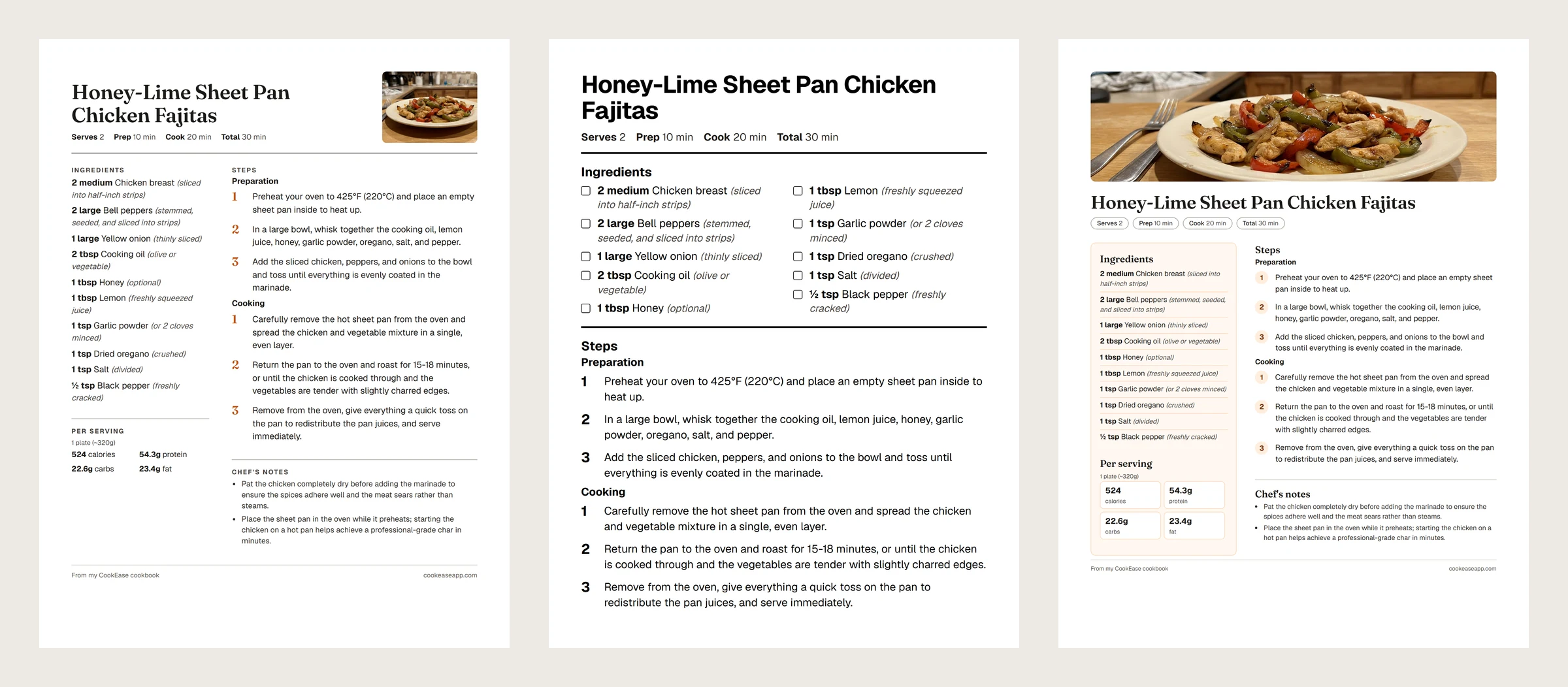
One recipe in Classic, Big and plain, and Cookbook page.
Choose what to include
The ingredients and the steps always print. Under Include you decide about the rest:
- Photo: the recipe's picture. Switch it off to save ink. Big and plain never prints it.
- Nutrition: calories, protein, carbs and fat per serving, and what one serving is. See nutrition and serving sizes.
- Chef's notes: the tips at the bottom of the recipe.
A choice only shows when the recipe has something for it, so a recipe with no notes has no Chef's notes choice. CookEase remembers your style and your choices on that device for next time.
Servings, pages and paper
- Servings: the page prints the servings showing on the recipe. If you changed the servings, the ingredients and the steps print with the scaled amounts, and a line on the page says so.
- One page when possible: when a recipe runs a little past one page in Classic or Cookbook page, it is printed slightly smaller so it fits. The preview shows how many pages to expect.
- Paper: the page fits the paper your printer uses, such as Letter or A4.
Print a recipe someone shared with you
Open the shared link on the website and click the printer button under the photo. You get the same clean page and the same three styles, with no need to save the recipe first. Your browser's own Print gives you that clean page too.