
Once your shopping list is ready, you do not have to drive to the store. Order Ingredients hands the list to Instacart or Amazon Fresh, where you check the cart and pay. Here it is on the website, sending a list to Instacart.
Pick what to order, choose the store, send. The store opens in a new tab.
Instacart or Amazon Fresh
How you get it
- Instacart
- Delivery or pickup from stores near you
- Amazon Fresh
- Delivery
Amounts
- Instacart
- Filled in for you
- Amazon Fresh
- You choose how many of each on Amazon
You need
- Instacart
- An Instacart account
- Amazon Fresh
- An Amazon account with Prime
| Instacart | Amazon Fresh | |
|---|---|---|
| How you get it | Delivery or pickup from stores near you | Delivery |
| Amounts | Filled in for you | You choose how many of each on Amazon |
| You need | An Instacart account | An Amazon account with Prime |
CookEase remembers the store you used last.
Order on the website
- 1
Open Order Ingredients
Click Order Ingredients in the menu on the left. On a phone-sized screen it is a button at the top of Shopping Lists. You can also choose Order Ingredients from a list's ... menu, or from the button on any recipe page. - 2
Choose a list
Pick a list under Choose a list. To order a recipe instead, click From a recipe (see below). - 3
Pick what to order
Everything still to buy is selected. Items you already ticked off show Have it and are left out. Tap any item to leave it out too, or use Select all and None. - 4
Choose the store and send
Choose Instacart or Amazon Fresh, then click Send N items to Instacart (or Amazon Fresh). The store opens in a new tab. - 5
Check out in the store
Sign in to the store if asked, check the cart, swap anything it matched differently, choose delivery or pickup and pay there. - 6
Mark them as bought
Back in CookEase, click Mark N items as bought so your list shows only what is left. If the tab did not open, click Open again.

Order straight from a recipe
No list yet? Click From a recipe on the Order Ingredients page, or Order Ingredients on the recipe itself. Pick one or more recipes, untick what you already have, and click Make list & send to Instacart (or Amazon Fresh). CookEase saves the items as a new shopping list, named after the recipe, and opens the store.
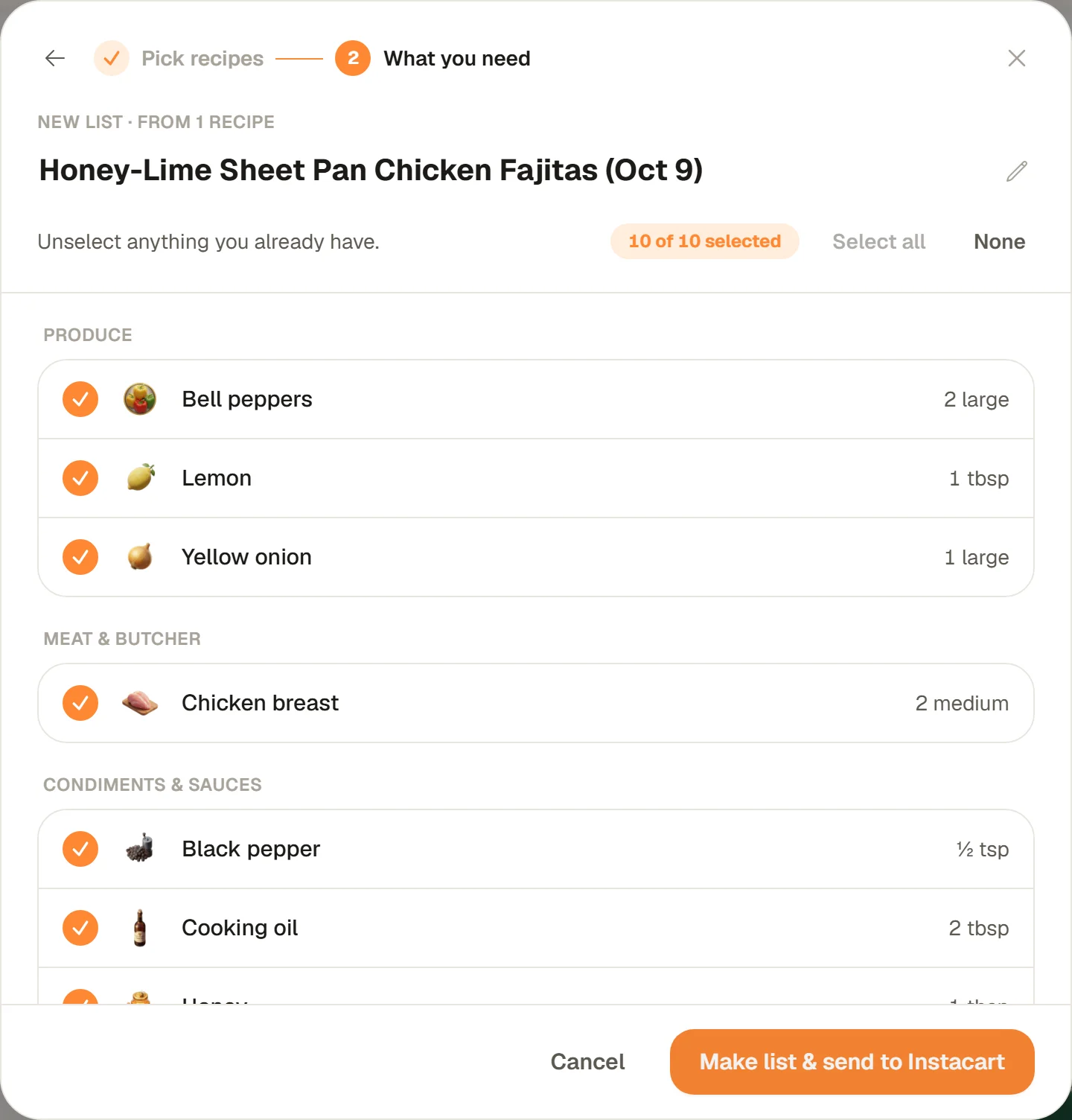
Order on iPhone and Android
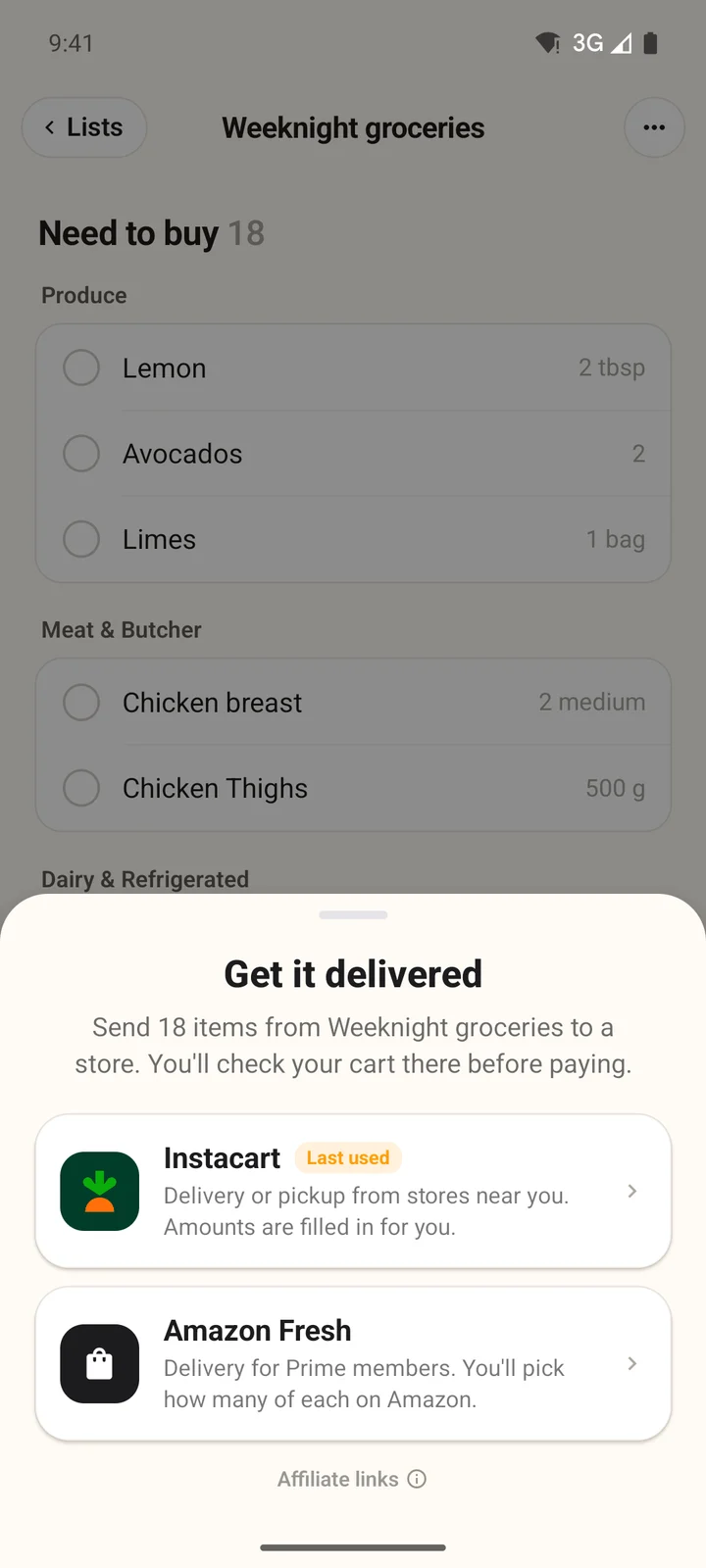
- 1
Open the list
On the Shopping Lists tab, open a list and tap Get it delivered at the bottom. - 2
Pick the store
Tap Instacart or Amazon Fresh. Items under Already have are left out. The store opens with your items. - 3
Come back and tick them off
Check out in the store, then tap Mark N items as bought in CookEase. They move to Already have.
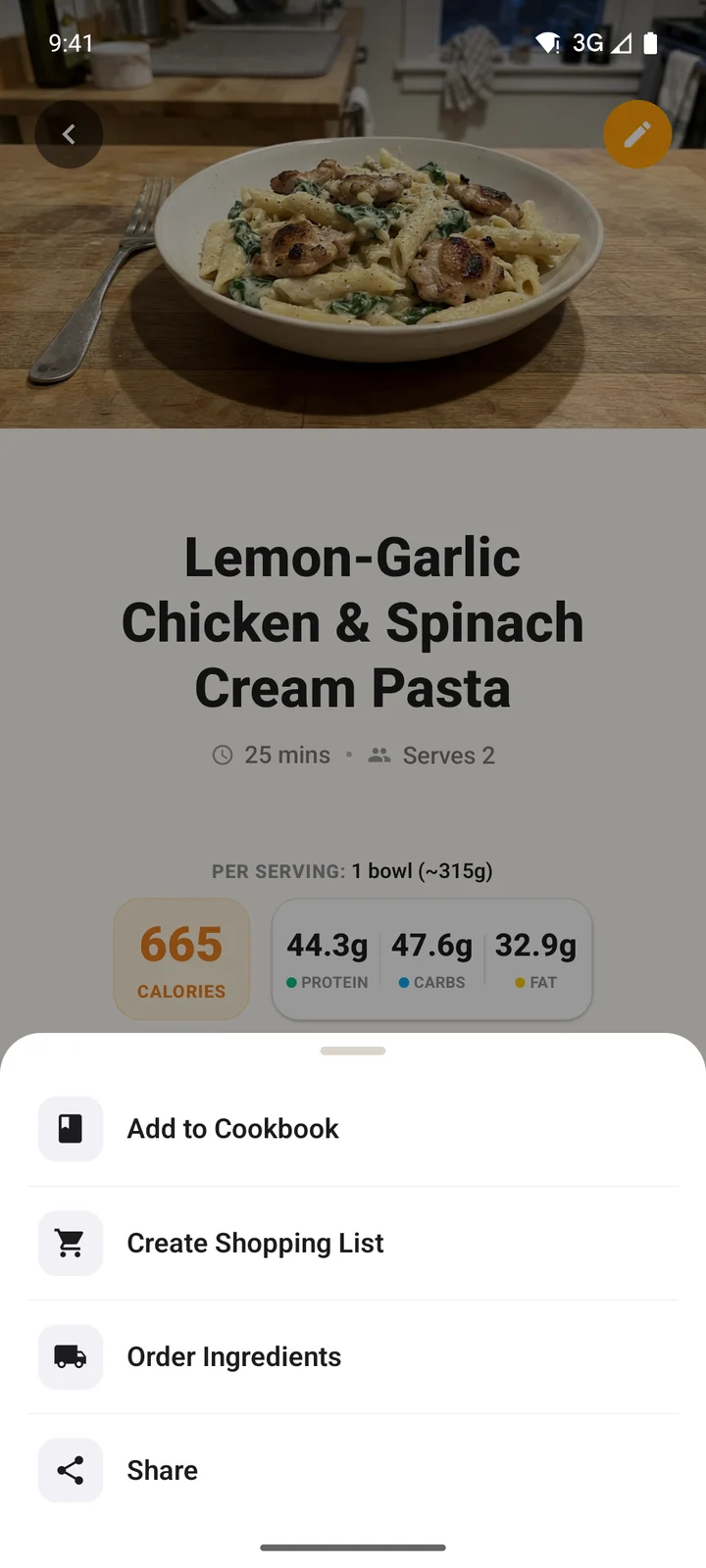
- 1
Open the recipe menu
On a recipe, tap the ... button next to Cooking Assistant, then Order Ingredients. Or tap Get a recipe delivered at the top of the Shopping Lists tab and pick a recipe. - 2
Choose the ingredients
Untick what you already have and tap Continue with N items. CookEase makes a list for the recipe. - 3
Pick the store
The new list opens with Get it delivered ready. Choose a store and check out there.
Tips for a better cart
- Be specific on your list: brand, amount and unit help the store find the right product, like "Organic Gala apples, 2 lbs".
- Tick off what you already have before sending, so you do not pay for a second jar of cumin.
- Always check the cart before paying. The store matches each line to its own products, and you can swap any of them.