
Every recipe in your cookbook can be shared with a link. Send it to the friend who asked for that dish, the family group chat or whoever is cooking tonight. They can read it in any browser and keep it in their own CookEase cookbook with one tap.
Share a recipe
In your Cookbook, click Share on the recipe's card, or Share at the top of the recipe itself. The Share Recipe window asks How would you like to share this recipe? Pick Private Link Only or Publish to Discover Feed, and the window switches to sharing buttons: Facebook, Twitter, WhatsApp, LinkedIn, Email and SMS / Text, plus More for your device's own share menu where the browser supports it. Or click Copy under Or copy link and paste the link anywhere.
Share, Private Link Only, Copy. The link is ready to paste.
Open the recipe and tap the ... button next to Cooking Assistant at the bottom, then Share. In the Share Recipe sheet, tap Private Link Only or Publish to Discover Feed. Your phone's share menu opens with a short message and the link, ready for Messages, WhatsApp, email or any other app.
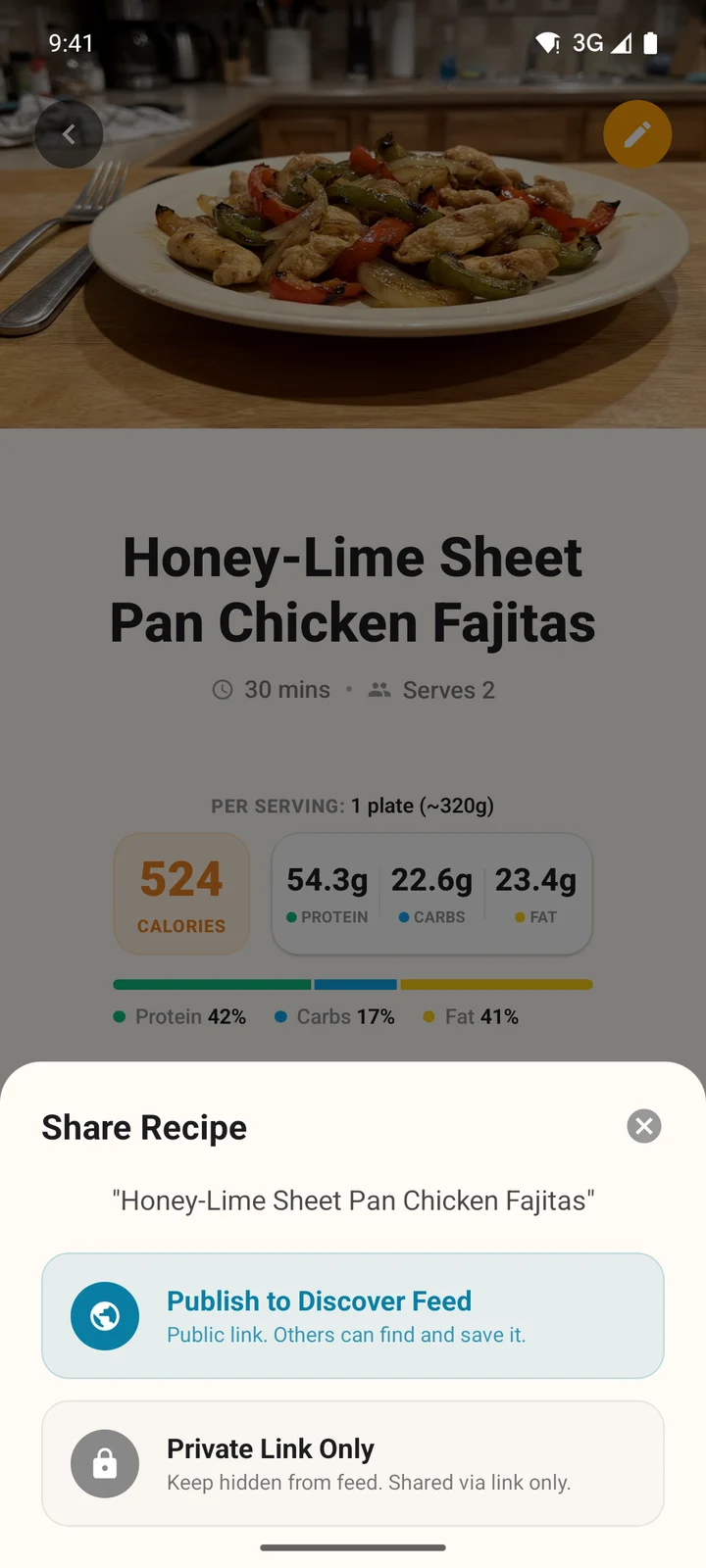
Choose who can see it.
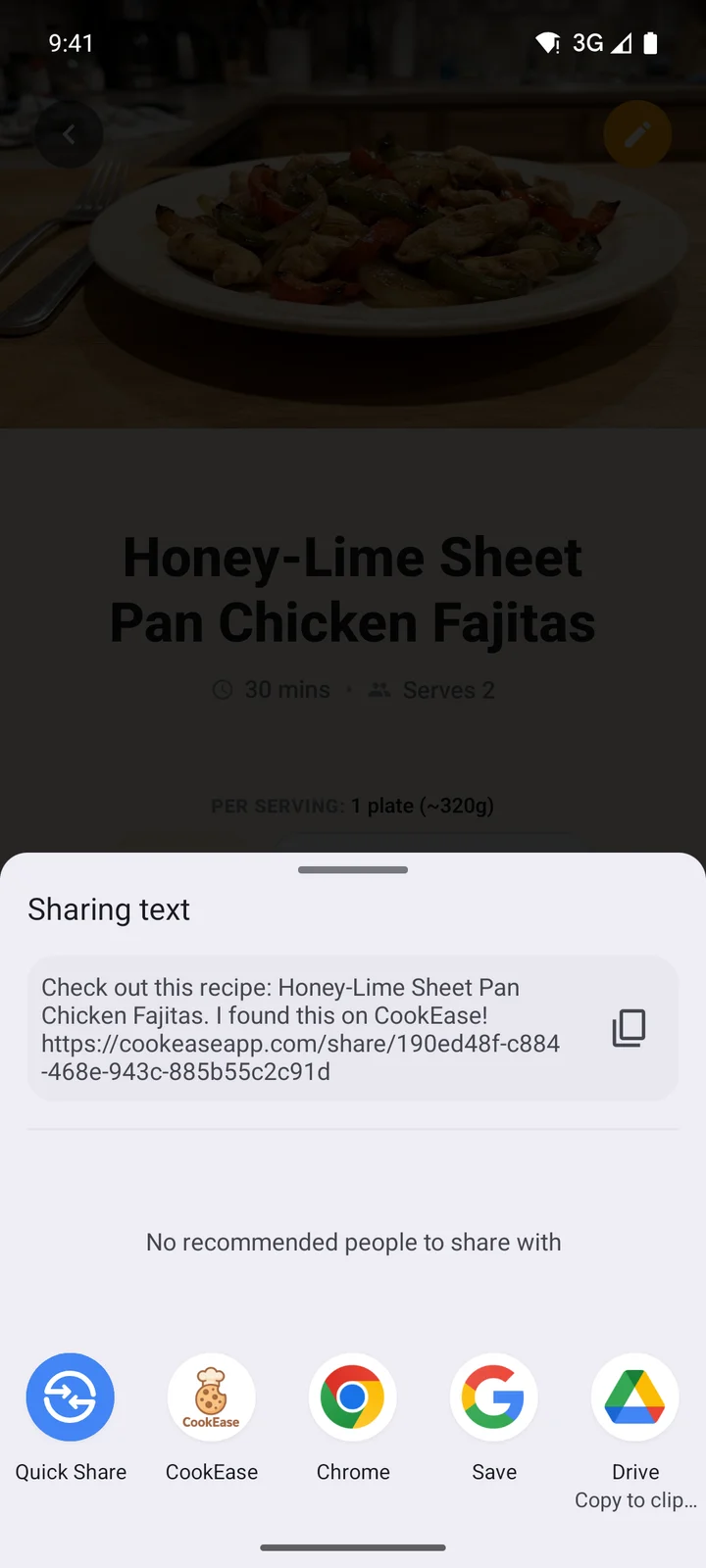
Then pick where to send it.
Private link or Discover?
Who can open it
- Private Link Only
- Only people you send the link to
- Publish to Discover Feed
- Anyone with the link, and anyone browsing Discover
Shows up on Discover
- Private Link Only
- Publish to Discover Feed
Others can save a copy
- Private Link Only
- Publish to Discover Feed
Likes and comments
- Private Link Only
- From people you sent it to
- Publish to Discover Feed
- From anyone on CookEase
| Private Link Only | Publish to Discover Feed | |
|---|---|---|
| Who can open it | Only people you send the link to | Anyone with the link, and anyone browsing Discover |
| Shows up on Discover | ||
| Others can save a copy | ||
| Likes and comments | From people you sent it to | From anyone on CookEase |
Not sure? Start with Private Link Only. To change your mind later, open Share again. On the website, a recipe you already shared opens straight to the sharing buttons with Private link only or Public on Discover at the top; click Change to switch. In the app, pick the other option. Read more about publishing in the Discover feed.
What the people you share with see
The link looks like cookeaseapp.com/share/.... It opens in any browser, and in the CookEase app on phones that have it installed.
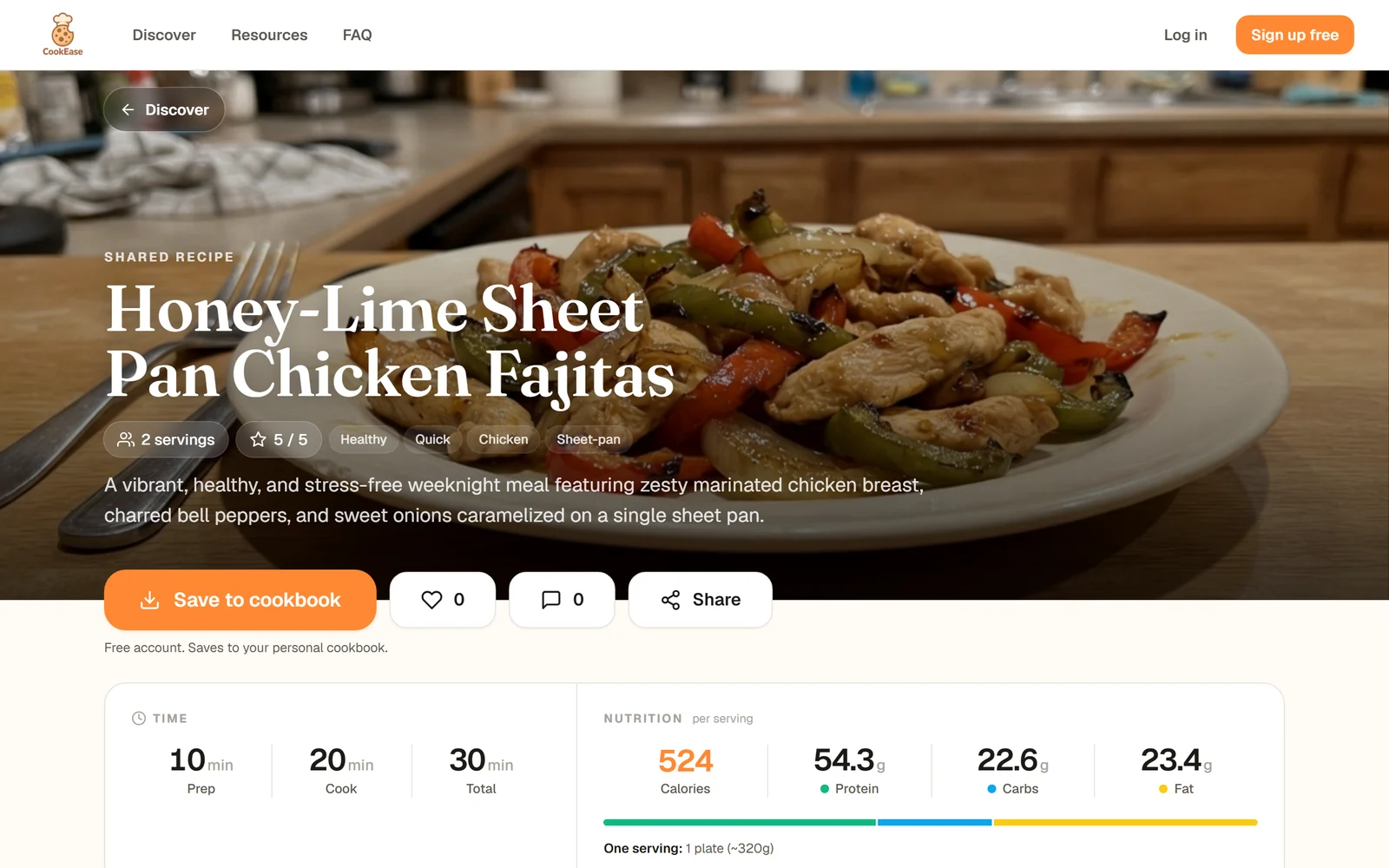
Not signed in: the photo, description, nutrition and ingredients are all there.
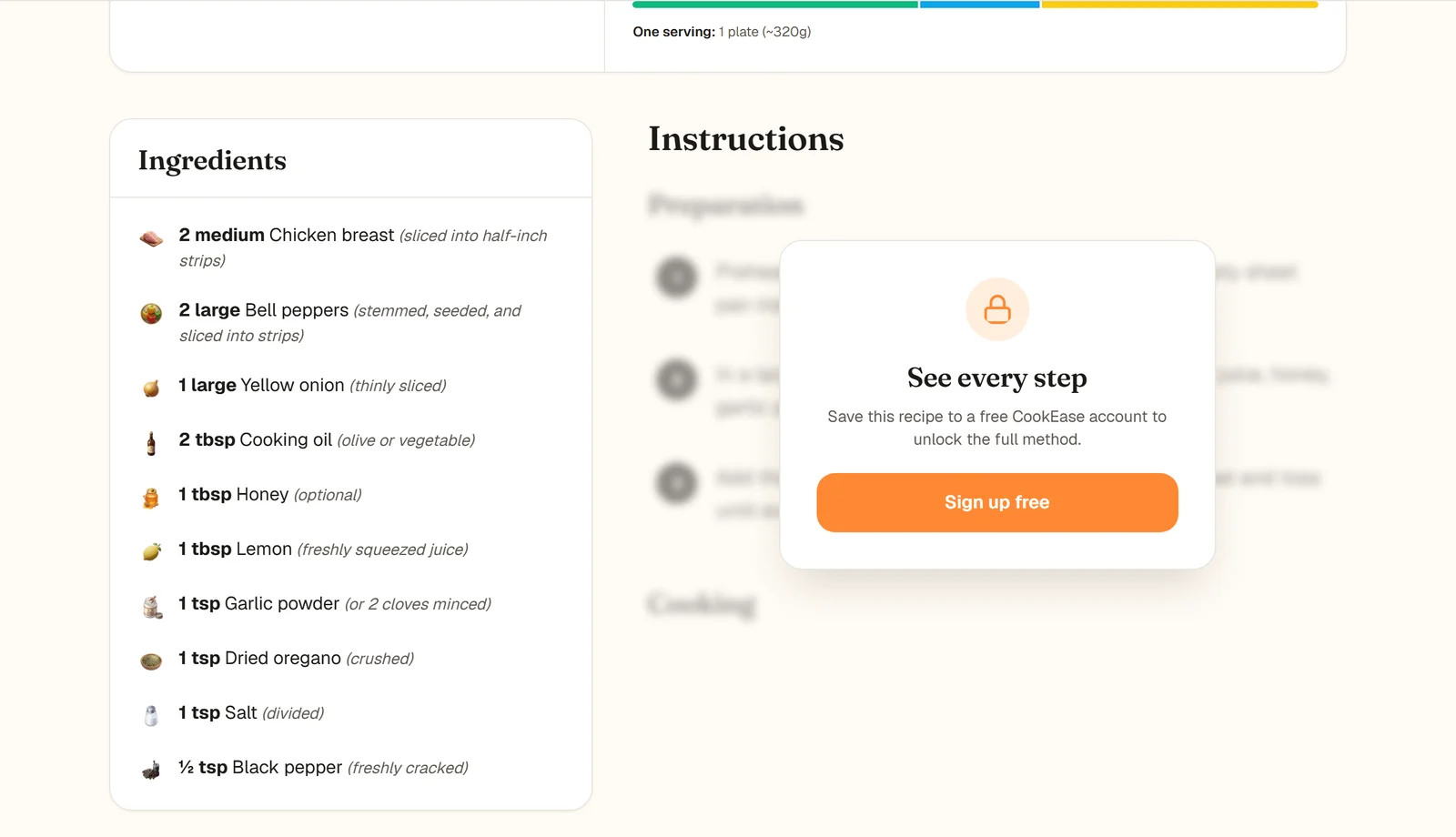
The steps unlock with a free account.
- Not signed in: they see the photo, description, time, nutrition and full ingredient list. The steps are blurred behind See every step. Sign up free or Save to cookbook takes them to a quick sign-up, and the recipe is saved to their new cookbook as soon as they are in.
- Signed in: they see the whole recipe, plus Save to cookbook (Save to My Cookbook in the app), a heart to like it, comments and Share to pass it on.
Saving a recipe someone shared with you
Tap Save to cookbook. A copy goes into your cookbook, followed by the usual step to file it in a cookbook. Your copy is yours to edit, and it does not change if the person who shared it edits theirs. If you already have it, CookEase says so and offers to open your copy or save it again.
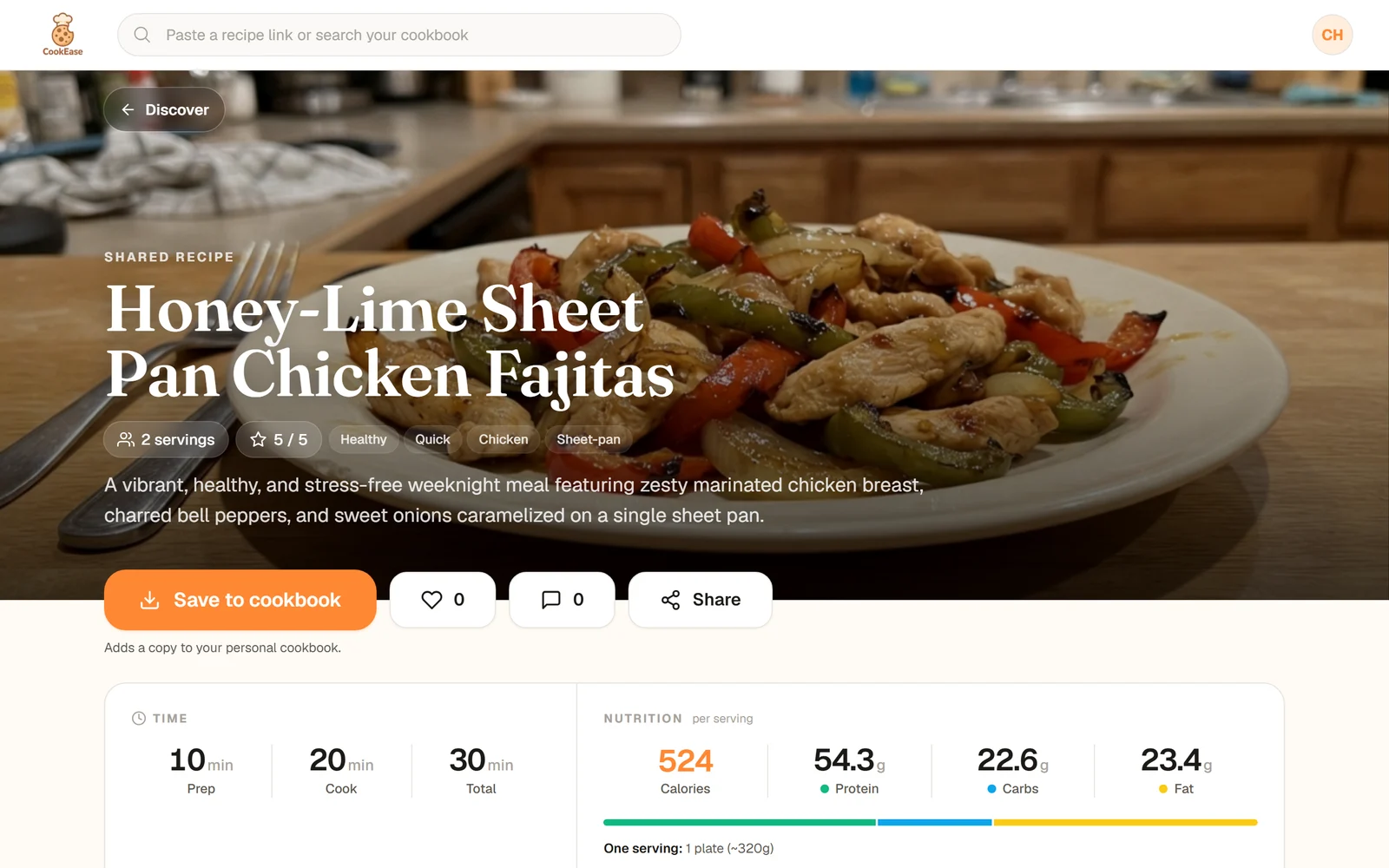
Signed in: Save to cookbook adds a copy to your own cookbook.
Likes and comments on shared recipes, and how to report something, are covered in likes, comments and reporting.