
Discover is the place to find your next dinner when you do not have a link in hand. It gathers recipes from CookEase creators and from home cooks who chose to share theirs, all complete with ingredients, steps and nutrition, and ready to save in one tap.
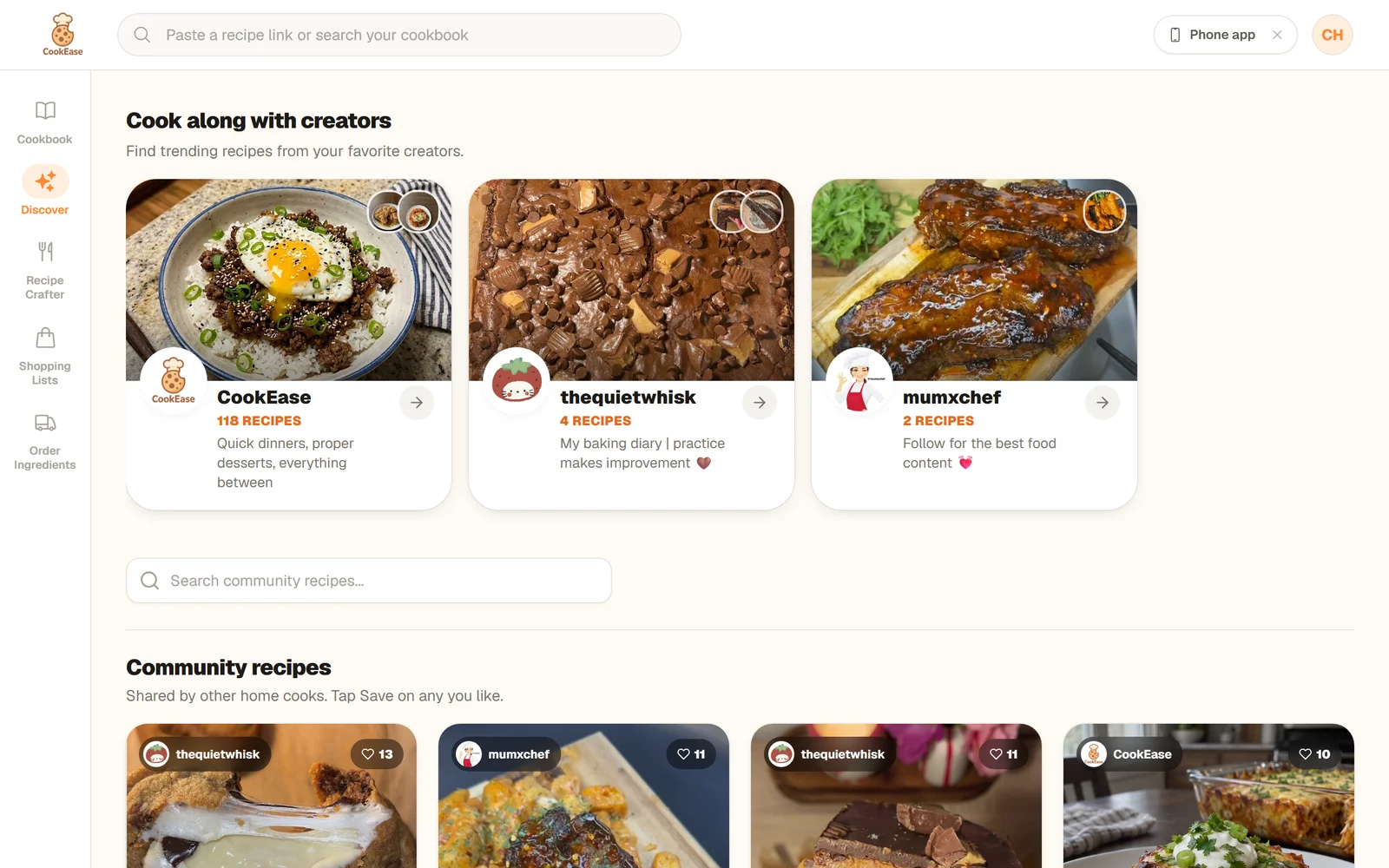
Discover on the website: creators at the top, Community recipes below.
Open Discover
- Website: choose Discover in the menu on the left (in the bar at the bottom on a phone-sized screen).
- iPhone and Android: tap the Discover tab. A brand-new account with no recipes yet opens here first.
What you will find
- Cook along with creators: a row of creator cards, each with the creator's photo, how many recipes they have collected and a line about them. Tap one to open their creator page, where you can save their whole collection at once.
- Community recipes: recipes shared by other home cooks and by CookEase. Each tile shows who shared it, how many likes it has, the title and the time it takes.
- Search: on the website, type in Search community recipes... above the community recipes to filter them by title or description. In the app, tap the magnifying glass at the top of Discover.
Discover in the app: creators first, then community recipes as you scroll.
Save a recipe from Discover
- 1
Read it first, if you like
Tap a tile to open the full recipe, with its ingredients, steps, nutrition, likes and comments. Tap Save to cookbook there to keep it. - 2
Or tap Save right on the tile
The tile flips over to say Saved to your cookbook, with View recipe to open your copy and Keep browsing to carry on. The very first recipe you ever save says Saved! Cook it tonight? and offers the Cooking Assistant. - 3
Find it in your cookbook
The recipe is now your own copy. Tiles you have already saved show Saved.
One tap on Save and the tile flips to confirm it is in your cookbook.
A saved recipe is yours: edit it, scale it, file it in a cookbook or turn it into a shopping list. Changes the original cook makes later do not touch your copy.
How many you can save
Saving from Discover has its own allowance, separate from saving from links. It also covers creator pages and recipes people share with you.
- Free accounts start with 5 Discover saves, once (they do not reset each month).
- Every friend you invite who joins adds 5 more. See invite friends.
- CookEase Pro has no limit. See free and Pro.
Browsing and reading recipes on Discover is always free. When you have no Discover saves left, tapping Save opens a sheet offering Go Pro or Not now. CookEase remembers what you were saving, and once you have room again (after upgrading or inviting a friend) it finishes the save for you, with a note that it is picking up where you left off.
Publish your own recipe to Discover
Made something worth sharing? Any recipe in your cookbook can go on Discover:
- Website: in your Cookbook, click Share on the recipe card and choose Publish to Discover Feed.
- App: open the recipe, tap ... next to Cooking Assistant, then Share, and choose Publish to Discover Feed.
Published recipes appear in Community recipes with your name, and anyone on CookEase can open them, like them, comment and save a copy. To take one off Discover, open Share again and choose Private Link Only. The full walkthrough is in share a recipe.