
Found a recipe while scrolling? You do not have to screenshot it, take notes or dig through your likes later. On your phone, the share button sends it straight to CookEase. On a computer, you paste the link.
iPhone: add CookEase to your share sheet Favorites once.
Android: Share, then CookEase. This link was already saved, so CookEase says so.
On your phone: share it to CookEase
This works the same way in TikTok, Instagram, Facebook and Pinterest (and YouTube, see saving from YouTube). You need the CookEase app installed and to be signed in.
- 1
Tap Share on the post
Tap the share arrow on the video, reel or pin. In TikTok and Instagram, this first opens the app's own share menu: swipe the row of apps to the end and tap More to open the iPhone share sheet. - 2
Choose CookEase
Tap CookEase in the row of apps. CookEase opens and the recipe starts saving.
The first time: add CookEase to your Favorites
CookEase may start at the end of the share sheet. Move it to the front once and it stays there:
- 1
Open the full list
In the share sheet, swipe the row of apps to the end and tap More. - 2
Tap Edit
Tap Edit at the top right. - 3
Add CookEase
Tap the green + next to CookEase so it moves into Favorites, then tap Done. From now on it sits next to Messages and Mail.
- 1
Tap Share on the post
Tap the share arrow on the video, reel or pin. If the app shows its own share menu first, tap More (or the three dots) to open your phone's share sheet. - 2
Choose CookEase
Tap CookEase. If you do not see it, scroll the list of apps. CookEase opens and the recipe starts saving.
Keep CookEase at the front: pin it
Press and hold CookEase in the share sheet and tap Pin CookEase. A small pin shows under it, and it stays near the front of the list every time you share.
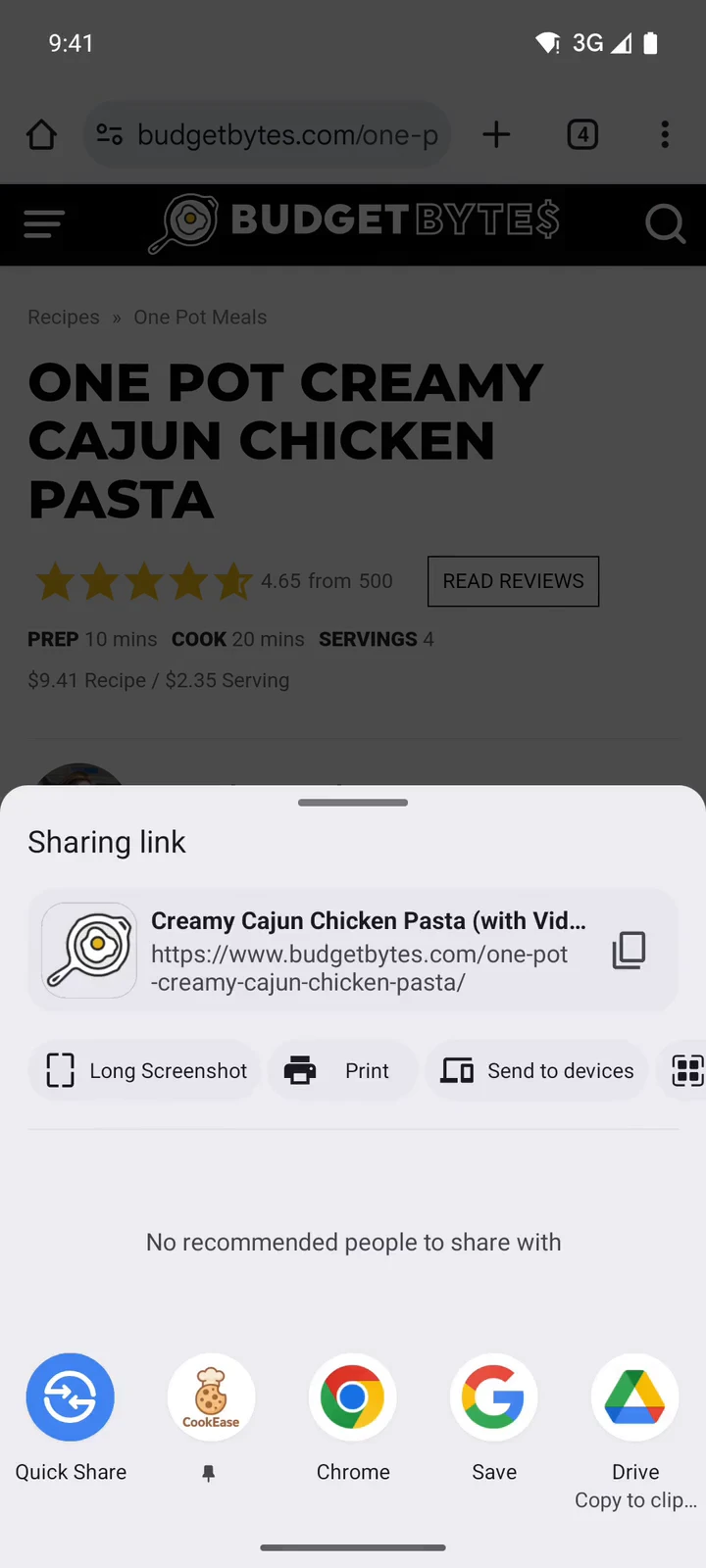
The share sheet. A pinned CookEase stays near the front.
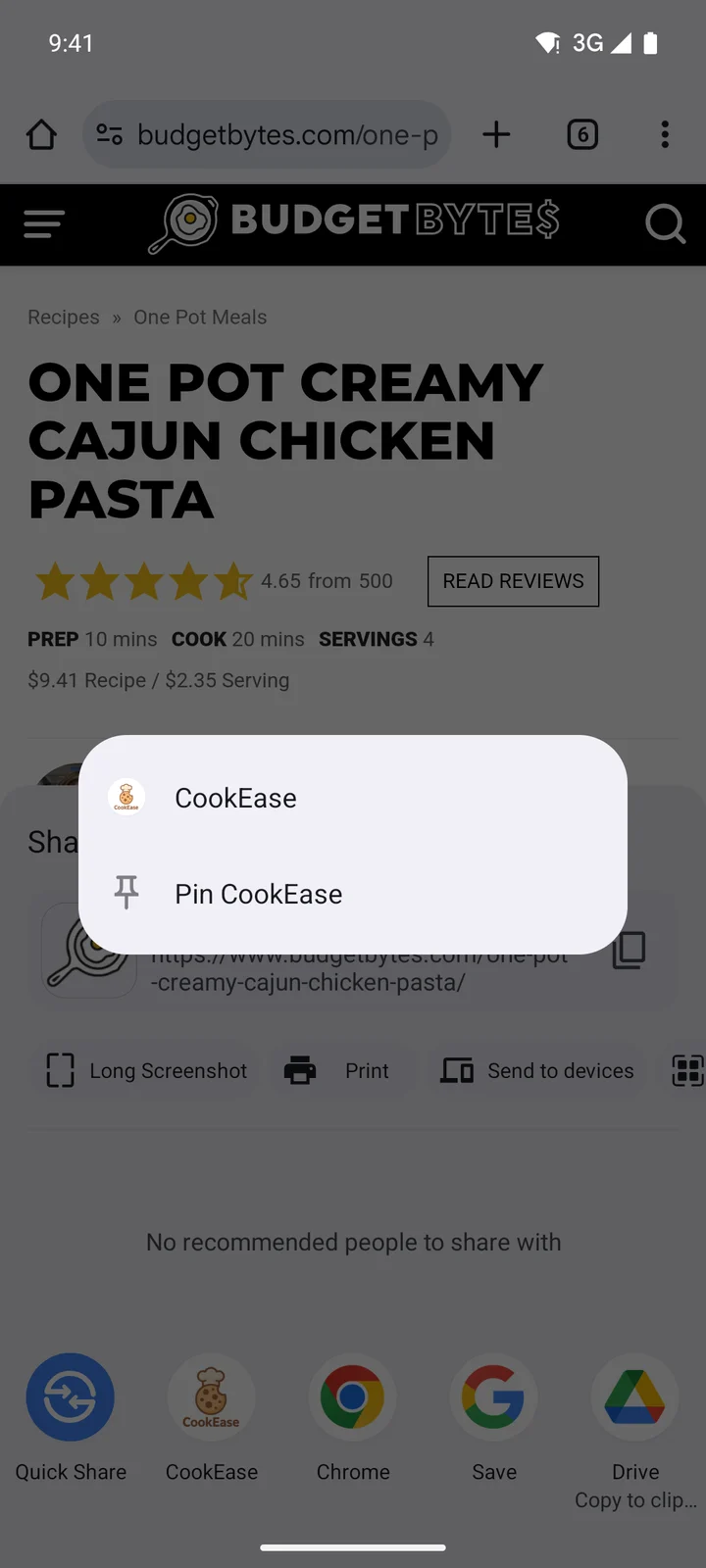
Press and hold, then Pin CookEase.
On any device: paste the link
Copy the post's link (in the app, Share, then Copy link; on a computer, the address in your browser) and paste it into CookEase:
- Website: paste it into the field at the top of any page, or click Save a recipe and paste it into Web Link, then Save a Recipe.
- App: tap the orange +, then Save a Recipe, tap PASTE and then Save Recipe. After you paste a TikTok or Instagram link, the app may show a quick tip, Skip the copy-paste next time, with a Try it now button that opens the post so you can practice sharing it.
A TikTok link pasted on the website. About 15 seconds from paste to saved.
No recipe in the caption? No problem
Lots of creators keep the recipe in the video and use the caption for a joke. CookEase watches the whole video and listens to it, so it catches ingredients and steps that are only shown on screen or said out loud. When the caption does give amounts or a serving count, CookEase uses those exactly. Any amount nobody mentioned is estimated from what is shown, and you can change it with Edit.
Several recipes in one post
Photo slideshows and "3 easy dinners" videos often hold more than one recipe. CookEase saves each one as its own recipe, with its own photo where it can find one. While saving, the card shows a badge like +2 more recipes, and on the website the last step reads Recipes Saved! so you can flip through them and file them all into a cookbook at once. A post counts as one save however many recipes it holds.
After it saves
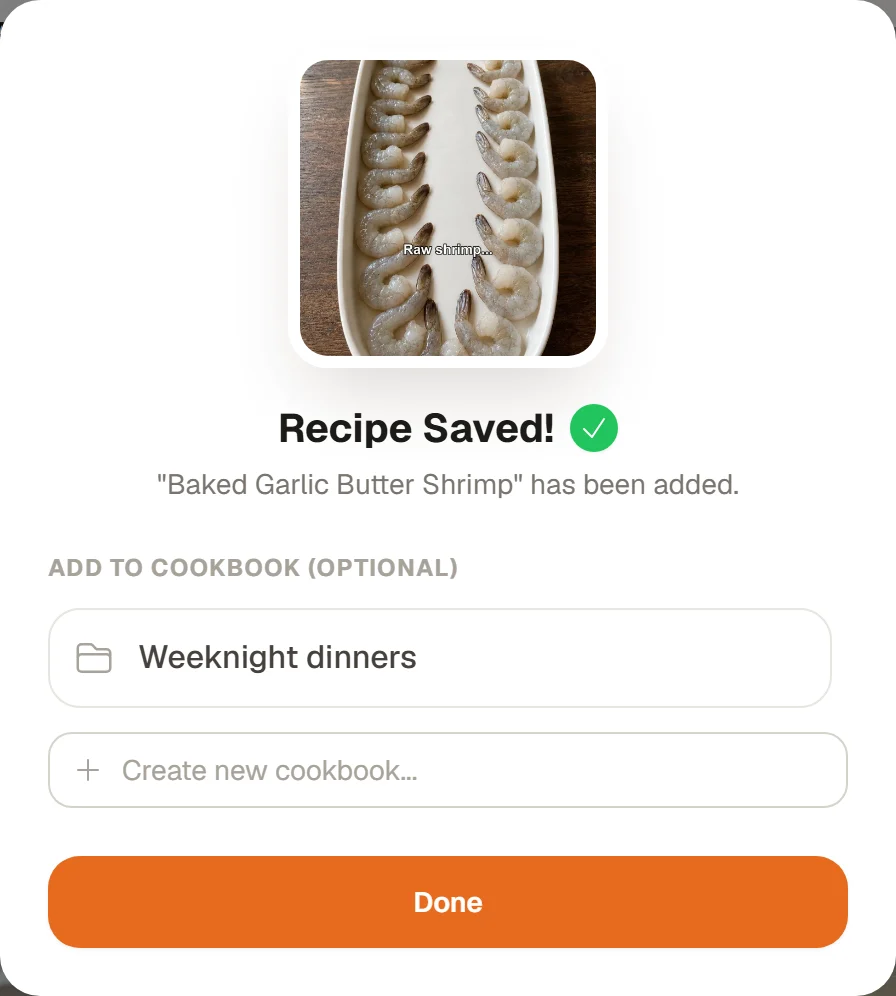
File it into a cookbook, or tap Done.
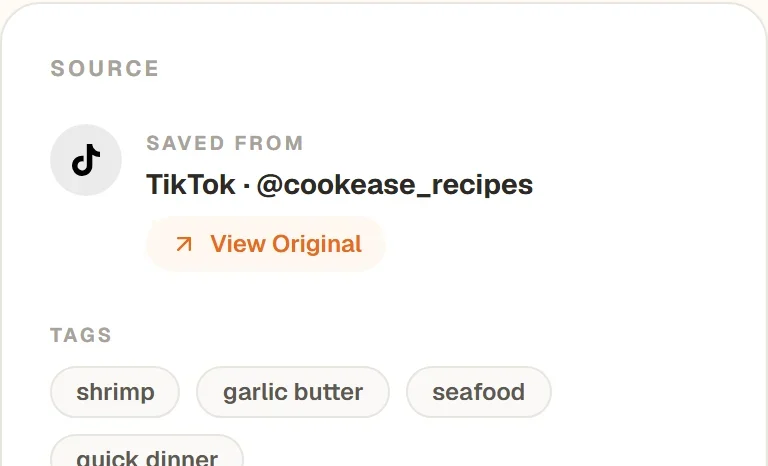
View Original opens the post again.
You see Recipe Saved! with the option to add it to a cookbook. The recipe keeps the creator's name and a View Original button, and its nutrition fills in a few seconds later. Long videos can take a minute; you can keep saving in the background and CookEase tells you when it is done.
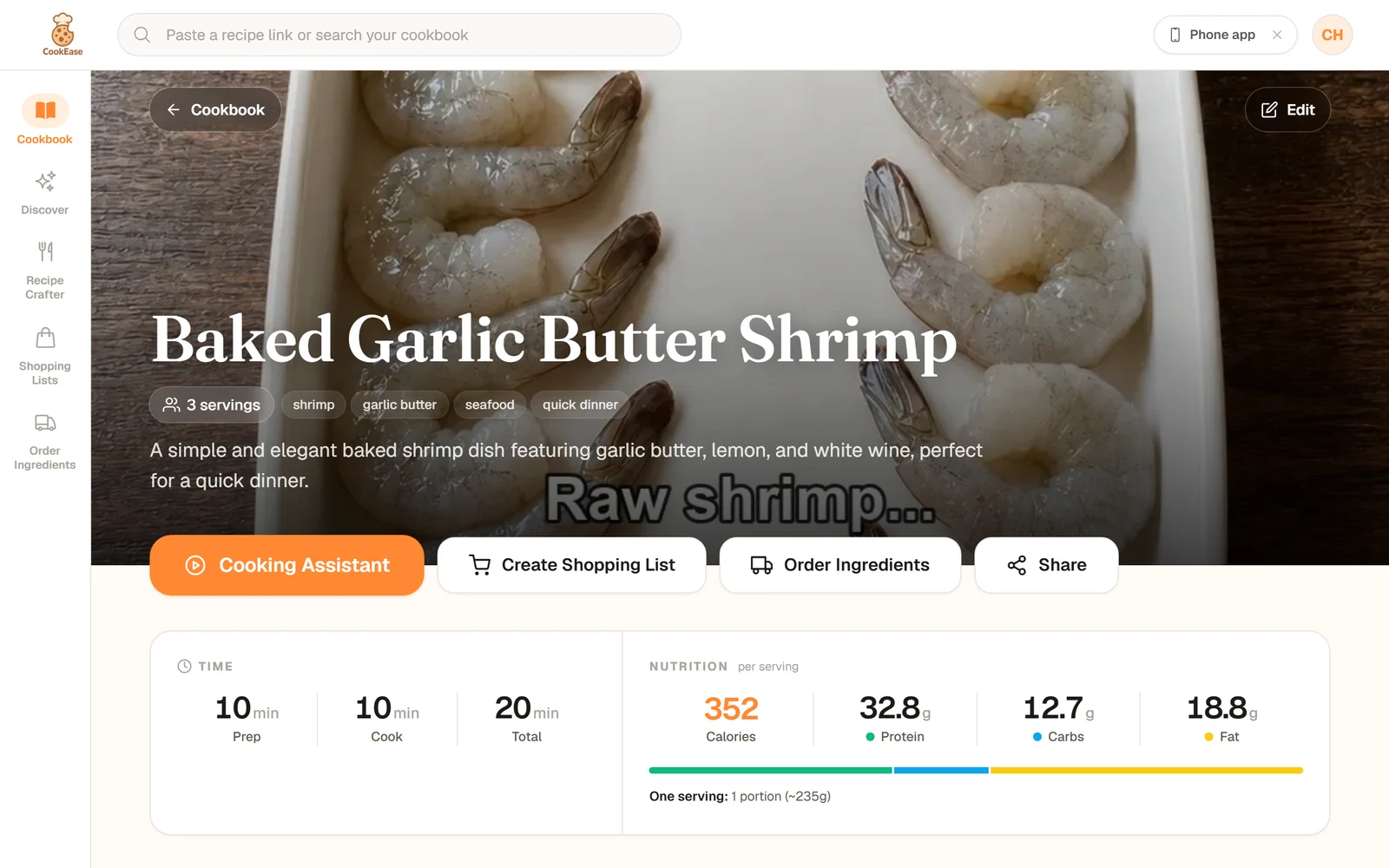
The saved TikTok recipe in the cookbook.
If a post won't save
- Private accounts, deleted posts and some stories cannot be opened from outside the app, so CookEase cannot see them. You will see a message saying so.
- Something went wrong on our side? CookEase says We couldn't save this one yet, sends it to our team, and adds the recipe to your cookbook once it is fixed.
- Already saved it? You see Already in your cookbook instead of a second copy.
None of these use up a save. More fixes in when a recipe won't save.