
However many recipes you save, the one you want is a few letters away. On the website you can search from the top of any page; in the app, search sits at the top of your Cookbooks tab.
Search from the top of any page (website)
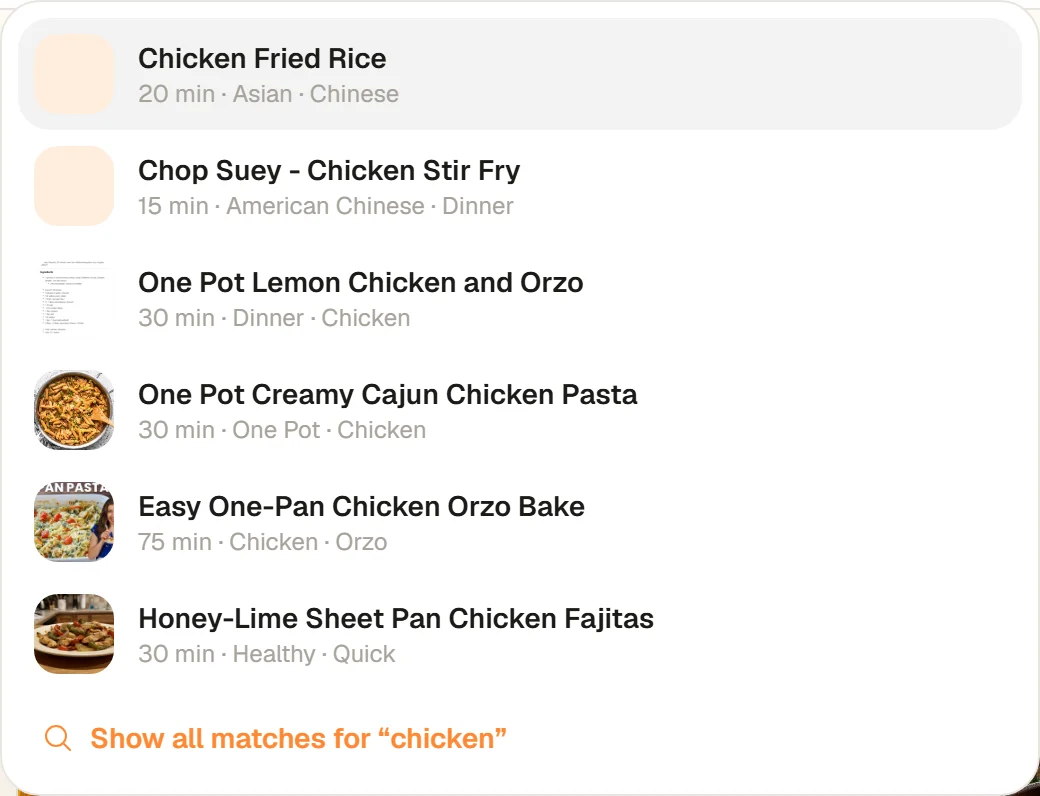
When you are signed in, every page has a field at the top that reads Paste a recipe link or search your cookbook. Start typing and up to six matching recipes drop down under it, each with its photo, time and first tags. Click one to open it.
Ctrl-K, type a word, and the matches appear before you finish typing.
- Keyboard shortcut: press Ctrl K (Cmd K on a Mac) from anywhere to jump into the field.
- Without the mouse: use the up and down arrow keys to move through the results, Enter to open one, and Esc to close the list.
- See everything that matches: the last line, Show all matches for "chicken", opens your Cookbook filtered to every match.
- What it matches: recipe titles first, then tags such as Quick, Healthy or Dinner. Several words narrow it down: "chicken orzo" finds recipes with both.
If you paste a recipe link into the same field instead, it offers Save this recipe to your cookbook. See save a recipe from a website. On a phone-sized browser window, the field has its own row under the CookEase logo.
If nothing matches, the list says Nothing in your cookbook matches that.
Search and sort the Cookbook page (website)
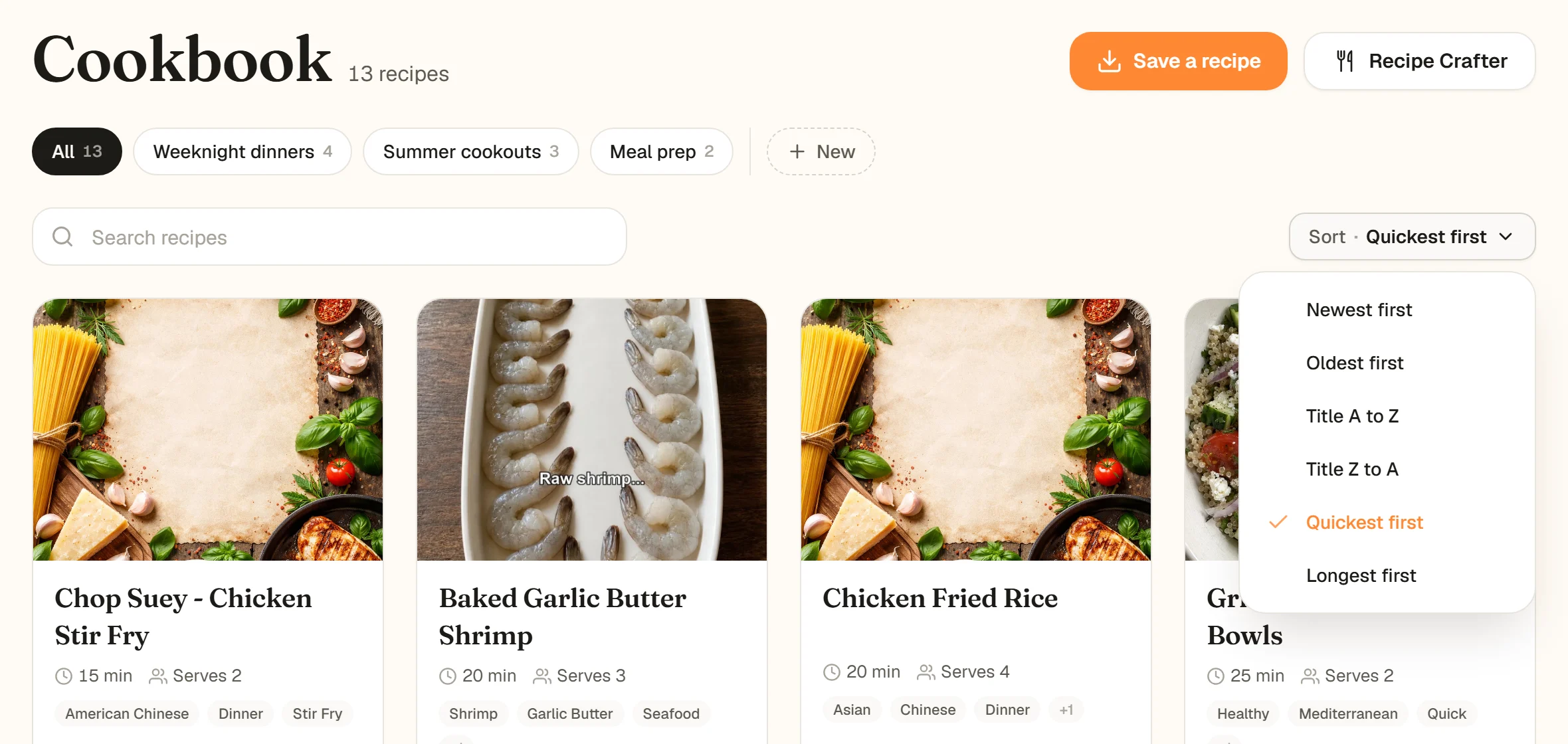
Above the recipe grid on the Cookbook page there is a Search recipes box and a Sort menu. The box filters the grid as you type, matching titles, descriptions and tags. It searches the cookbook that is selected in the row of chips, so pick All to search everything.
Filter and sort work together: here, shrimp recipes, quickest first.
The Sort menu has six orders:
- Newest first (the default) and Oldest first, by when you saved the recipe.
- Title A to Z and Title Z to A.
- Quickest first and Longest first, by cooking time.
When nothing matches, the page says No recipes match with Clear filter, and inside a cookbook, Search all recipes.
Search in the app (iPhone and Android)
Tap the magnifying glass at the top right of the Cookbooks tab and type part of a recipe's title into Search recipes. The grid narrows as you type. Tap the small x to clear what you typed, or Cancel to close search (on Android, the back gesture closes it too).
Search narrows the grid as you type.
Good to know in the app
- Search matches recipe titles.
- It looks inside the cookbook chip you have selected. Tap All Recipes first to search everything.
- Recipes are listed newest first; there is no sort menu in the app.