
You can delete your CookEase account yourself, any time, on the website or in the app. It is permanent, so read the first section before you start.
What gets deleted
- Your profile, display name and avatar.
- The photos and PDFs you saved recipes from, and recipe pictures only you were using.
- Every recipe you saved or made, and all your cookbooks.
- Your shopping lists and order history.
- Recipes you shared: their links stop working and they leave the Discover feed.
- Saves that were still in progress and your usage history.
Copies of your shared recipes that other people already saved stay in their cookbooks. A few records may be kept for a limited time where the law requires it, as our privacy policy explains. Support cannot restore a deleted account.
How to delete your account
- 1
Open Profile and taste
Click your profile picture (or initials) in the top right corner, then Profile and taste. - 2
Scroll to the Danger Zone
At the bottom of the page, click the red Delete Account button. - 3
Read the note about Pro
If you have Pro, the Delete your account? window says what happens to it: a website subscription is canceled with the account; an App Store or Google Play one is not, and the window links to the page where you cancel it. - 4
Type the phrase
Type delete my account in the box. The button stays faded until the phrase matches. - 5
Confirm
Click Delete my account. You are signed out and taken to the home page.
The confirmation window. It only deletes once you type the full phrase and confirm.
- 1
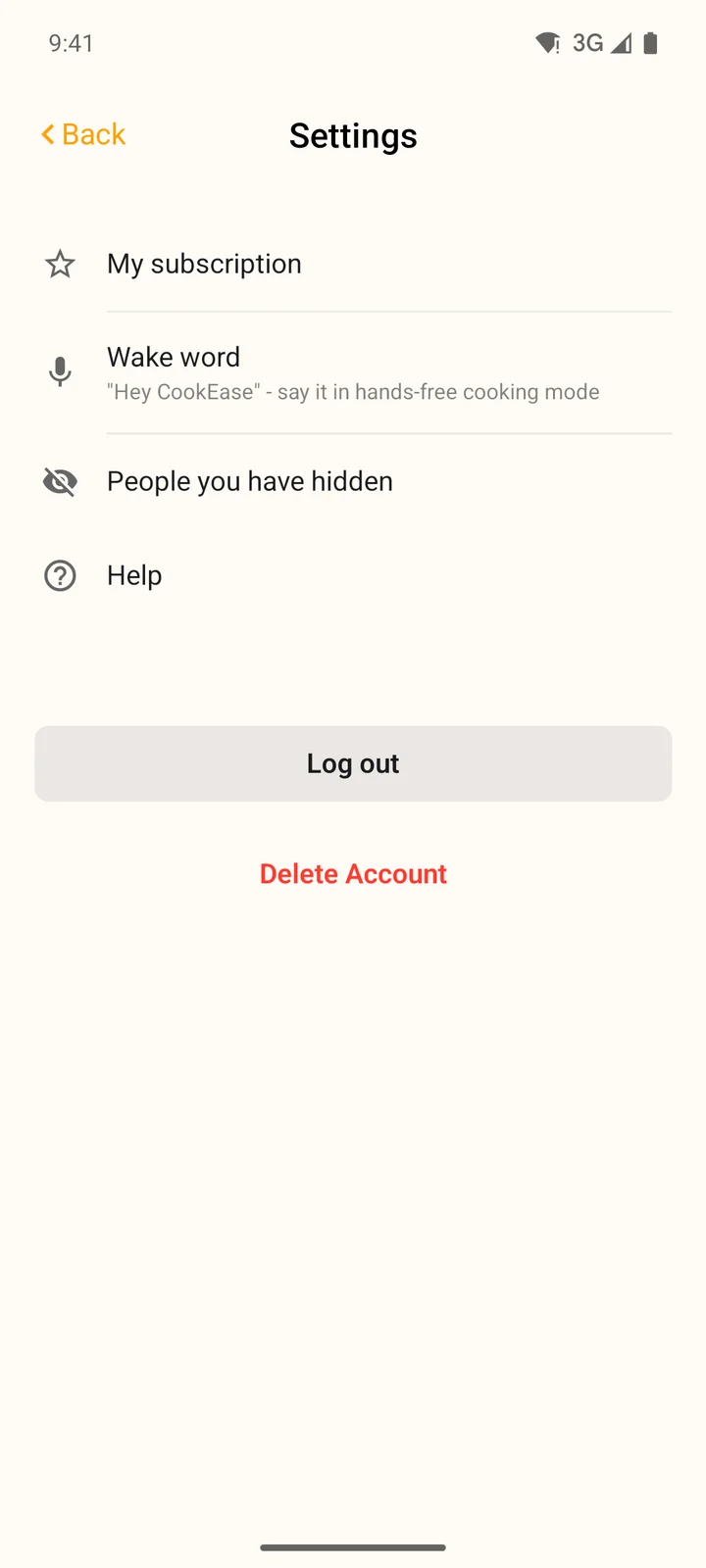
Open Settings
Tap More, then Settings. - 2
Tap Delete Account
It is the red text at the bottom, under Log out. - 3
Type the phrase
In Delete Account?, type delete my account. - 4
Confirm
Tap Delete. You are signed out and the account is gone. Then delete the app from your phone if you like.
Not sure? You might not need to delete
- To stop paying: cancel Pro. Your account, recipes and lists stay, and you go back to the free plan when the period you paid for ends. See canceling Pro.
- To take a break: just log out. Nothing is deleted.
- To stop emails or reminders: see notifications and reminders.
- To hide a recipe you shared: share it again and choose Private Link Only. See sharing a recipe.