
CookEase keeps every recipe you want to make in one place, wherever you found it, and then helps you actually cook it. Here is the whole idea in five steps, on the website.
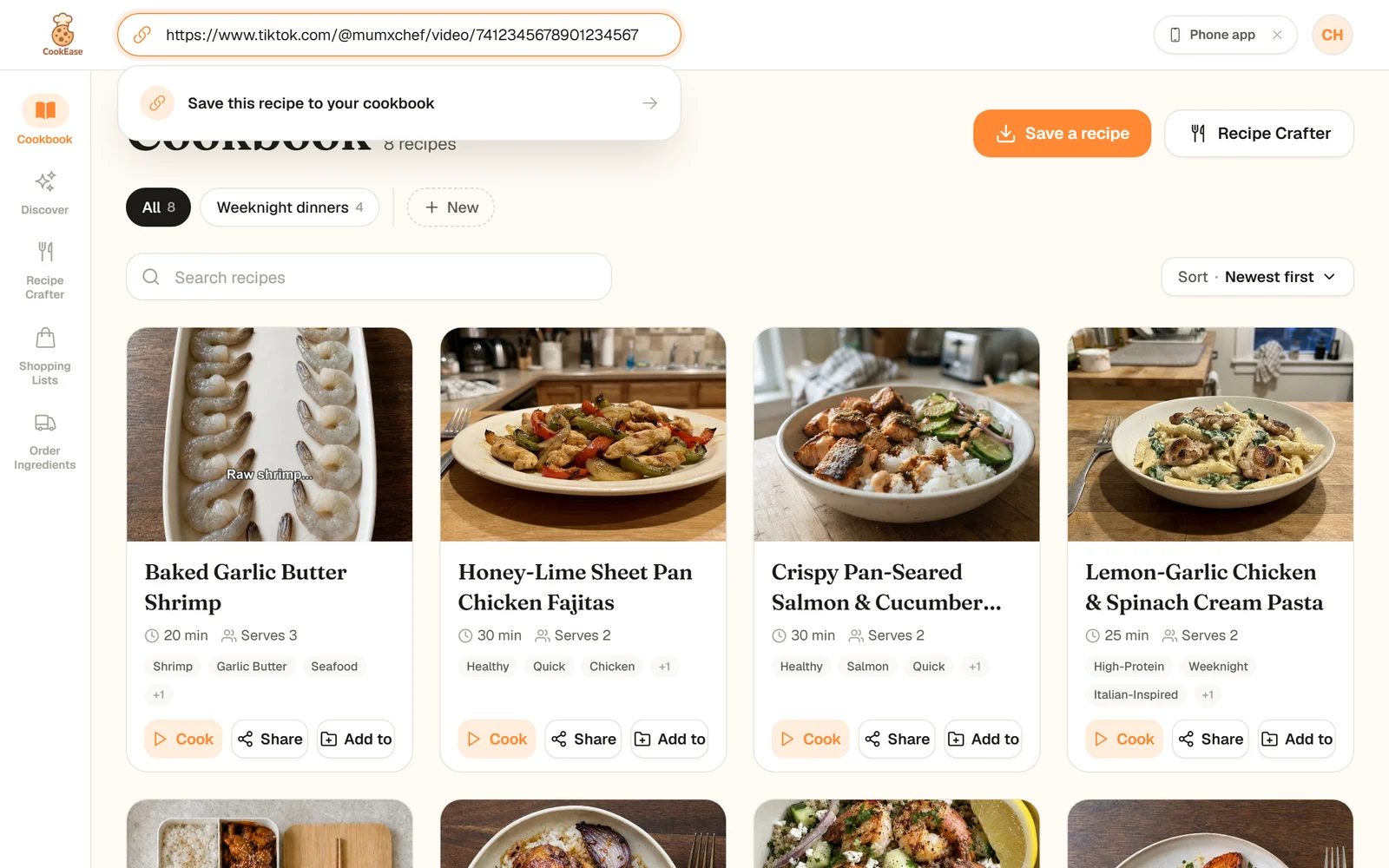
Save a recipe from anywhere
Paste a link from TikTok, Instagram, YouTube or any recipe website. On a phone you can share straight from the app you are watching.
- Save a recipe from anywhere: Paste a link from TikTok, Instagram, YouTube or any recipe website. On a phone you can share straight from the app you are watching.
- It lands in your cookbook: Every recipe is kept with its photo, time and servings. Group them into cookbooks and search them in a second.
- A clean recipe, with nutrition: Ingredients, numbered steps, times and calories, protein, carbs and fat per serving. No ads, no life story.
- Cook it one step at a time: The Cooking Assistant shows one big step at a time and answers questions out loud, so your hands stay on the food.
- Shop for it in one list: Pick a few recipes and CookEase adds up what you need, sorted by grocery aisle. Order it for delivery if you like.
What you can do with CookEase
- Save recipes from anywhere. TikTok, Instagram, YouTube, Facebook and Pinterest videos, any recipe website, a photo or screenshot of a recipe, a page of a cookbook, a PDF (on the website) or text you paste in. If the recipe is only spoken in a video, CookEase watches and listens to catch it. See saving from TikTok and Instagram.
- Keep them organized. Everything goes into one cookbook. Group recipes into cookbooks like "Weeknight dinners", search by name or tag, and edit anything. See organizing with cookbooks.
- See the nutrition. Calories, protein, carbs and fat per serving are worked out for every recipe. See nutrition and serving sizes.
- Cook without touching the screen. The Cooking Assistant shows one step at a time, keeps your screen awake and answers questions like "how much garlic?" out loud.
- Make something new. Tell the Recipe Crafter what you are craving or what is in your fridge, and it writes a full recipe for you.
- Shop smarter. Turn recipes into a shopping list sorted by aisle, then order the ingredients from Instacart or Amazon Fresh.
- Find new ideas. Discover has recipes from creators and other home cooks that you can save in one tap.
Where CookEase runs
One account works everywhere: what you save on your phone is on the website a moment later, and the other way around.
The phone apps are best for saving from TikTok and Instagram (you share straight to CookEase) and for cooking at the counter. The website is handy for planning on a bigger screen and is the only place to save from a PDF.
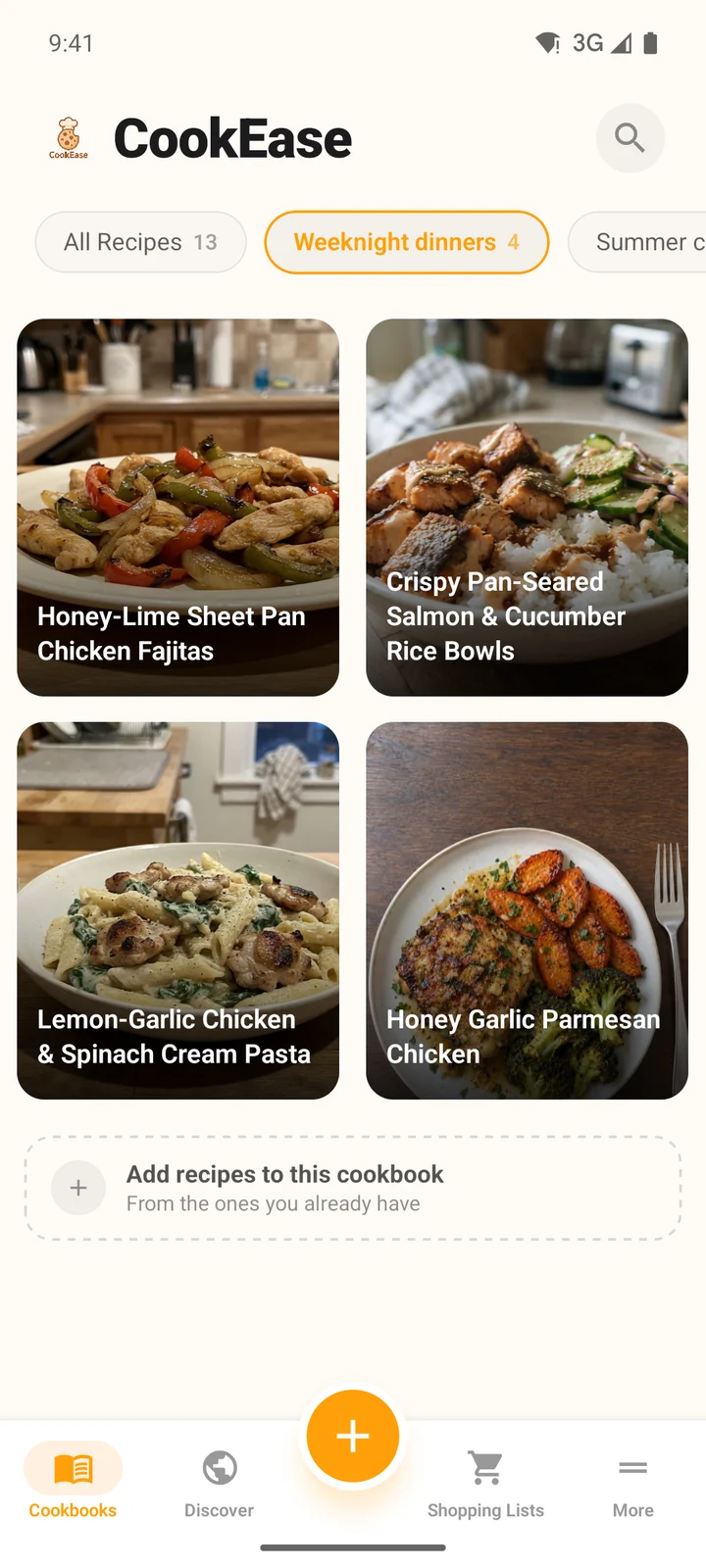
The Cookbooks tab in the app.
Get it on iPhone, Android and the web.
Free to start
A free account is a real account, not a trial. Some things are free for good, and the rest come with a starter allowance.
Cookbook, shopping lists and nutrition
- Free
- Pro
Recipe saves (links, shares, photos, text and Discover)
- Free
- 5
- Pro
- Unlimited
Recipe Crafter recipes
- Free
- 3
- Pro
- Unlimited
Cooking Assistant questions
- Free
- 5 a day
- Pro
- Unlimited
| Free | Pro | |
|---|---|---|
| Cookbook, shopping lists and nutrition | ||
| Recipe saves (links, shares, photos, text and Discover) | 5 | Unlimited |
| Recipe Crafter recipes | 3 | Unlimited |
| Cooking Assistant questions | 5 a day | Unlimited |
Where to start
Make your first save: the first recipe guide shows the quickest way on each device, and finding your way around explains every tab and menu. On a phone, look for the orange + button: it is where saving and the Recipe Crafter live.