
The first questions CookEase asks you, and why

New accounts start with five quick, skippable steps: your dinner goals, recipes to tap Yum on, three picks you can save, who you cook for, and what those nights are worth. Your answers go into your taste profile.

Works oniPhoneAndroidWebUpdated

In short

  • The first time you use CookEase, it takes you through five quick steps. Every one can be skipped, and a ring at the top shows where you are.
  • What should dinner feel like? Pick goals like Faster weeknights or Spend less on takeout.
  • Yum or not? Tap Yum on dishes that look good to you. Yum saves nothing; it only teaches CookEase what you like. Then Because you liked these offers three matching recipes; saving one is optional and uses one of your saves.
  • Who are you cooking for? Set the people at the table, how many nights you cook, and anything to keep off the plate, like allergies.
  • All of it goes into your taste profile, which your Recipe Crafter and Meal Plan use. Change it any time.

Before your first recipe, CookEase takes you through five quick steps, so the dinners it suggests fit how you actually eat. It takes about a minute, and every step can be skipped. A small ring at the top fills as you go and shows the step you are on, like 2/5; it is the same ring you will see on your taste card afterwards. On the website the questions sit on your empty cookbook; in the app they come right after the welcome screen. Some people answer them before creating an account and some just after; either way the answers end up in the same place.

1. What should dinner feel like?
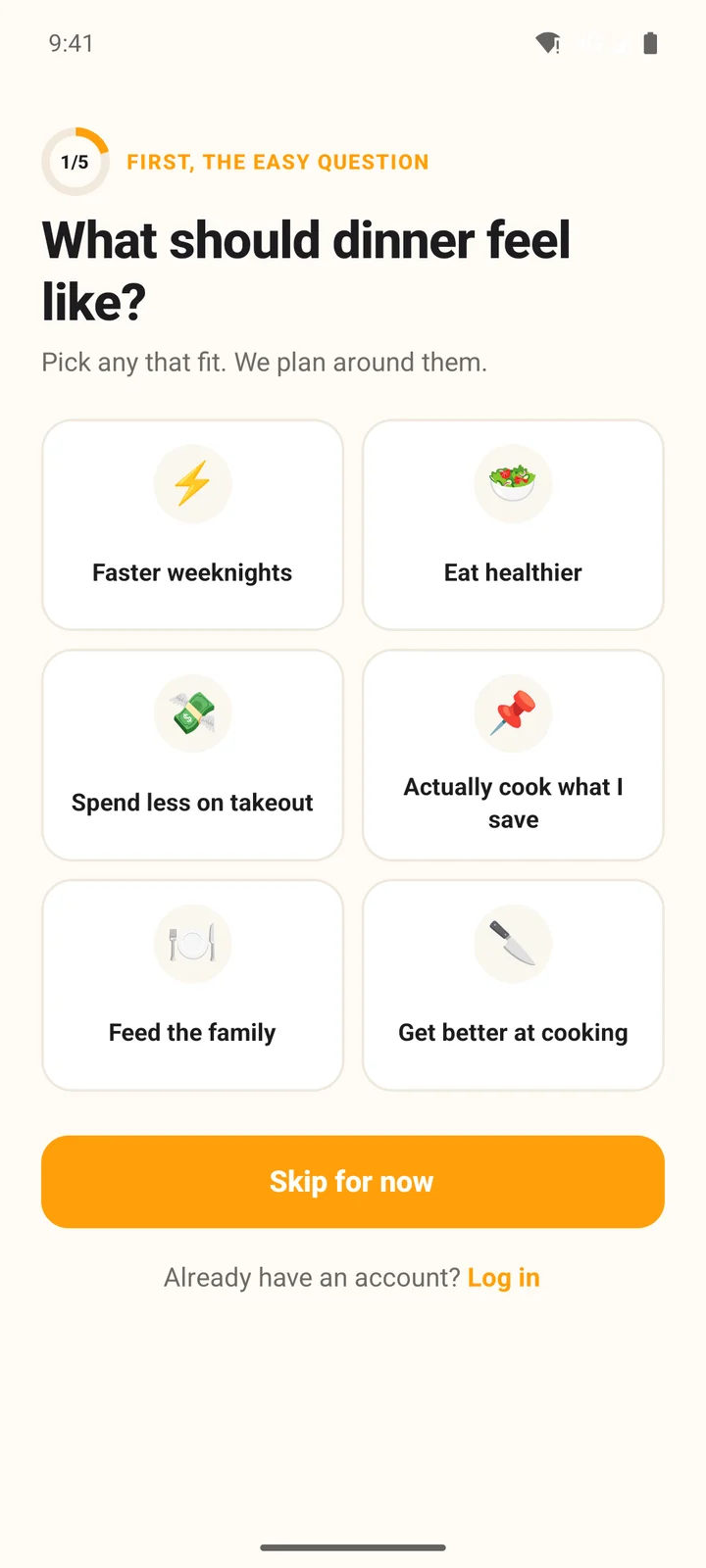
What should dinner feel like? with six tiles: Faster weeknights, Eat healthier, Spend less on takeout, Actually cook what I save, Feed the family and Get better at cooking

Tap any that fit, then Continue (or Skip for now):

  • Faster weeknights
  • Eat healthier
  • Spend less on takeout
  • Actually cook what I save
  • Feed the family
  • Get better at cooking

A picked tile turns orange with a check mark.

2. Yum or not?

Ten real recipes from Discover, one at a time. Tap Yum (or swipe right in the app) on dishes that look good to you, and Not now (or swipe left) on the rest. Each card shows how long the recipe takes and what kind of dish it is when CookEase knows, like 30 min · chicken.

3. Because you liked these

Right after the deck, CookEase shows three recipes from Discover that match what you tapped Yum on, under Because you liked these. If you did not tap Yum on anything, it shows Recipes people are saving instead.
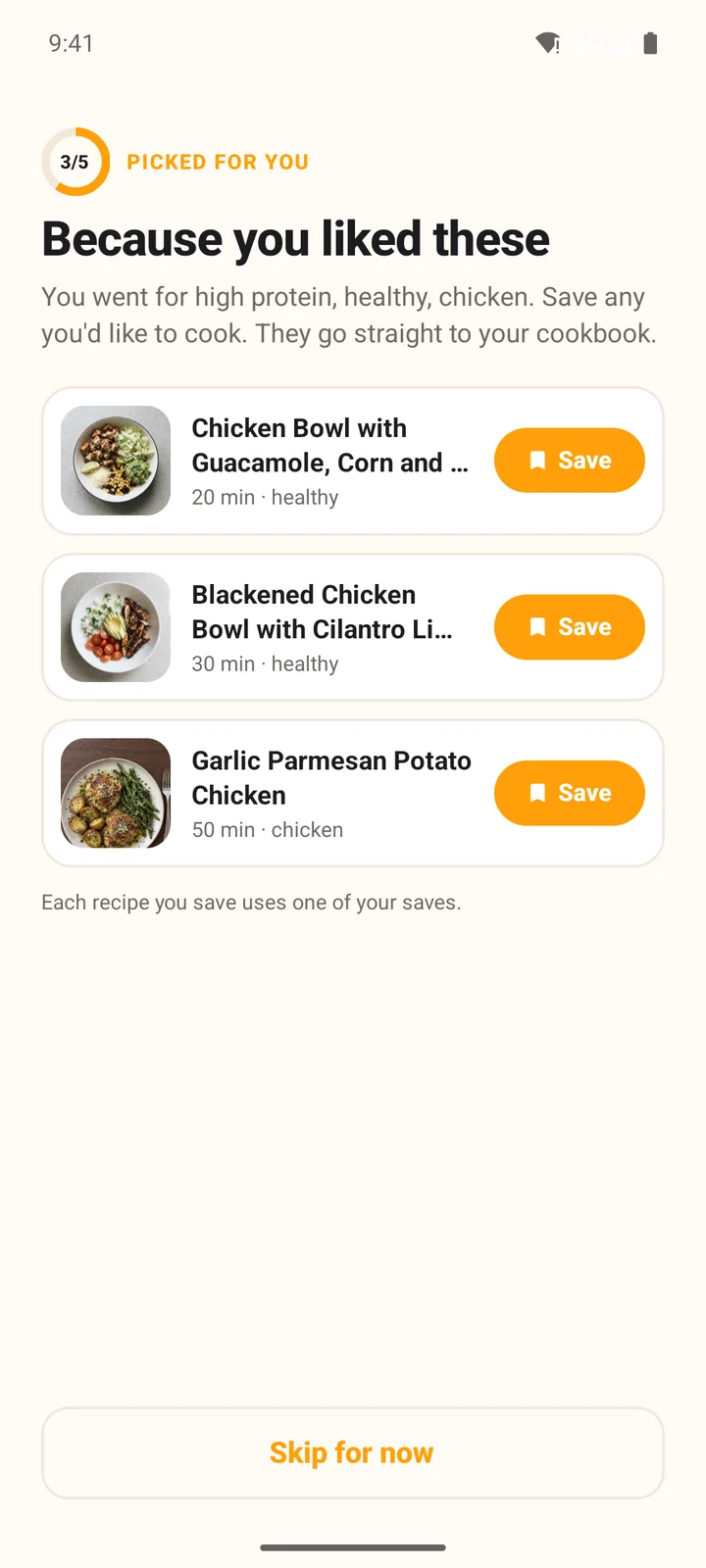
Because you liked these in the Android app: three recipes from Discover, each with a Save button, the line Each recipe you save uses one of your saves, and Skip for now
  • Tap Save on any you would like to cook. It goes straight to your cookbook and the button turns to Saved.
  • Saving is optional. Skip for now moves on, and the recipes stay in Discover.
  • Each recipe you save here uses one of your saves, like any other save.
  • No account yet? Tap Save and the button shows Picked. Your picks are saved as soon as your account is ready, and CookEase tells you once: 3 recipes are waiting in your cookbook.
  • If you skip the Yum deck, this step is skipped too.

4. Who are you cooking for?

  • People at the table: so recipes come out the right size.
  • Nights you cook in a normal week.
  • Anything to keep off the plate?: tap allergies like peanuts or shellfish, and foods you would rather skip. Allergies are never included in recipes your Recipe Crafter makes; dislikes are avoided unless you ask for them.

5. What those nights are worth

A friendly estimate of what cooking those nights at home keeps in your pocket, a week and a year. We guess 1 in 2 of those dinners would have been takeout, and that cooking at home costs about $15 less each time. The same guess gives the line under it, like That's about 9 takeout nights a month you'd skip. for someone who cooks four nights a week. Your real numbers grow in My Cookie Jar as you cook. From here, CookEase helps you save your first recipe.

Change your answers later

Everything you answered is in your taste profile: on the website under Profile and taste in the account menu, and in the app from the person button at the top right of any tab, then Taste profile. The Recipe Crafter and Meal Plan use it every time.

Questions people ask

Do the recipes I tap Yum on get saved?

No. Yum only tells CookEase what kinds of food you like, such as chicken or pasta. Nothing is added to your cookbook and none of your free saves are used. The next step, Because you liked these, offers three recipes you can save if you want to.

Does saving one of the three picks use a free save?

Yes. Each recipe you save there uses one of your saves, like any other save. Saving is optional: tap Skip for now and the recipes stay in Discover.

I picked recipes before creating my account. Where are they?

In your cookbook. Picks made before you have an account are saved as soon as the account is ready, and CookEase tells you once that they are waiting.

Can I skip the questions?

Yes. Every step has Skip or Skip for now, and you can fill in the same things later in your taste profile.

Where do my answers go?

Into your taste profile: your Yums become Likes, and your allergies and dislikes are saved there too. Your Recipe Crafter and Meal Plan use them. Change any of it in your taste profile.

I already have an account. Will I see this?

No. The questions are for new accounts. If you already use CookEase, set the same things in your taste profile whenever you like.

Is the money figure real?

It is a friendly estimate: about $15 kept for every dinner that would otherwise have been takeout, and we guess 1 in 2 would have been. Your real count grows in My Cookie Jar as you cook.

Was this helpful?

Still stuck?

Tell us what happened and a real person on the CookEase team will get back to you, usually within a day.