Free, nothing to sign up for. The page below is exactly what prints.
Text size
Recipe size
Example: what your printed page looks like
One-Bowl Banana Bread
Makes 10 slices · Prep 10 min · Cook 55 min
Ingredients
- 3 ripe bananas
- 1/3 cup melted butter
- 3/4 cup sugar
- 1 egg
- 1 teaspoon vanilla
- 1 teaspoon baking soda
- 1/4 teaspoon salt
- 1 1/2 cups all-purpose flour
Steps
- 1.Heat the oven to 350°F and butter a 9 x 5 inch loaf pan.
- 2.Mash the bananas in a large bowl, then stir in the butter, sugar, egg and vanilla.
- 3.Sprinkle in the baking soda and salt, then fold in the flour until no streaks remain.
- 4.Pour into the pan and bake for 55 to 60 minutes, until a toothpick comes out clean. Cool before slicing.
An example recipe from CookEase.
For a PDF, tap Print and choose Save as PDF where your printer is listed.
The short answer
- To print a recipe without the ads, paste its link into the box above and tap Make it printable. You get one clean page with the name, the ingredients and the steps, and nothing else.
- No link? Tap Paste the recipe and paste or type the text, from a Facebook post, an email or a photo you typed out. It is laid out the same way.
- Choose Regular, Large or Extra large text, add check boxes and lines for notes, and print half or double the recipe.
- On a phone, printing goes through Share, then Print. Choose Save as PDF where the printer is listed to keep a file with no paper.
You pressed Print on a chili recipe and the printer started on page one of nine: a story about fall, six photos of the same pot, an ad for a truck.
The recipe was half a page of that. The printer at the top of this page gives you only that half page: paste the link or the text, choose how big you want the type, and print. Nothing to install and nothing to sign up for.
How to print a recipe from a website
- 1
Copy the link to the recipe
On a computer, copy it from the address bar. On a phone, tap Share on the recipe page, then Copy. Use the recipe itself, not a home page or a list of search results. - 2
Paste it and tap Make it printable
Paste the link under Paste a link at the top of this page. Most recipes appear in a second or two as a white page with the name, ingredients and numbered steps. - 3
Set up the page
Pick Regular, Large or Extra large text. Check boxes puts a box beside each ingredient, and Lines for notes adds four blank lines at the bottom. Under Recipe size, ½ and 2x reprint the amounts for half or double. - 4
Print
Tap Print. Your browser's print screen opens with just the recipe on it. Choose your printer, or choose Save as PDF to keep a file.
The page always ends with the name of the site and the link it came from, so the person you hand it to can find the original.
Why a recipe prints on so many pages
Ctrl + P (Cmd + P on a Mac) prints everything the page holds, and a recipe page holds much more than a recipe. When we ran our Just the Recipe tool over 12 recipe pages, from small blogs to a big-city newspaper, this is what we counted:
About 2,050
words on a typical recipe page
Median of 12 pages. The longest had 9,490.
254
words in the recipe itself
Its name, ingredients and steps.
13%
of the words were the recipe
Median share. It ran from 4% to 37%.
Source: CookEase test of 12 recipe pages, November 2, 2026. Counts all the text on each page.
About 250 words fit on one sheet with room to spare. The rest of the stack in the printer tray is everything else, and photos and ads use more ink than text does.
Three other ways to print only the recipe
- The site's own Print button. Most recipe sites put a Print button on the recipe card, near the ingredients. It opens a shorter version made for paper. It is the best choice on sites this tool cannot read, and it varies a lot: some print versions still carry a large photo and a page of nutrition.
- Reading view, then print. Safari, Firefox and Edge have a reading view that strips a page down to its text. Print from there and the ads are gone, though the story above the recipe stays. Our guide on how to skip to the recipe shows where reading view is on each device.
- Print a page range. Open the print screen, find which pages hold the recipe in the preview, and print only those, such as 6 to 7. It costs nothing to set up, and you still get whatever ads sit on those pages.
Leaves out ads and comments
- This page
- Site's Print button
- Usually
- Reading view
- Ctrl + P
Leaves out the story
- This page
- Site's Print button
- Reading view
- Ctrl + P
Choose the text size
- This page
- Site's Print button
- Reading view
- Some browsers
- Ctrl + P
Print half or double
- This page
- Site's Print button
- Some sites
- Reading view
- Ctrl + P
Works for pasted text
- This page
- Site's Print button
- Reading view
- Ctrl + P
| This page | Site's Print button | Reading view | Ctrl + P | |
|---|---|---|---|---|
| Leaves out ads and comments | Usually | |||
| Leaves out the story | ||||
| Choose the text size | Some browsers | |||
| Print half or double | Some sites | |||
| Works for pasted text |
How to print a recipe from your phone
Make the clean page first, at the top of this page, then tap Print. What happens next depends on the phone.
The print screen opens with a preview of the recipe. Tap No Printer Selected and choose your printer, set the number of copies, and tap Print in the top corner. Apple's printing works with printers that support AirPrint, and the printer has to be on the same Wi-Fi network as your phone. If no printer shows up, check both of those first.
To print any other page from an iPhone, Apple's own steps are the same idea: tap the Share button, scroll down and tap Print.
The print screen opens with the recipe on it. At the top, choose a printer, or tap Save as PDF and pick where to keep the file. Tap the down arrow to change copies, paper size or color, then tap Print.
To print any other page from Chrome on Android, tap the three dots at the top right, then Share, then Print.
Tap Print on this page and the browser's print window opens with only the recipe in the preview. Pick the printer under the destination, check that it says one page, and click Print. In Chrome the same window opens for any page from File, then Print.
How to print a recipe from Pinterest, Facebook, Instagram or TikTok
These apps have no Print button for a recipe, because none of them holds the recipe as a page. Where the recipe really is decides how you print it.
- Pinterest. A pin is a picture that links to a recipe on someone's website. Open the pin, tap through to that website, copy the page's link and paste it above. If the link goes nowhere, see what to do when a Pinterest recipe link does not work.
- Facebook. Recipes shared in groups are usually typed into the post or the first comment. Press and hold the text, copy it, then tap Paste the recipe above and paste. The name, ingredients and steps are sorted out for you.
- Instagram. If the caption has the recipe, copy the caption and paste it the same way. If the caption only says the recipe is at the link in the creator's bio, follow that to the website and use its link.
- TikTok and other videos. When the recipe is only spoken or shown, there is no text anywhere to print. You can pause and type it out, or share the video to CookEase, which watches and listens to it and writes the recipe down. A saved recipe prints as a clean page from your cookbook.
Set the page up for the way you cook
- Reading from across the counter: choose Extra large. It runs to a second sheet sooner, and you can read step 4 without picking the paper up with wet hands.
- Shopping with it: keep the check boxes on and tick ingredients off in the store, or as you set them out.
- A recipe you will change: add the lines for notes. "Less salt" and "40 minutes in our oven" written on the page are why a printed recipe gets better each time you make it.
- Cooking for more or fewer: print it at 2x or ½ so nobody is doubling 1⅓ cups in their head. Only the ingredient list is resized, so check any amounts written inside the steps.
- Saving ink: leave the photo off. The page is black text on white.
One page, a card, or a whole binder
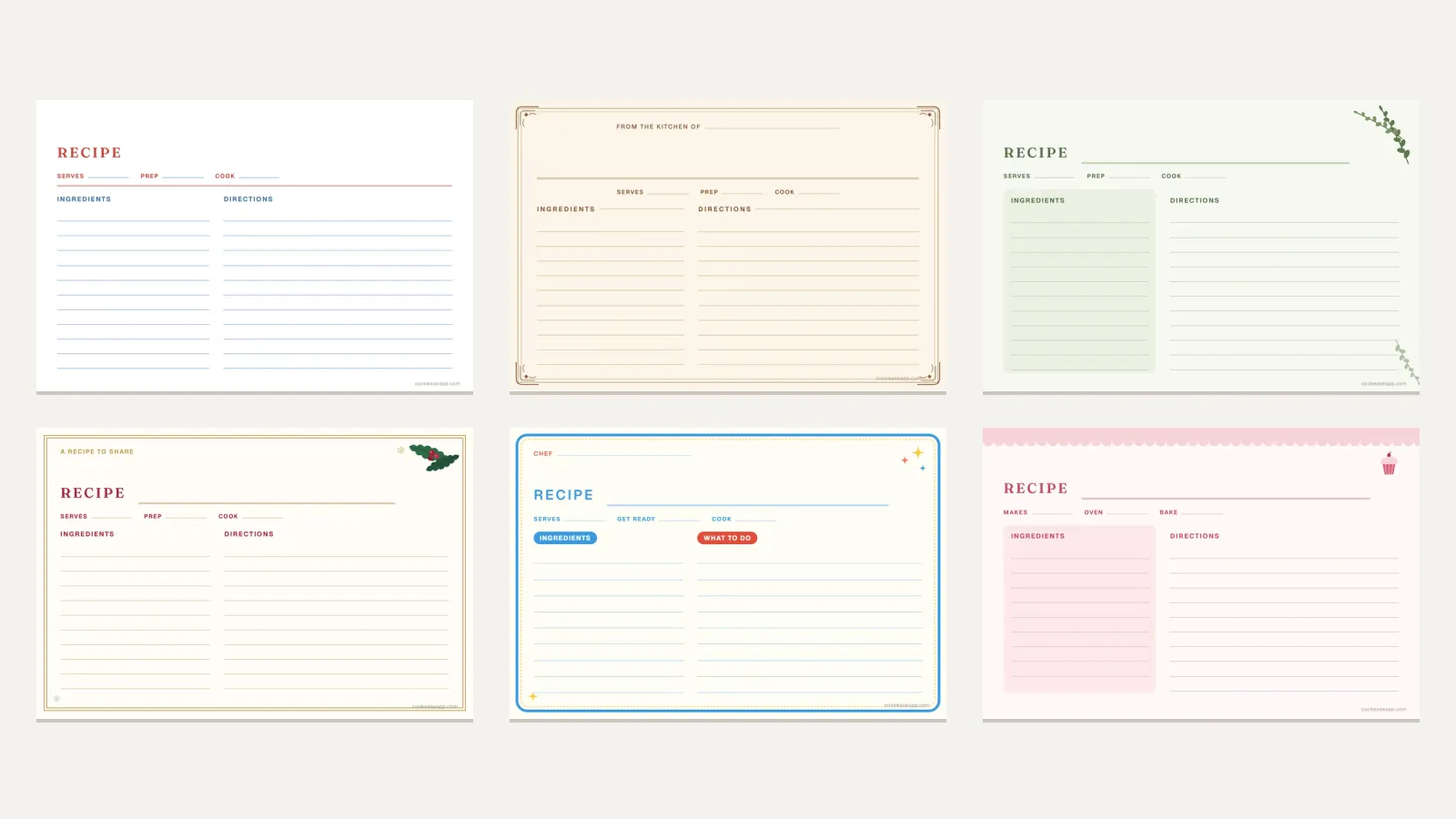
A full page is the easiest thing to cook from. If the recipe is going into a recipe box or a gift, our recipe card templates print it at 4 x 6 or 3 x 5 inches. If you are printing a whole collection, the cookbook maker lays your recipes out as a book with a cover, a contents page and binder margins.
Printed pages have one weakness, which is the drawer they end up in. Keep the recipe somewhere you can search as well, so the paper is a copy and not the only one.
Print it today, find it again next month
Save recipes from any website, video or photo to one cookbook, and print a clean page whenever you need paper.