Cookbook maker
This is an example. Change anything, or start your own, then print it or save it as a PDF.
Cookbook
The Miller Family Cookbook
Recipes we make again and again
Contents
- Breakfast
- Saturday Buttermilk Pancakes4
- Main Dishes
- Weeknight Turkey Chili6
- Sides
- Garlic Roasted Potatoes8
- Desserts
- Grandma Rose's Apple Crisp10
The Miller Family Cookbook2
Breakfast
1 recipe
Breakfast
Saturday Buttermilk Pancakes
From the kitchen of Dad
Ingredients
- 2 cups all-purpose flour
- 2 tbsp sugar
- 2 tsp baking powder
- 1 tsp baking soda
- 1/2 tsp salt
- 2 cups buttermilk
- 2 large eggs
- 3 tbsp butter, melted, plus more for the pan
Steps
- 1Whisk the flour, sugar, baking powder, baking soda and salt in a large bowl.
- 2Whisk the buttermilk, eggs and melted butter in a second bowl, then pour into the flour and stir until just combined. A few lumps are fine.
- 3Heat a griddle or large skillet over medium heat and butter it lightly.
- 4Pour 1/4 cup of batter per pancake and cook for 2 to 3 minutes, until bubbles cover the top and the edges look dry.
- 5Flip and cook for 1 to 2 minutes more, until golden. Serve warm.
Notes
For blueberry pancakes, drop a few berries on each one right after pouring.
The Miller Family Cookbook4
Main Dishes
1 recipe
Main Dishes
Weeknight Turkey Chili
From the kitchen of Mom
Ingredients
- 1 tbsp olive oil
- 1 large onion, diced
- 3 cloves garlic, minced
- 1 lb ground turkey
- 2 tbsp chili powder
- 2 tsp ground cumin
- 1 tsp salt
- 1 can (28 oz) crushed tomatoes
- 2 cans (15 oz each) kidney beans, drained
- 1 cup chicken broth
Steps
- 1Heat the oil in a large pot over medium heat. Cook the onion for 5 minutes, until soft, then stir in the garlic for 30 seconds.
- 2Add the turkey and cook for 6 to 8 minutes, breaking it up, until no pink remains.
- 3Stir in the chili powder, cumin and salt and cook for 1 minute.
- 4Add the tomatoes, beans and broth. Bring to a boil, then lower the heat and simmer for 25 minutes, stirring now and then, until thick.
- 5Taste, add salt if it needs it, and serve.
Notes
Good toppings: shredded cheddar, sour cream and crushed tortilla chips. Freezes well for 3 months.
The Miller Family Cookbook6
Sides
1 recipe
Sides
Garlic Roasted Potatoes
Ingredients
- 1 1/2 lb baby potatoes, halved
- 2 tbsp olive oil
- 3 cloves garlic, minced
- 1/2 tsp salt
- 1/4 tsp black pepper
- 1 tbsp chopped fresh parsley
Steps
- 1Preheat the oven to 425°F.
- 2Toss the potatoes with the oil, salt and pepper on a rimmed baking sheet and turn them cut side down.
- 3Roast for 25 minutes, until the cut sides are deep golden.
- 4Stir in the garlic and roast for 5 to 10 minutes more, until the potatoes are tender.
- 5Scatter the parsley over the top and serve.
The Miller Family Cookbook8
Desserts
1 recipe
Desserts
Grandma Rose's Apple Crisp
From the kitchen of Grandma Rose
Ingredients
- 6 medium apples, peeled, cored and sliced
- 1 tbsp lemon juice
- For the topping
- 1 cup all-purpose flour
- 3/4 cup packed brown sugar
- 1/2 cup rolled oats
- 1 tsp ground cinnamon
- 1/4 tsp salt
- 1/2 cup cold butter, cubed
Steps
- 1Preheat the oven to 375°F and grease a 9 x 9 inch baking dish.
- 2Toss the apples with the lemon juice and spread them in the dish.
- 3Mix the flour, sugar, oats, cinnamon and salt, then rub in the butter until crumbly.
- 4Scatter the topping over the apples and bake for 40 to 45 minutes, until golden and bubbling at the edges.
Notes
Best warm, with vanilla ice cream.
The Miller Family Cookbook10
Page 1 of 10
Optional
Style: Warm brown ink, a framed cover and classic serif titles.
Recipes in the example
Starting your own clears the example. Nothing is uploaded, and there is nothing to sign up for.
Already have recipes saved on Instagram, TikTok or websites? CookEase saves them from a link, so you never type them out.
The short answer
- To make your own cookbook, name it above, tap Start my own cookbook, then type each recipe or paste it whole: the cover, the table of contents and a page per recipe are laid out for you.
- Pick one of 4 styles, give recipes a section such as Breakfast or Desserts to get section pages, and turn on room for binder holes if the pages are going in a three-ring binder.
- Tap Print or save as PDF to print on US letter paper at home or keep a PDF. It is free, nothing is uploaded, and there is no account, email form or watermark.
- Your cookbook stays in this browser so you can come back and add to it. To cook from the recipes on your phone, you can keep them in a free CookEase account, which holds 5 recipes.
Most ways to make a cookbook start by asking for something: an account, a design app to learn, or an order for a printed book. This one starts with the book. The example above is a real cookbook, laid out and ready to print, and every part of it is yours to change. Tap Start my own cookbook, add your recipes, and the pages build themselves. It is free, and your recipes never leave your browser.
How to make your own cookbook
- 1
Gather the recipes you really cook
Recipe cards, screenshots, notes on your phone, the dishes you know by heart. Ten to twenty favorites make a better first cookbook than a hundred you will never finish typing. - 2
Name it and pick a style
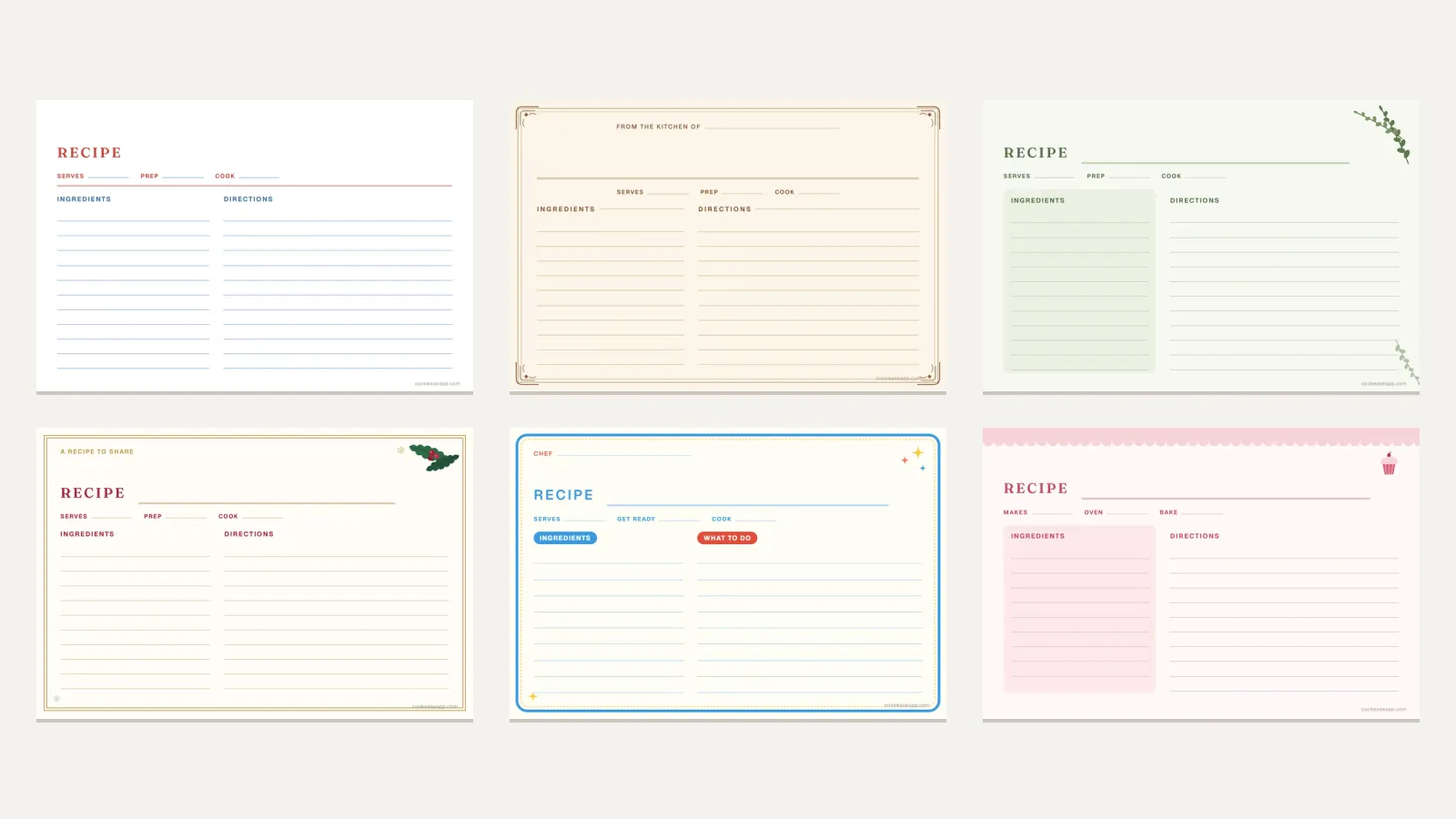
Type the title for the cover, and a line to go under it if you like ("Recipes we make again and again"). Then choose one of the 4 styles: Heirloom, Farmhouse, Modern, Herb Garden. - 3
Add each recipe
Tap Add a recipe and type the name, ingredients and steps. If the recipe is already written somewhere, tap Paste a whole recipe: the name, ingredients and steps are sorted into their boxes, and you fix anything that landed in the wrong place. - 4
Sort them into sections
Give each recipe a section such as Breakfast, Main Dishes or Desserts. The book prints them in cookbook order with a title page before each section, and the table of contents follows along. - 5
Print it, or save it as a PDF
Tap Print or save as PDF. Only the cookbook prints, one US letter page at a time, at its real size.
A free recipe book template you fill in online
A recipe book template is usually a document with empty boxes: you download it, open it in a design or writing app, and then place every title, list and photo yourself. Here the template does the placing. You only type the recipe, and each page comes out the same way, which is what makes a homemade cookbook look finished.
Every cookbook you make here has these pages:
- A cover with your title and the line under it.
- A table of contents with page numbers that stay correct as you add, move and remove recipes.
- Section title pages, if you use sections, so the binder opens to Desserts without flipping.
- One page per recipe: the name, who it is from, how many it serves, prep and cook time, ingredients beside the steps, a note and a photo. The text shrinks a little to keep a recipe on one page, and a very long recipe continues on a second page.
- Blank recipe pages, as many as you choose, in the same style, for recipes you would rather write by hand or have not collected yet.
If you want a single recipe on an index card instead of a whole book, the printable recipe card templates come in 4 x 6, 3 x 5 and full page, blank or typed.
How to print and bind a homemade cookbook
The cookbook prints on US letter paper, 8.5 x 11 inches. In the print window, set the scale to Actual size or 100%, not Fit to page, so the margins come out as designed. Then pick how to hold it together:
Best for
- Three-ring binder
- A cookbook that keeps growing
- Copy shop spiral
- A finished book or a gift
- Folder or staples
- A short booklet of a few recipes
How
- Three-ring binder
- Print, punch three holes, or slide pages into protectors
- Copy shop spiral
- Save a PDF and ask for spiral or comb binding
- Folder or staples
- Print and staple at the corner, or use a report folder
Add recipes later
- Three-ring binder
- Yes, anywhere
- Copy shop spiral
- No
- Folder or staples
- Only at the back
In the kitchen
- Three-ring binder
- Lies flat; protectors wipe clean
- Copy shop spiral
- Lies flat
- Folder or staples
- Does not lie flat
| Three-ring binder | Copy shop spiral | Folder or staples | |
|---|---|---|---|
| Best for | A cookbook that keeps growing | A finished book or a gift | A short booklet of a few recipes |
| How | Print, punch three holes, or slide pages into protectors | Save a PDF and ask for spiral or comb binding | Print and staple at the corner, or use a report folder |
| Add recipes later | Yes, anywhere | No | Only at the back |
| In the kitchen | Lies flat; protectors wipe clean | Lies flat | Does not lie flat |
Printing for a recipe binder
Turn on Leave room for binder holes and the inside margin of every page grows by half an inch, so the punch never bites into an ingredient list. If your printer prints on both sides, turn on I print on both sides of the paper too: the wide margin then switches to the other edge on the back of each sheet, where the holes are. Page protectors need no extra margin, and they are the best defense against splashes for the recipes you cook every week.
Recipe binder categories that work
A cookbook is only as useful as its sections, because nobody remembers page numbers. The order most cookbooks use, and the one this maker prints in, follows a meal:
- Breakfast
- Appetizers and Snacks
- Soups and Salads
- Main Dishes
- Sides
- Breads
- Desserts
- Drinks
You are not limited to these: type any section name on a recipe and it gets its own title page after the standard ones. Sections that earn their place in a family binder are the ones you would actually look for, such as Holidays, Slow Cooker, Kids Can Make or Grandma's Recipes. If Main Dishes grows past a dozen recipes, split it by what is in them: Chicken, Beef, Pasta, Meatless.
How to make a family cookbook everyone adds to
The hard part of a family cookbook is never the layout. It is getting Aunt Linda's rolls out of Aunt Linda's head. A few things make that easier:
- Ask for two or three dishes each, by name. "Send me your recipes" gets nothing; "can you send me the Christmas rolls and the potato salad" gets both.
- Take whatever format comes. A photo of a stained card, a text message, a voice memo. Type or paste it into the maker and tidy it there.
- Fill in the "From the kitchen of" line. It prints under the recipe name, and years from now it is the line people treasure.
- Use the note for the story: who made it, when it is served, what was changed along the way.
- Add blank pages at the back so each household can keep adding to its own copy.
Old handwritten cards often leave out what the cook knew by heart, like the oven temperature or the pan size. Our guide on how to write a recipe lists what a new cook needs on the page, and the guide to digitizing handwritten family recipe cards covers photographing a whole recipe box so the originals are never lost.
Keep a digital recipe book too
A printed cookbook is lovely to cook from and to hand down, but it cannot be searched from the grocery store, and it does not change when you double a recipe. The PDF you save from this page is one kind of digital recipe book: a file you can keep, back up and send to family.
The other kind is a cookbook you can use. Once you have added recipes of your own, Keep this cookbook in CookEase appears under them: pick the recipes, make a free account, and each one is saved with its ingredients and steps separated, so you can change the servings, build a grocery list and cook hands-free with the screen kept on. A free account holds 5 recipes in total, so pick the ones you cook most; the printed book keeps all of them either way.
And for the recipes you have not typed anywhere yet, the ones saved on Instagram, TikTok or a website, you do not need to type at all: CookEase saves a recipe from its link, and from a photo of a recipe card. If years of recipe links are sitting in your browser, the free CookEase extension can find the recipe links in your bookmarks and save the ones you pick.
Your cookbook, on paper and on your phone.
Print up to 40 recipes as a real cookbook here, and keep the ones you cook most where you can find them at the store and at the stove.