Save from TikTok
Found a viral dish on TikTok? Don't let it get lost in your likes. Save the ingredients and instructions directly into CookEase - the most accurate recipe saver on the App Store. It doesn't just read the caption; it watches the video.
Step-by-Step Instructions
Step 1: Copy the Link
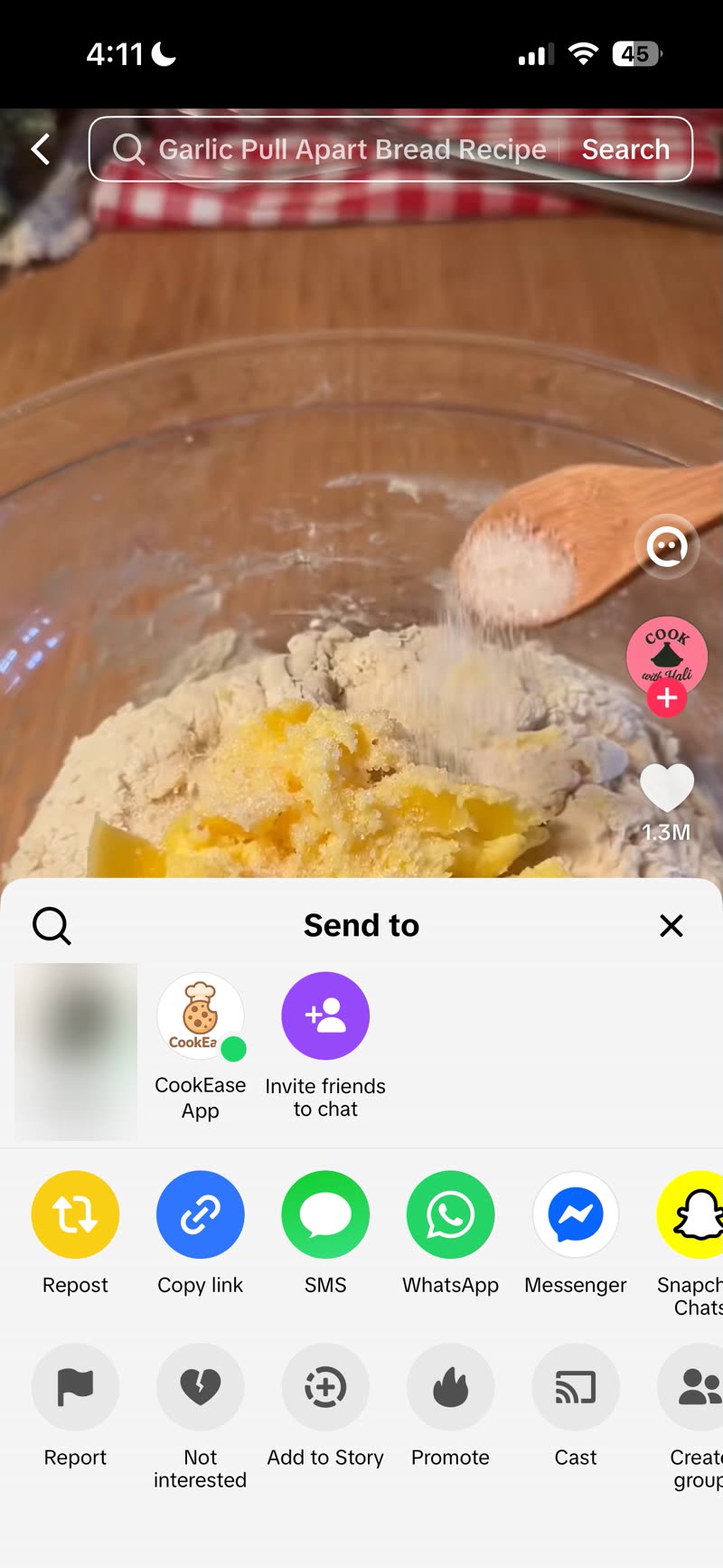
Open the TikTok video you want to save. Tap the Share arrow icon (usually bottom right), then tap Copy Link. On iPhone you can skip copying entirely: choose CookEase App right in TikTok's share sheet and the video is saved straight into CookEase.
Step 2: Open CookEase
Go to your Dashboard and click the Save a recipe button at the top right.
Step 3: Paste & Save
Ensure the Web Link tab is selected. Paste your TikTok link into the text field and click Save a Recipe.
The Fastest Way: Share Straight from TikTok (iPhone)
If you have the CookEase iOS app, you never need to copy and paste at all. Tap Share on any TikTok video and choose CookEase, and the recipe starts saving instantly.
The first time, CookEase may be buried at the end of the share sheet. Pin it to your Favorites once and it will always appear right up front:
- On the TikTok video, tap the Share arrow, then tap More to open the iPhone share sheet.
- Scroll to the end of the app row and tap More again, then tap Edit in the top corner.
- Tap the green + next to CookEase to add it to Favorites, then tap Done.
- That's it. From now on, CookEase shows up next to Messages and Mail every time you share, one tap away.
Good to know: The caption doesn't need to list the ingredients. CookEase watches the video itself and pulls out the ingredients and steps, even if the creator never wrote them down.